

A slow-loading website can be detrimental to your online presence, with 53% of mobile users abandoning a site that takes more than three seconds to load. In today’s fast-paced digital landscape, website performance is crucial for maintaining a competitive edge. We will explore how optimizing your site’s speed can significantly enhance user experience and improve search engine rankings.
Google’s PageSpeed Insights tool provides a comprehensive analysis of your site’s performance metrics across both mobile and desktop devices, giving you actionable insights to boost your site’s speed and user experience. By understanding the relationship between page speed and user experience, you can implement proven optimization techniques to improve your site’s overall performance.
Key Takeaways
- Understand the impact of website speed on user experience and search engine rankings.
- Learn how to use Google’s PageSpeed Insights tool to analyze your site’s performance metrics.
- Discover effective strategies to optimize your site’s speed and performance.
- Improve your site’s overall user experience and search engine rankings.
- Implement actionable techniques to boost your site’s Google PageSpeed score.
Why Website Speed Matters for SEO and User Experience

With the majority of internet users expecting instant access to information, website speed has become a critical factor in SEO and user experience. Slow-loading websites not only frustrate users but also negatively impact search engine rankings.
Slow-loading websites cost their owners $2.6 billion in losses each year. It takes an average of 10.5 seconds for a website to load, which is 8.5 seconds more than what a visitor is willing to wait for before abandoning a website. In terms of web performance, this gap is where 61% of sites globally are struggling the most.
The Impact of Page Speed on Search Rankings
Google has explicitly confirmed that page speed is a ranking factor for both mobile and desktop searches, making it a critical component of your SEO strategy. Research shows that 53% of mobile users abandon sites that take longer than three seconds to load, highlighting the direct relationship between speed and bounce rates. For more insights on how page speed affects SEO, visit our detailed guide on page speed and SEO.
| Ranking Factor | Impact on SEO | Effect on Users |
|---|---|---|
| Page Speed | Directly affects search rankings | Influences user satisfaction and engagement |
| Loading Time | Impacts bounce rates and conversion rates | Affects user experience and retention |
How Speed Affects User Behavior and Conversion Rates
Even a one-second delay in page response can result in a 7% reduction in conversions, translating to significant revenue loss for businesses. A study by Portent shows how page speed can increase conversion rates drastically. Understanding the psychological impact of waiting times on user perception helps explain why speed optimization should be prioritized in your digital strategy.
“As the digital landscape continues to evolve, optimizing website speed is no longer a luxury, but a necessity for businesses aiming to stay competitive.”
By optimizing your website’s speed, you can improve both user experience and search engine rankings, ultimately driving more conversions and revenue. Competitors with faster-loading websites gain an advantage in both search visibility and user retention.
Understanding Google Website Page Speed
Understanding Google’s PageSpeed Insights is essential for optimizing website performance. Google PageSpeed Insights is a tool that analyzes your website’s speed and provides recommendations for improvement.
What is PageSpeed Insights?
PageSpeed Insights is a free tool offered by Google that evaluates your website’s performance on both desktop and mobile devices. It provides a comprehensive analysis of your website’s speed, highlighting areas of improvement and offering suggestions for optimization. By using PageSpeed Insights, you can identify performance bottlenecks and improve your website’s overall user experience.
Lab Data vs. Field Data: What's the Difference?
PageSpeed Insights combines both lab data and field data to provide a comprehensive analysis of your website’s performance. Lab data, collected using the Lighthouse tool, simulates user interactions in a controlled environment, while field data, extracted from the Chrome User Experience Report (CrUX), reflects real-user experiences. Understanding the difference between these two types of data is crucial for identifying and addressing performance issues.
The Relationship Between Page Speed and Core Web Vitals
Core Web Vitals have become a critical component of Google’s page experience signals, directly influencing search rankings. PageSpeed Insights evaluates your website’s performance based on Core Web Vitals metrics, including Largest Contentful Paint (LCP), First Input Delay (FID), and Cumulative Layout Shift (CLS). By optimizing these metrics, you can improve your website’s overall performance and search engine rankings.
By leveraging PageSpeed Insights and understanding the relationship between page speed and Core Web Vitals, you can optimize your website’s performance, enhance user experience, and improve search engine rankings.
How to Use Google PageSpeed Insights
With Google PageSpeed Insights, you can unlock the full potential of your website’s loading speed. Using Google PageSpeed Insights is straightforward, and we’re here to guide you through the process.
Step-by-Step Guide to Running Your First Test
To start using Google PageSpeed Insights, follow these simple steps:
1. Enter Your Website URL: Go to Google PageSpeed Insights. In the input field, type or paste the URL of the webpage you want to analyze and click the “Analyze” button.
2. Interpret PageSpeed Performance Scores: Once the analysis is complete, you will see a performance score ranging from 0 to 100. A score above 90 is considered good, while anything below 50 needs improvement.
Testing Mobile vs. Desktop Performance
Understanding the difference between mobile and desktop testing is crucial, as Google primarily uses mobile-first indexing for ranking determinations. The tool provides separate scores for mobile and desktop experiences, allowing you to identify device-specific performance issues that may be affecting your rankings.
How Often Should You Test Your Website?
We recommend establishing a regular testing schedule to monitor performance trends over time, especially after implementing new features or content. This will help you identify areas that need improvement and track the effectiveness of your optimizations.
Key considerations when using Google PageSpeed Insights include understanding the color-coded scoring system and testing multiple pages across your site to identify patterns of performance issues.
Interpreting Your PageSpeed Insights Results
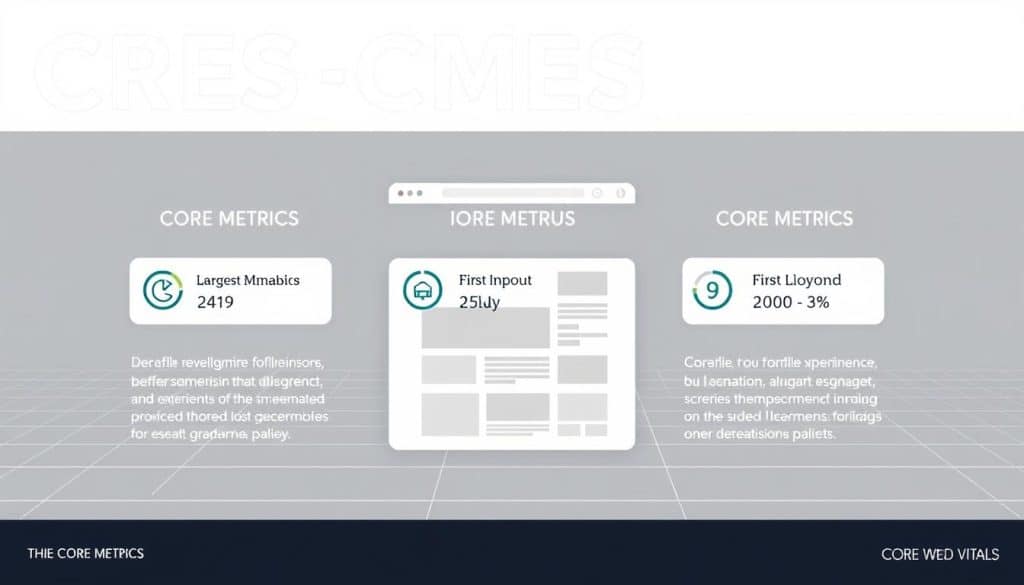
Decoding your PageSpeed Insights results is essential for identifying areas of improvement and boosting your website’s speed. When you run a test using Google PageSpeed Insights, you receive a comprehensive report that includes several key metrics and recommendations.
Understanding the Performance Score
The Performance score is based purely on Lab data, providing a snapshot of your website’s performance under controlled conditions. This score is a weighted average of several metrics, with some having a greater impact than others on your final score. For instance, metrics that directly affect user experience are given more weight.
Core Web Vitals Assessment
While the Performance score is important, shifting your attention to the Core Web Vitals assessment panel is more beneficial for your business. It’s what helps your visitors experience your website in the best possible way. A tri-color scoring system helps you identify where your webpage is performing well and where it needs extra attention. Green indicates good performance, Yellow shows there’s room for improvement, and Red indicates poor performance.
Opportunities and Diagnostics Sections
The Opportunities section provides actionable recommendations prioritized by potential impact, helping you focus optimization efforts where they’ll deliver maximum results. The Diagnostics section reveals deeper technical issues that may require developer intervention, providing specific code-level insights for comprehensive optimization.
What Makes a Good Score?
A good score is not just about achieving a high number; it’s about ensuring that your website provides a good user experience. Understanding the historical context of your performance data helps identify seasonal patterns or technical debt that may be affecting your site speed. For more information on optimizing your website’s speed, visit our detailed guide on understanding your website’s page speed.
- The overall performance score is a weighted average of several metrics.
- Understanding Core Web Vitals metrics is crucial for your specific business type and audience behavior patterns.
- Distinguishing between cosmetic improvements and substantive changes is key to genuine user experience enhancement.
Essential Core Web Vitals You Need to Optimize
Core Web Vitals are a set of metrics that directly impact user experience and search rankings. To improve your website’s overall performance, it’s crucial to understand and optimize these vital metrics. By focusing on Core Web Vitals, you can significantly enhance your website’s usability and search engine ranking.
Largest Contentful Paint (LCP)
Largest Contentful Paint measures how quickly the largest content element becomes visible to users, directly impacting their perception of your site’s speed. Optimizing LCP involves ensuring that your main content is loaded quickly, typically within 2.5 seconds. To achieve this, consider optimizing image sizes, leveraging browser caching, and minimizing CSS and JavaScript files.
First Input Delay (FID) and Total Blocking Time (TBT)
FID measures the time it takes for a user’s first interaction with your site to be responded to, while TBT measures the total time during which your site is unresponsive. Both metrics are critical for measuring interactivity and responsiveness. To improve FID and TBT, focus on minimizing JavaScript execution times and optimizing your site’s main thread work.
Cumulative Layout Shift (CLS)
Cumulative Layout Shift quantifies visual stability, helping you identify and fix unexpected layout shifts that frustrate users and disrupt their experience. To minimize CLS, ensure that your website’s layout is stable and that elements do not shift unexpectedly. This can be achieved by specifying image dimensions, using CSS aspect ratios, and avoiding dynamic content injections.
First Contentful Paint (FCP)
First Contentful Paint measures the time it takes for the first content to be rendered on your site. Understanding the relationship between FCP and user perception of initial loading provides insights into optimizing above-the-fold content. To improve FCP, focus on optimizing your critical rendering path, minimizing CSS and JavaScript files, and leveraging browser caching.
For more information on how to improve your website’s rankings with speed optimization, visit our guide on improving rankings with website speed optimization for.
| Metric | Threshold for “Good” Performance | Description |
|---|---|---|
| Largest Contentful Paint (LCP) | ≤ 2.5 seconds | Measures the time it takes for the largest content element to become visible. |
| First Input Delay (FID) | ≤ 100 ms | Measures the time it takes for a user’s first interaction to be responded to. |
| Cumulative Layout Shift (CLS) | ≤ 0.1 | Quantifies visual stability by measuring unexpected layout shifts. |
| First Contentful Paint (FCP) | ≤ 1.8 seconds | Measures the time it takes for the first content to be rendered. |
Top Performance Issues and How to Fix Them
To improve website performance, it’s essential to identify and address common performance issues. Several factors can impact how quickly and efficiently a webpage loads, affecting both user experience and search engine rankings.
Eliminate Render-Blocking Resources
Some CSS and JavaScript files can be flagged as render-blocking resources. These resources force browsers to pause rendering while they download and process, significantly delaying when users first see your content. Optimizing CSS delivery through critical path rendering and asynchronous loading techniques can mitigate this issue. For more on optimizing website performance, visit our guide on speed optimization.
Optimize and Compress Images
Image optimization represents one of the highest-impact improvements for most websites. Modern formats like WebP offer 25-35% smaller file sizes without quality loss. By optimizing and compressing images, you can significantly reduce the overall page load time, enhancing the user experience.
Minimize Main Thread Work
The Main Thread is where the browser does most of the work needed to display a page. If it’s blocked, it can’t perform its crucial tasks, leading to slow load times and unresponsive pages. Understanding how to minimize main thread work helps prevent browser processing bottlenecks that cause poor interactivity and delayed response times.
Reduce JavaScript Execution Time
JavaScript execution often consumes significant processing resources. Identifying unnecessary scripts and implementing efficient loading strategies can help reduce JavaScript execution time, thereby improving overall page performance.
Implement Efficient Caching Policies
Implementing proper browser caching policies allows returning visitors to experience dramatically faster page loads by storing resources locally. This can be achieved by setting appropriate cache lifetimes for static resources, ensuring that repeat visitors can load your site more quickly.
Reduce the Impact of Third-Party Code
Third-party scripts for analytics, ads, and widgets often create performance issues disproportionate to their value. Evaluating and optimizing these external dependencies is crucial. Consider using asynchronous loading for third-party scripts or exploring alternative solutions that offer similar functionality with less impact on performance. For insights on maximizing ROI with effective web design and SEO integration, check out our article on maximizing ROI.
| Performance Issue | Impact | Solution |
|---|---|---|
| Render-Blocking Resources | Delays page rendering | Optimize CSS delivery, async loading |
| Uncompressed Images | Increases page load time | Compress images, use modern formats |
| Excessive Main Thread Work | Causes poor interactivity | Minimize main thread work |
Practical Optimization Techniques for Better Page Speed
Several key strategies can significantly improve your website’s page speed and overall performance. By implementing these techniques, you can enhance user experience, improve search engine rankings, and drive revenue growth through digital excellence.
Image Optimization Best Practices
Modern image optimization goes beyond simple compression, incorporating responsive sizing, next-generation formats like WebP, and proper dimension specifications. Serving images in next-gen formats reduces file size significantly while maintaining quality.
Implementing Lazy Loading
Deferring offscreen images, also known as lazy loading, can reduce initial page load times by 25-50%. This technique ensures that more critical resources are loaded first, improving the overall user experience.
Minifying CSS, HTML, and JavaScript
Minification removes unnecessary characters without changing functionality, often reducing file sizes by 10-20%. This optimization technique is crucial for improving page speed and should be applied to all CSS, HTML, and JavaScript files.
Using Content Delivery Networks (CDNs)
CDNs distribute your static assets across global server networks, dramatically reducing latency for international visitors. By using a CDN, you can ensure that your website loads quickly and efficiently, regardless of the user’s location.
These optimization techniques work synergistically, creating compound performance improvements greater than the sum of individual optimizations. By implementing these strategies, you can significantly enhance your website’s page speed and overall performance. For more information on how to elevate your online presence through SEO mastery, visit our guide on SEO Mastery.
| Optimization Technique | Impact on Page Speed | Implementation Complexity |
|---|---|---|
| Image Optimization | High | Medium |
| Lazy Loading | High | Medium |
| Minification | Medium | Low |
| CDN | High | Medium |
Conclusion: Balancing Speed Optimization with Business Goals
As we conclude our guide on optimizing Google Website Page Speed, it’s essential to strike a balance between speed optimization and business goals. Google PageSpeed Insights is a valuable tool in your performance testing arsenal, but it’s crucial to use it smartly and focus on the data that matters.
We recommend shifting your attention to the Core Web Vitals assessment at the top of your PSI report, as it provides insights into the real user experience. To maintain a competitive advantage in an increasingly speed-conscious digital landscape, we suggest balancing technical performance metrics with broader business objectives.
This ensures that optimization efforts align with conversion and revenue goals. For a comprehensive performance strategy, consider checking if your website has good SEO using our expert guide here. By implementing the techniques outlined in this guide and regularly monitoring your website’s performance, you can improve your search rankings, enhance user satisfaction, reduce bounce rates, and increase conversion potential.
FAQ
What is the ideal page loading time for a good user experience?
We recommend aiming for a loading time of under 3 seconds to ensure a seamless user experience and optimal conversion rates.
How often should I test my site’s performance using PageSpeed Insights?
We suggest testing your site’s performance regularly, ideally after significant updates or changes, to identify areas for improvement and track progress.
What are Core Web Vitals, and why are they important?
Core Web Vitals are a set of metrics that measure user experience, including Largest Contentful Paint, First Input Delay, and Cumulative Layout Shift. Optimizing these metrics is crucial for improving user engagement and search rankings.
How can I improve my site’s Largest Contentful Paint (LCP) score?
To improve LCP, focus on optimizing image sizes, leveraging browser caching, and minimizing render-blocking resources to ensure faster page loading.
What is the difference between Lab Data and Field Data in PageSpeed Insights?
Lab Data is collected in a controlled environment, while Field Data is gathered from real users. Both provide valuable insights into your site’s performance, helping you identify areas for improvement.
How can I reduce the impact of third-party code on my site’s performance?
To minimize the impact of third-party code, we recommend carefully evaluating the necessity of each script, using asynchronous loading, and optimizing code where possible.
What is the role of Content Delivery Networks (CDNs) in page speed optimization?
CDNs help distribute content across different geographic locations, reducing latency and improving page loading times by serving content from servers closer to users.
How do I know if my site’s performance score is good?
A good performance score is typically above 90. We recommend regularly monitoring your score and addressing opportunities for improvement to ensure optimal performance.







