

In today’s digital landscape, a fast and responsive online presence is crucial for businesses to succeed. Page loading time plays a significant role in determining the overall user experience and can greatly impact your online visibility.
As we explore the connection between site performance and search engine rankings, you’ll discover how optimizing your website’s loading time can lead to better engagement, higher conversion rates, and improved search engine rankings.
With Google’s algorithms increasingly emphasizing the importance of page speed and user experience, it’s essential to understand how to improve your website’s performance and stay ahead of the competition.
Key Takeaways
- Understand the critical role of page speed in search engine rankings
- Discover how to improve your website’s loading time and user experience
- Learn actionable strategies for optimizing your website’s performance
- Stay ahead of the competition with the latest insights on search engine algorithms
- Improve your online visibility and drive business growth through digital excellence
Understanding Website Speed and Its Impact on SEO
In the digital landscape, website speed has emerged as a critical factor influencing SEO success. As we navigate the complexities of search engine optimization, it’s essential to understand how website speed impacts our online presence.

What is Website Speed Optimization?
Website speed optimization encompasses a range of techniques aimed at reducing the time it takes for web pages to load completely in a user’s browser. This process involves various strategies, including optimizing images, leveraging browser caching, and minifying CSS and JavaScript files. By improving page speed, we can significantly enhance the user experience and, consequently, our search engine rankings.
As Google has used page speed as a ranking factor since 2010, and further emphasized its importance with the “Speed” update in 2018, it’s clear that optimizing website speed is no longer optional. The update specifically targeted the slowest-loading mobile pages, underscoring the need for fast and efficient websites.
The Relationship Between Site Speed and Search Rankings
The relationship between site speed and search rankings is multifaceted. Research has consistently shown that faster websites receive preferential treatment in search rankings. Google’s algorithm considers site speed as a direct ranking factor, and the “Speed Update” has made it an increasingly important differentiator in competitive niches.
Moreover, site speed indirectly influences search rankings through improved user engagement metrics. A faster website enhances user experience, leading to higher engagement rates, lower bounce rates, and increased conversion rates. As
“A slow-loading website can hurt your Google rankings,”
it’s crucial to prioritize speed optimization to achieve better SEO outcomes.
Understanding how search engines evaluate page speed differently for mobile versus desktop experiences is also vital. With the majority of searches now coming from mobile devices, mobile optimization has become particularly crucial for SEO success.
Why Website Speed Optimization for SEO Matters
Fast website speeds are directly correlated with better SEO outcomes. As we explore the significance of website speed optimization, it becomes clear that its impact extends beyond mere technicalities to directly influence user experience, conversion rates, and ultimately, search engine rankings.
Impact on User Experience and Engagement
Website speed plays a crucial role in shaping user experience. Studies have shown that users tend to abandon sites that take more than three seconds to load, directly affecting bounce rates and time on site. A faster website not only retains users but also enhances their overall engagement, as they are more likely to explore the site further.
Faster load times lead to improved user satisfaction, which is a critical factor in determining the success of a website. By optimizing website speed, businesses can create a more engaging and user-friendly experience, driving higher levels of interaction and participation.
Conversion Rate Correlation with Page Speed
The correlation between page speed and conversion rates is striking. According to a study by Portent, a B2B site that loads in one second has a conversion rate that’s three times higher than a site that loads in five seconds. The data illustrates that for every additional second of load time, conversion rates drop precipitously – from 40% at one second to just 29% at three seconds.
| Load Time (seconds) | Conversion Rate (%) |
|---|---|
| 1 | 40 |
| 2 | 34 |
| 3 | 29 |
| 5 | Half of the rate at 1 second |
Mobile Performance and SEO
With over 63% of global web traffic now coming from mobile devices, mobile performance has become particularly critical for SEO success. Google’s mobile-first indexing approach further emphasizes the need for fast and efficient mobile experiences. Users have significantly less patience on mobile devices, making mobile optimization a key consideration for businesses aiming to improve their search rankings.
By optimizing for mobile, businesses can improve their website’s overall performance, leading to better user engagement and higher conversion rates. For more insights on elevating your online presence through SEO strategies, visit our guide on SEO Mastery.
Key Website Speed Metrics You Should Monitor
To optimize your website’s speed, it’s essential to track the right metrics. Understanding and monitoring these key performance indicators can significantly enhance your website’s user experience and search engine rankings. We will delve into the crucial metrics that you should focus on to ensure your website performs optimally.
Time to First Byte (TTFB)
Time to First Byte (TTFB) measures how quickly your server responds to a user’s request. A high TTFB can indicate server issues, such as slow database queries or inefficient server configuration. Optimal TTFB performance is considered to be under 200ms. Monitoring TTFB helps in identifying fundamental server or hosting issues that need to be addressed.
First Contentful Paint (FCP)
First Contentful Paint (FCP) tracks when the first content element appears on the screen, providing insight into how quickly users perceive your page as loading. Google considers FCP under 1.8 seconds as “good” performance. Improving FCP can enhance the user experience by making your content visible sooner.
Largest Contentful Paint (LCP)
Largest Contentful Paint (LCP) measures when the largest content element becomes visible, which is crucial for user perception of page completeness. This Core Web Vital should ideally occur within 2.5 seconds of page load. Optimizing LCP can significantly improve how users perceive your website’s loading speed.
Cumulative Layout Shift (CLS)
Cumulative Layout Shift (CLS) quantifies unexpected layout shifts during page loading, directly impacting user frustration when elements move as they try to interact. A CLS score below 0.1 is considered good. Minimizing CLS enhances the visual stability of your website, improving overall user experience.
Understanding these metrics is crucial for effective website optimization. Tools like PageSpeed Insights provide comprehensive analysis of these metrics, along with specific recommendations for improvement based on your site’s particular performance profile.
| Metric | Description | Optimal Performance |
|---|---|---|
| TTFB | Time taken for the server to respond | Under 200ms |
| FCP | Time taken for the first content to appear | Under 1.8 seconds |
| LCP | Time taken for the largest content to load | Within 2.5 seconds |
| CLS | Measure of layout shifts during loading | Below 0.1 |
How to Test Your Website's Speed
Website speed testing is a vital step in identifying performance issues and optimizing your site for better search rankings. To start, you can use a free tool like Google PageSpeed Insights. It assesses your Core Web Vitals on mobile (by default) or desktop and lets you know if you passed.
Using Google PageSpeed Insights
Google PageSpeed Insights is a gold standard for speed testing, providing not only performance scores but also specific recommendations directly from the company that determines your search rankings. We’ll walk through how to properly interpret PageSpeed Insights reports, focusing on both the lab data (controlled test environment) and field data (real-world user experience) to get a complete picture of your site’s performance.
Alternative Speed Testing Tools
For more advanced analysis, Google Lighthouse offers comprehensive audits that extend beyond speed to include accessibility, SEO, and best practices. Alternative testing tools like WebPageTest, GTmetrix, and Pingdom offer different perspectives and sometimes more granular data that can help identify specific bottlenecks in your site’s loading process.
Regular testing of your website’s speed is essential for maintaining optimal performance and identifying issues before they impact your search rankings. We recommend testing your site from multiple geographic locations and device types to understand how performance varies for different segments of your audience.
Server-Level Optimization Strategies
Optimizing your website’s server-level infrastructure is crucial for achieving faster load times and improving overall user experience. Server-level optimizations often deliver the most significant speed improvements, as they address the foundational infrastructure that delivers your website to users.
Choosing the Right Hosting Provider
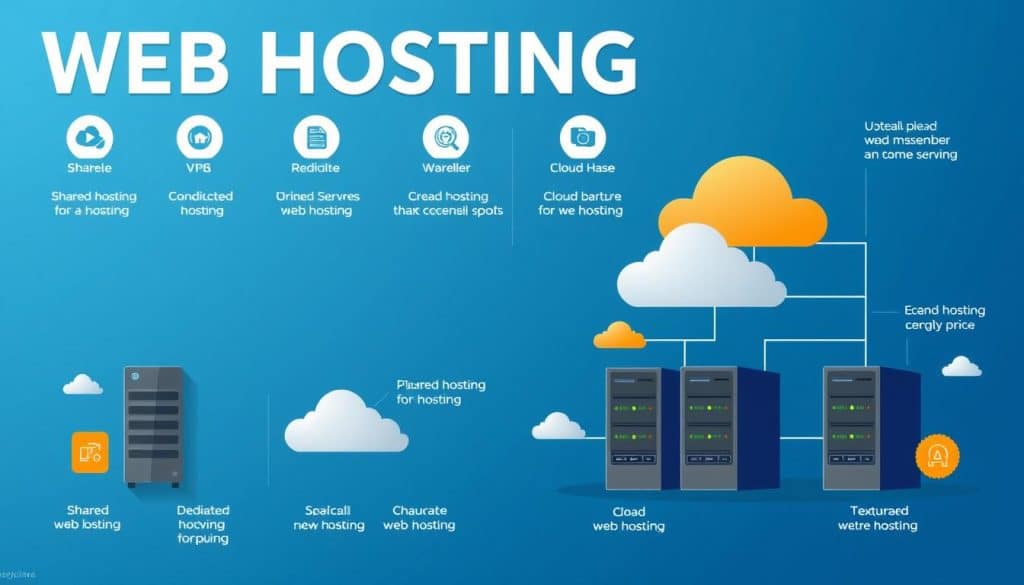
Selecting a suitable hosting provider is a critical decision that can significantly impact your website’s performance. We compare shared hosting, Virtual Private Server (VPS), and dedicated hosting options to help you make an informed choice.
Shared hosting is the most cost-effective option but can lead to performance issues due to shared resources. VPS hosting offers better performance with dedicated resources, while dedicated hosting provides maximum performance but at a higher cost.
Implementing a Content Delivery Network (CDN)
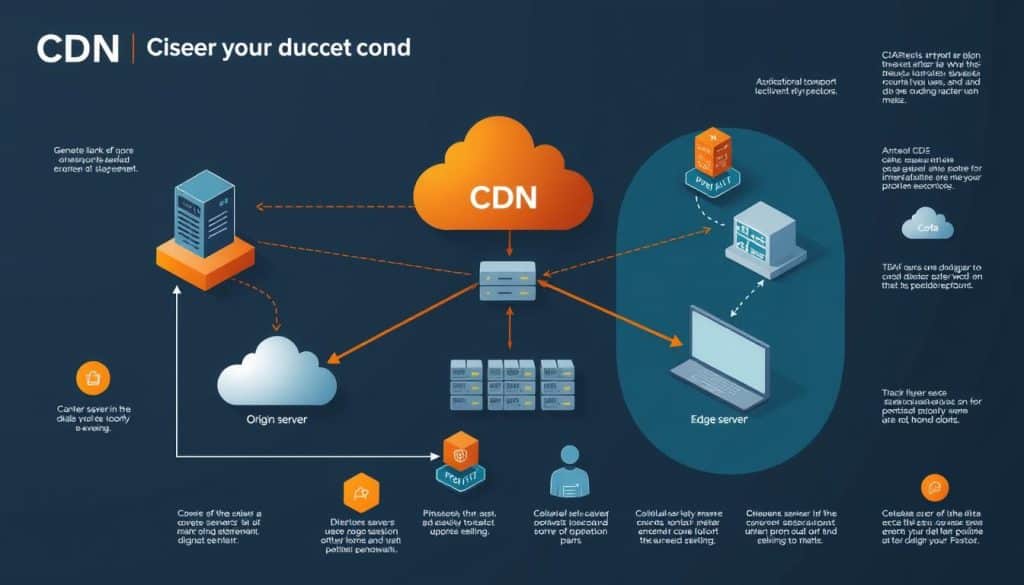
A Content Delivery Network (CDN) is a distributed network of servers that store cached copies of your website’s static content. By using a CDN, you can reduce the distance between your users and your website’s resources, leading to faster page loads.
CDNs have become increasingly popular, with research indicating that they now deliver over 70% of global internet traffic. This is because CDNs effectively reduce latency by allowing users to download resources from servers that are geographically closer to them.
Browser Caching Implementation
Browser caching involves storing certain elements of your website locally on a user’s browser, allowing returning visitors to load your site more quickly. Properly configured caching can reduce load times by up to 85% for repeat visitors.
To implement browser caching effectively, it’s essential to set optimal cache expiration times for different types of content. This balances the need for freshness with performance considerations.
Image Optimization Techniques for Faster Loading
To achieve faster loading times, it’s essential to implement effective image optimization techniques. Images typically constitute a significant portion of a webpage’s total size, with the median weight of images on desktop webpages exceeding 1,000 KB. This makes image optimization one of the most impactful speed improvements you can implement.
Best Practices for Image Compression
Effective image compression can dramatically reduce file sizes without noticeably affecting visual quality. We explore both lossless compression, which preserves 100% of quality, and lossy compression, which sacrifices minimal quality for maximum size reduction. Tools like TinyPNG are invaluable for compressing common file types such as .jpg, .png, and .tiff. For more advanced needs, consider exploring image optimization guides that provide comprehensive strategies.
Next-Gen Image Formats
Next-generation image formats like WebP offer significant advantages over traditional formats. According to Google, WebP lossless images are 26% smaller than comparable PNGs while maintaining equivalent visual quality. Implementing WebP can be a strategic move for enhancing your website’s speed. For a step-by-step guide on optimizing your website, including image optimization, refer to our SEO guide for websites.
Lazy Loading Implementation
Lazy loading has become an essential technique for deferring the loading of off-screen images until users scroll to them. This dramatically improves initial page load times and reduces unnecessary bandwidth usage. By implementing lazy loading, you can significantly enhance your website’s user experience and improve page speed, a critical factor for both user engagement and search engine rankings.
Code Optimization for Better Performance
Code optimization represents a critical aspect of website development, directly impacting page load times and overall site efficiency. By streamlining your website’s code, you can significantly enhance its speed and overall performance.
Minifying CSS, JavaScript, and HTML
One effective method for optimizing code is minifying CSS, JavaScript, and HTML files. This process involves removing unnecessary characters such as whitespace, comments, and line breaks, which can reduce file sizes by 20-30% without affecting functionality. To achieve this, you can utilize automated tools like code minification tools.
Reducing HTTP Requests
Every HTTP request adds to your site’s overall load time. As your site grows, these requests can stack up and create noticeable delays. To mitigate this, consider consolidating multiple CSS or JavaScript files into single files, thereby reducing the number of HTTP requests. Techniques like CSS/JavaScript bundling, image sprites, and icon fonts can also help.
Implementing Asynchronous Loading
Implementing asynchronous loading allows non-critical resources to load without blocking the rendering of the page. This significantly improves perceived performance and user experience. For JavaScript files, you can use the async and defer attributes to achieve asynchronous loading. Additionally, techniques like critical CSS extraction ensure that above-the-fold content renders instantly, further enhancing the user experience.
By implementing these code optimization techniques, you can achieve substantial improvements in your website’s speed and overall efficiency, leading to a better user experience and potentially improved search engine rankings.
Mobile Speed Optimization Strategies
With the rise of mobile traffic surpassing desktop, mobile speed optimization is no longer optional but essential. As more users switch to mobile devices as their primary browsing and shopping mediums, speedy mobile sites are crucial for businesses to stay competitive.
Responsive Design Best Practices
Responsive design is more than just adapting layouts to different screen sizes; it involves strategic decisions about which content and features to prioritize on mobile to maximize speed and usability. By optimizing responsive images, implementing touch-friendly navigation, and minimizing unnecessary scrolling and zooming, businesses can significantly enhance the mobile user experience.
Accelerated Mobile Pages (AMP)
AMP remains a viable option for publishers and content-heavy sites seeking dramatic speed improvements. By implementing AMP, websites can significantly reduce load times and improve the overall mobile user experience. However, it’s essential to weigh the benefits against potential drawbacks, such as limited design flexibility and potential impact on search engine rankings.
Mobile-First Indexing Considerations
Google’s mobile-first indexing means that the mobile version of your website is now the primary version Google uses for indexing and ranking. Therefore, ensuring that your mobile site is optimized for speed and usability is critical for SEO success. This includes optimizing content, images, and overall performance to cater to mobile users.
Conclusion: Implementing Your Website Speed Optimization Strategy
By prioritizing website speed optimization, businesses can significantly enhance their online performance, driving both user satisfaction and search engine visibility. To achieve this, we recommend beginning with a comprehensive speed audit using tools like PageSpeed Insights and WebPageTest to establish baseline metrics and identify performance bottlenecks.
Prioritize your optimization efforts based on potential impact, focusing on server-level optimizations and image compression for substantial improvements. Create a phased implementation plan addressing critical issues first, while planning for longer-term optimizations.
Regular monitoring of your site’s speed metrics is crucial to catch performance regressions and measure optimization efforts over time. Remember, website speed optimization is an ongoing process requiring continuous attention as your site evolves. By implementing these strategies, you’ll create a faster, more efficient website that both users and search engines will reward with increased engagement and visibility, ultimately driving revenue growth.
FAQ
What is the ideal loading time for a website to improve user experience?
We recommend aiming for a loading time of under 3 seconds to provide a seamless user experience and improve engagement. Google’s PageSpeed Insights tool can help identify areas for improvement.
How does a Content Delivery Network (CDN) impact website loading speed?
A CDN can significantly improve loading times by caching content at edge locations closer to users, reducing latency, and minimizing the distance data travels.
What are the most critical metrics to monitor for website speed optimization?
Key metrics include Time to First Byte (TTFB), First Contentful Paint (FCP), Largest Contentful Paint (LCP), and Cumulative Layout Shift (CLS), which provide insights into page loading, rendering, and visual stability.
How can image optimization improve website loading times?
Optimizing images through compression, using next-gen formats, and implementing lazy loading can significantly reduce page load times and improve overall user experience.
What role does browser caching play in website speed optimization?
Browser caching allows frequently-used resources to be stored locally, reducing the need for repeat requests to the server, and resulting in faster page loads for returning visitors.
How does mobile-friendliness impact website speed and SEO?
A mobile-friendly design is crucial, as it directly affects user experience and search engine rankings, with Google prioritizing mobile-first indexing and penalizing non-responsive sites.
Can minifying CSS, JavaScript, and HTML improve website loading times?
Yes, minifying code by removing unnecessary characters and whitespace can reduce file sizes, resulting in faster page loads and improved overall performance.
How can I test my website’s loading speed and identify areas for improvement?
Utilize tools like Google PageSpeed Insights, GTmetrix, or Pingdom to analyze your website’s performance, identify bottlenecks, and receive recommendations for optimization.







