

A shocking 40% of users will abandon a page that takes more than three seconds to load. In today’s fast-paced digital landscape, a slow-loading site can be detrimental to your online presence. According to a study by Akamai and Gomez.com, 47% of consumers expect websites to load in two seconds or less.
We understand the importance of speed in enhancing user experience and driving business performance. By implementing our proven strategies, you can significantly reduce page load time and improve your search engine rankings. Check out our comprehensive guide on strategies to boost website speed for more insights.
Key Takeaways
- Enhance user experience by optimizing site speed
- Improve search engine rankings with faster load times
- Reduce bounce rates by ensuring quick page loads
- Implement proven strategies for browser optimization
- Boost conversions by providing a seamless user experience
Why Website Speed Matters for Your Business

In today’s digital landscape, a fast website is no longer a luxury, it’s a necessity for businesses aiming to thrive online. We analyze the critical role website speed plays in determining business success, from enhancing user experience to improving search engine rankings.
The Impact of Slow Loading Times on Conversions
Slow loading times can significantly impact your business’s bottom line. For instance, for every one second of site speed improvement, Walmart experienced up to a 2% increase in conversions. Conversely, a one-second delay can result in a 7% loss in conversions. This direct correlation underscores the importance of optimizing your website’s speed to maximize revenue potential.
How Speed Affects User Experience and Bounce Rates
A fast website is crucial for providing a good user experience. Studies have shown that 79% of customers will not return to a site with poor performance, highlighting the need for businesses to prioritize speed to retain visitors and foster loyalty. Moreover, a one-second delay can increase bounce probability by 123% on mobile devices, further emphasizing the importance of a speedy site.
Website Speed as a Ranking Factor for Search Engines
Website speed is now a critical ranking factor for search engines, particularly with the mobile-first index implementation. Ensuring your site loads quickly can improve your search engine rankings, making it more visible to potential customers and driving organic traffic to your site.
Understanding Website Performance Metrics
Measuring website performance is critical for businesses, as it directly affects user experience, conversion rates, and search engine rankings. A slow-loading site can lead to high bounce rates and lost revenue. To optimize your site’s performance, you need to understand the key metrics that impact user experience and search engine rankings.
Key Speed Indicators You Should Monitor
To evaluate your website’s performance, you need to monitor several key speed indicators. These include Time to First Byte (TTFB), First Contentful Paint, and Total Blocking Time. TTFB measures the time it takes for the server to respond, while First Contentful Paint measures when the user sees the first content on the page. Total Blocking Time measures the time during which the main thread is blocked, indicating potential interactivity issues.
By monitoring these metrics, you can identify areas for improvement and optimize your site for better user engagement.
Tools to Measure Your Website's Current Performance
Several tools are available to measure your website’s current performance. Google PageSpeed Insights is a popular tool that provides actionable recommendations for improvement. Other tools like GTmetrix and WebPageTest offer comprehensive performance data, including page load times and optimization suggestions.

These tools help you understand your site’s performance and identify opportunities for optimization.
Setting Realistic Speed Goals for Your Site
Setting realistic speed goals is crucial for improving your website’s performance. According to Google, the best practice is to load pages within three seconds. However, most sites take longer to load, with an average load time of 22 seconds for mobile landing pages. To set achievable goals, you need to understand your site’s current performance and industry benchmarks.
By analyzing your site’s performance data and setting realistic goals, you can prioritize optimization efforts and track progress over time.
Optimize Your Server Response Time
Server response time is a foundational element of website speed, and optimizing it is key to improving overall performance. When a user visits your site, their browser sends an HTTP request to the server that hosts it. The time taken for the server to respond is critical, with Google recommending a Time to First Byte (TTFB) of less than 200 ms.
There are three critical components involved in server response: DNS lookup, server processing, and response delivery. Most issues with slow TTFB are caused by network issues, dynamic content creation, web server configuration, and traffic.
Reducing Time to First Byte (TTFB)
To reduce TTFB, it’s essential to optimize your server configuration. This includes improving database queries, application code, and resource allocation. By streamlining these processes, you can significantly reduce the time it takes for your server to respond to requests, thus improving your site’s overall speed.
Choosing the Right Hosting Option for Your Needs
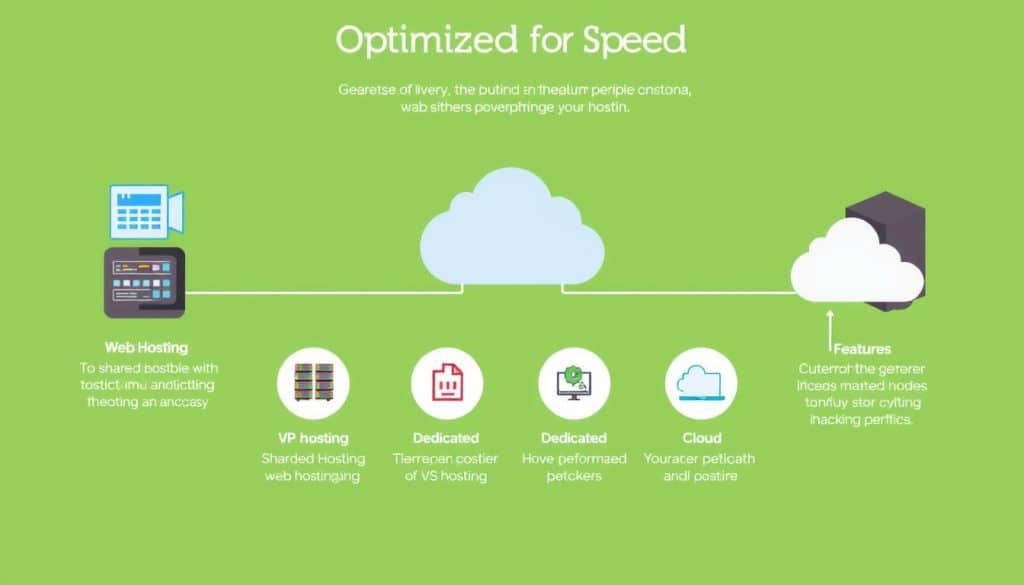
Selecting the right hosting option is vital for optimizing server response time. You can choose from shared, VPS, or dedicated hosting, each with its pros and cons. For instance, a dedicated hosting option can provide more resources and better performance for high-traffic sites.
DNS Optimization Strategies
DNS optimization is another crucial aspect of reducing server response time. By using a faster DNS provider, you can significantly reduce lookup times. We recommend comparing the performance of different DNS providers to find the best one for your site’s needs.
Implement Content Delivery Networks (CDNs)
By distributing your site’s content across a global network of servers, a CDN can significantly enhance user experience by reducing the distance between your site’s visitors and your server, thereby improving speed and reducing load times.
CDNs are particularly beneficial for websites with a global audience, as they ensure that your site loads quickly and efficiently, regardless of the user’s location. This is achieved by caching your site’s static content on edge servers worldwide, so when a user requests your site, the content is delivered from the nearest server.
How CDNs Improve Website Loading Speed
A CDN improves your website’s loading speed by reducing the latency associated with long-distance data travel. By caching your site’s content on multiple servers around the world, a CDN ensures that users can access your site quickly, regardless of their geographical location.
This not only enhances the user experience but also contributes to better search engine rankings, as page speed is a factor considered by search engines.
Setting Up CloudFlare or Other CDN Services
Setting up a CDN like CloudFlare involves several steps, including signing up for the service, configuring your DNS settings, and optimizing your site’s content for delivery through the CDN.
To set up CloudFlare, start by creating an account and adding your site. Then, update your DNS records to point to CloudFlare’s servers. Finally, configure your CDN settings to optimize performance, such as enabling caching and setting appropriate cache levels for your content.

Handling Initial CDN MISS Issues
One common issue when implementing a CDN is dealing with initial cache MISS, where the requested content is not found in the CDN’s cache, leading to a slower initial response.
To mitigate this, ensure that your CDN is properly configured to cache the right content. You can also consider preloading critical content into the CDN cache or using techniques like cache warming to minimize the impact of initial cache MISS.
Minimize HTTP Requests to Make Website Faster

One of the most effective ways to boost your site’s performance is by minimizing the number of HTTP requests. According to Yahoo, 80% of a Web page’s load time is spent downloading the different parts of the page, such as images, stylesheets, and scripts. Each of these elements requires an HTTP request, so the more on-page components, the longer it takes for the page to render.
Identifying and Reducing Unnecessary Page Elements
To minimize HTTP requests, you need to identify and reduce unnecessary page elements. Start by auditing your site’s current HTTP requests using browser developer tools. This will help you establish a benchmark for optimization. Common sources of unnecessary requests include redundant scripts, oversized images, and excessive third-party elements.
Using Browser Developer Tools to Analyze Requests
If you use Google Chrome, you can utilize the browser’s Developer Tools to see how many HTTP requests your site makes. This tool allows you to analyze your site’s performance and identify areas for improvement. By understanding how your site’s elements contribute to the overall load time, you can make informed decisions about optimization.
Implementing Icon Fonts and CSS Sprites
Techniques such as using icon fonts and CSS sprites can help consolidate multiple elements into fewer requests. Icon fonts replace multiple image requests with a single font file, while CSS sprites combine multiple images into a single file, reducing the number of HTTP requests. By implementing these strategies, you can create a leaner, faster site experience.
By prioritizing critical requests and deferring or eliminating non-essential ones, you can further optimize your site’s performance. This approach ensures that your website loads quickly and efficiently, providing a better user experience for your visitors.
Optimize Your Images for Speed
When it comes to website performance, images are often the largest contributors to page bloat, accounting for 50-90% of a site’s total download size. Optimizing these images is crucial for improving your website’s loading speed and overall user experience.
Unoptimized images can significantly slow down your site, leading to higher bounce rates and lower conversion rates. Therefore, it’s essential to adopt effective image optimization strategies.
Choosing the Right Image Format
The choice of image format plays a significant role in optimization. Modern formats like WEBP and AVIF offer superior compression compared to traditional formats like PNG and JPEG. For instance, AVIF may be ideal for lossy photos, while WEBP could be better for lossless thumbnails or icons.
Understanding the strengths of each format helps in selecting the optimal one for different image types, ensuring a balance between file size and visual quality.
Image Compression Techniques That Maintain Quality
Effective image compression can reduce file sizes by 30-70% without noticeable quality loss. Techniques include using tools that compress images without compromising their visual integrity. Some of the best image compression tools available can significantly reduce the file size of your images.
By applying these techniques, you can ensure that your images are optimized for web use, contributing to a faster site.
Implementing Responsive Images with srcset
Using the srcset attribute allows you to specify different image sizes for various devices, ensuring that visitors only download images that are appropriately sized for their devices. This approach helps in reducing unnecessary data transfer and improves page loading times.
By implementing responsive images, you can enhance the user experience across different devices and screen sizes, contributing to a more efficient and faster website.
Minify and Combine Your Code Files
Minifying and combining code files is a crucial step in optimizing website performance. By reducing the size of your code files, you can significantly improve your website’s loading speed and overall user experience. We will explore the techniques and tools necessary for effective code minification and optimization.
HTML Minification Techniques
HTML minification involves removing unnecessary characters from your HTML code, such as whitespace, comments, and redundant tags. This process can reduce the file size by 10-20%, resulting in faster page loads. Tools like html-minifier-terser can automatically minify HTML files by removing optional tags and quotes, making your code more compact without affecting its functionality.
CSS and JavaScript File Optimization
Optimizing CSS and JavaScript files is crucial for improving website performance. This can be achieved through minification, combining multiple files into one, and removing unused selectors. For instance, using tools like UglifyJS for JavaScript and CSS Nano for CSS can significantly reduce file sizes. By streamlining your CSS and JavaScript files, you can create leaner stylesheets and scripts that load faster.
Tools for Automated Code Minification
Several tools are available to automate the code minification process. For example, html-minifier-terser is effective for HTML minification, while UglifyJS and CSS Nano are popular for JavaScript and CSS optimization, respectively. By leveraging these tools, you can simplify your workflow and ensure that your code files are optimized for better performance. For more information on how optimized web design can impact your ROI, visit our article on maximizing ROI with effective web design and SEO.
Leverage Browser Caching Effectively
Leveraging browser caching can significantly enhance your site’s loading speed and overall efficiency. When a user visits your website, the browser downloads various resources such as images, CSS, and JavaScript files. By implementing browser caching, these resources are stored locally on the user’s device, reducing the need for repeat downloads on subsequent visits.
Setting Proper Cache-Control Headers
To effectively leverage browser caching, it’s crucial to set appropriate Cache-Control headers. These headers instruct the browser on how long to store resources before checking for updates. For instance, static resources that rarely change can be cached for longer periods, while dynamic content should have a shorter cache lifetime. According to KeyCDN, proper Cache-Control headers can significantly reduce the number of HTTP requests made to your server.
Implementing ETags for Resource Validation
ETags (Entity Tags) are another mechanism for validating cached resources. An ETag is a unique identifier assigned to a resource, allowing the browser to check if the resource has been updated since it was last cached. If the ETag remains the same, the browser can continue using the cached version, reducing unnecessary downloads.
Configuring Expiry Times for Different Resources
Configuring expiry times (or max-age) for different types of resources is vital. Static assets like logos and background images can have longer expiry times, whereas resources that are updated frequently, like news feeds, should have shorter expiry times. This strategy ensures that users receive fresh content when necessary while benefiting from caching for static resources.
| Resource Type | Recommended Cache Expiry Time |
|---|---|
| Static Assets (Images, CSS, JS) | 1 year |
| Dynamic Content (News, Updates) | 1 hour |
| Fonts | 6 months |
For more strategies on improving your website’s ranking on Google, visit our guide on Improving Website Ranking on Google. By effectively leveraging browser caching, you can significantly improve your site’s performance, enhancing user experience and potentially boosting your search engine rankings.
Enable Compression for Faster Downloads
One simple yet effective way to enhance your website’s performance is by enabling file compression. By compressing your site’s files, you can significantly reduce their size, leading to faster download times and an improved user experience. This technique is particularly beneficial for users in regions with slower internet connections, such as Qatar, where optimizing website performance can have a substantial impact on user engagement.
Implementing Gzip and Brotli Compression
There are two primary compression algorithms used for website optimization: Gzip and Brotli. Gzip has been a long-standing standard for file compression, supported by about 90% of internet traffic. Brotli, on the other hand, is considered the successor to Gzip and offers even better compression ratios. According to Yahoo, enabling Brotli compression can reduce download times by about 70%. To implement compression, you need to configure your server to use either Gzip or Brotli. For instance, you can enable Brotli compression if your server supports it, as it’s more efficient. We recommend checking your server documentation for specific instructions on how to enable compression. For more detailed information on enabling text compression, you can refer to our article on enabling text compression.
Verifying Compression is Working Correctly
After enabling compression, it’s crucial to verify that it’s working correctly. You can use browser developer tools to check if your files are being compressed. Look for the “Content-Encoding” header in the network requests; it should indicate whether Gzip or Brotli compression is being used. Additionally, you can utilize third-party testing services to verify compression and ensure it’s applied correctly across all your website’s resources.
| Compression Type | Browser Support | Compression Ratio |
|---|---|---|
| Gzip | 90% of internet traffic | High |
| Brotli | Increasingly supported | Very High |
Optimize JavaScript Loading and Execution
To improve site interactivity, it’s essential to optimize how JavaScript is loaded and executed. JavaScript files can significantly impact your site’s performance because they can block rendering and delay user interaction. Efficient loading and execution strategies are crucial for maintaining a smooth user experience.
Using Asynchronous Loading for Non-Critical Scripts
Asynchronous loading allows non-critical JavaScript files to load without blocking the main thread. This technique is particularly useful for scripts that aren’t necessary for the initial page render. By using the async attribute, you can ensure that these scripts load in the background, improving overall page load times.
For instance, analytics scripts or social media widgets can be loaded asynchronously. This approach prevents them from interfering with the loading of critical content, thereby enhancing the user experience.
Deferring JavaScript Execution
Deferring JavaScript execution is another effective strategy for optimizing site performance. By adding the defer attribute to your script tags, you can ensure that these scripts are executed only after the initial HTML document has been completely loaded. This method is particularly beneficial for scripts that don’t need to run immediately.
“Deferring scripts can significantly improve your site’s interactivity,” as it allows the browser to finish parsing the HTML document before executing JavaScript, thus reducing delays in user interaction.
Implementing Web Workers for Background Processing
Web Workers offer a powerful solution for offloading intensive computations from the main thread, thus preventing UI freezes and enhancing perceived performance. By moving complex tasks to background threads, you can keep your site responsive and interactive.
For example, tasks like image processing or complex data analysis can be handled within Web Workers. As one developer noted, “Both my clock and wallpaper run in web workers and both of them paint their updates to offscreen canvases.” This approach not only improves performance but also provides a smoother user experience.
Implement Modern HTTP Protocols
Implementing the latest HTTP protocols is a straightforward yet effective way to boost your website’s speed and efficiency. Modern HTTP protocols fundamentally change how browsers communicate with servers, offering substantial speed improvements.
One of the significant advancements in HTTP protocols is HTTP/2, which provides several benefits over its predecessors. Multiplexing, one of its key features, allows multiple requests and responses to be sent simultaneously over a single connection, reducing the overhead of establishing multiple connections.
Upgrading to HTTP/2 for Multiplexing Benefits
Upgrading to HTTP/2 can significantly enhance your site’s performance. With HTTP/2, you can take advantage of header compression and server push capabilities, which eliminate many traditional optimization workarounds. For instance, server push allows servers to proactively send resources to the client’s cache, reducing the need for additional requests.
To illustrate the benefits of HTTP/2, consider the following comparison:
| Feature | HTTP/1.1 | HTTP/2 |
|---|---|---|
| Multiplexing | No | Yes |
| Header Compression | No | Yes |
| Server Push | No | Yes |
Exploring HTTP/3 and QUIC for Further Speed Improvements
HTTP/3 and QUIC offer further speed improvements compared to HTTP/2, particularly for mobile users and those on unstable connections. QUIC, or Quick UDP Internet Connections, is a transport layer protocol that reduces the overhead of establishing connections, thus improving page load times.
By upgrading to HTTP/3 and QUIC, you can expect significant performance improvements, especially in scenarios where connection establishment times are critical. Our analysis shows that HTTP/3 can provide substantial speed improvements over HTTP/2, making it a worthwhile upgrade for sites looking to optimize their performance.
Optimize CSS Delivery and Rendering
To make your website faster, it’s essential to focus on optimizing CSS delivery and rendering. CSS plays a crucial role in determining how quickly your site loads and how users perceive its performance. By optimizing CSS, you can significantly improve your site’s overall user experience.
Inline Critical CSS for Above-the-Fold Content
Inlining critical CSS is a technique that involves including the CSS required for above-the-fold content directly in the HTML document. This approach ensures that the browser can render the initial content without waiting for additional CSS files to load. By inlining critical CSS, you can reduce the time it takes for your site to become interactive. For instance, using tools like Critical or Penthouse can help identify and inline critical CSS.
Eliminating Render-Blocking CSS
CSS files can be render-blocking, meaning they can prevent the browser from rendering the page until they are fully loaded. To eliminate render-blocking CSS, you can use techniques like asynchronous loading, media queries, and conditional loading patterns. For example, using the media attribute to load CSS files based on specific conditions can help reduce render-blocking. This approach allows the browser to render the page more quickly, improving the overall user experience.
Using System Fonts to Avoid Font Loading Delays
Web fonts can introduce additional latency and delay the rendering of your site’s content. Using system fonts can help avoid these font loading delays. System fonts are fonts that are pre-installed on users’ devices, so they don’t require additional downloads. By using system fonts, you can ensure that your site’s content is rendered more quickly, even on devices with slower internet connections. For example, using font stacks like -apple-system, BlinkMacSystemFont, "Segoe UI", Roboto can provide a consistent and fast typography experience.
| Optimization Technique | Description | Impact on Performance |
|---|---|---|
| Inlining Critical CSS | Includes essential CSS directly in HTML | Reduces time to interactive |
| Asynchronous CSS Loading | Loads CSS files without blocking rendering | Improves page rendering speed |
| Using System Fonts | Utilizes pre-installed fonts on devices | Eliminates font loading delays |
Implement Lazy Loading for Non-Critical Elements
Lazy loading is a powerful technique that defers the loading of non-critical elements until they’re needed. By doing so, it dramatically improves initial page load performance, enhancing the overall user experience on your site.
We can implement lazy loading in various ways, depending on the type of content. For instance, dynamic imports allow us to load components or modules on demand, rather than bundling them all at once. This approach is particularly useful for complex applications with many features that aren’t immediately required.
Lazy Loading Images and Videos
One of the most common applications of lazy loading is for images and videos. By using the loading="lazy" attribute, supported by most modern browsers, we can easily defer the loading of these media until they come into view. This not only improves page load times but also reduces bandwidth consumption.
For example, a website with a long gallery of images can significantly benefit from lazy loading. Instead of loading all images at once, the browser loads them as the user scrolls down, improving both performance and user experience.
| Content Type | Lazy Loading Method | Benefits |
|---|---|---|
| Images | loading="lazy" attribute | Faster page loads, reduced bandwidth |
| Videos | loading="lazy" attribute or Intersection Observer | Improved performance, enhanced user experience |
| JavaScript Components | Dynamic Imports | On-demand loading, reduced initial payload |
Using Intersection Observer for Efficient Lazy Loading
For more complex lazy loading scenarios, or when native lazy loading isn’t supported, we can use the Intersection Observer API. This API allows us to observe the visibility of elements and load them when they intersect with the viewport.
By using Intersection Observer, we can implement lazy loading for various content types, including images, videos, and even JavaScript components. This approach provides a flexible and efficient way to manage resource loading, further optimizing our site’s performance.
Mobile Optimization Strategies
With mobile-first indexing now the norm, ensuring your website is optimized for mobile is no longer optional. As of December 2017, Google started ranking all search results based on the mobile versions of pages. This shift was necessitated by the fact that mobile searches outnumbered desktop searches for the first time in 2015, and their share continues to grow.
Responsive Design Best Practices for Speed
A responsive design is crucial for maintaining performance across different device types. To achieve this, we recommend using flexible grids, images, and media queries. By doing so, you can ensure that your site loads quickly and functions smoothly on various mobile devices, thereby enhancing user experience and reducing bounce rates.
Accelerated Mobile Pages (AMP) Implementation
For content-focused sites that require extreme mobile performance, implementing Accelerated Mobile Pages (AMP) can be a viable strategy. AMP involves creating stripped-down versions of your web pages that load quickly on mobile devices. To implement AMP, you’ll need to create AMP-specific versions of your pages, using a restricted set of HTML tags and following AMP guidelines.

Testing Mobile Performance Across Devices
To ensure your site performs well across different devices and connection speeds, it’s essential to conduct comprehensive mobile testing. This involves testing your site on various devices, including smartphones and tablets, as well as under different network conditions. By doing so, you can identify and address any performance issues that may impact user experience on mobile devices.
By implementing these mobile optimization strategies, you can improve your site’s performance, speed, and overall user experience on mobile devices. This, in turn, can lead to better search engine rankings and increased conversions.
Conclusion: Maintaining Your Website's Speed Over Time
Optimizing your website’s speed is not a one-time task; it requires consistent monitoring and adjustments to maintain peak performance. As you’ve learned various techniques to enhance your site’s speed, it’s crucial to implement a strategy for ongoing maintenance.
To keep your website performing at its best, we recommend setting up automated testing tools to regularly monitor your site’s performance. This proactive approach allows you to identify and address potential issues before they impact your users. Establishing performance budgets can also help in maintaining a balanced optimization strategy.
Integrating speed considerations into your content management workflow is vital. This ensures that new additions or updates do not compromise your optimization efforts. When introducing new features or content, assess their potential impact on your page load time and make informed decisions to balance performance with business needs.
Maintaining superior website speed provides a competitive edge in the digital marketplace. By prioritizing speed and performance, you’re not only enhancing user experience but also reinforcing the value of your optimization investment over time. Regularly reviewing and adjusting your strategies will ensure your site remains fast and competitive.
In conclusion, sustaining your website’s speed is an ongoing process that requires vigilance and adaptability. By following the strategies outlined and maintaining a focus on performance, you can ensure your site continues to deliver a superior user experience, driving business growth and success in the digital landscape.
FAQ
How does website speed impact my business’s bottom line?
A slow-loading site can lead to a significant loss in conversions, as users tend to abandon sites that take too long to load, directly affecting your revenue.
What are the key performance metrics I should monitor for my site?
We recommend tracking metrics such as Time to First Byte (TTFB), page load time, and bounce rates to gauge your site’s performance and identify areas for improvement.
How can I measure my site’s current performance?
Utilize tools like Google PageSpeed Insights, GTmetrix, or Pingdom to analyze your site’s speed and receive recommendations for optimization.
What is a Content Delivery Network (CDN), and how does it improve site speed?
A CDN is a network of servers distributed globally, caching your site’s static files to reduce the distance between users and your content, resulting in faster page loads.
How do I optimize images without compromising quality?
Use image compression techniques, such as WebP or AVIF formats, and tools like TinyPNG or ImageOptim to reduce file sizes while maintaining visual quality.
What is the benefit of minifying and combining code files?
Minifying and combining CSS and JavaScript files reduces the number of HTTP requests, resulting in faster page loads and improved overall performance.
How can I leverage browser caching to improve site speed?
Set proper cache-control headers, implement ETags, and configure expiry times for different resources to enable efficient caching and reduce repeat requests.
What is the impact of enabling compression on my site’s speed?
Enabling Gzip or Brotli compression reduces the file size of your site’s resources, resulting in faster downloads and improved overall performance.
How can I optimize JavaScript loading and execution?
Use asynchronous loading for non-critical scripts, defer JavaScript execution, and consider implementing web workers for background processing to minimize the impact on page load times.
What are the benefits of implementing modern HTTP protocols like HTTP/2 and HTTP/3?
Upgrading to HTTP/2 or HTTP/3 enables features like multiplexing, header compression, and improved connection management, resulting in faster and more efficient data transfer.







