
Are you wondering how to boost your website’s visibility on Google Search and drive more relevant traffic to your site?
As website owners, we understand the importance of being visible on Google Search. With Google Search Console, you can gain valuable insights into how your site is performing and identify areas for improvement. This powerful tool provides critical data on how your site is crawled, indexed, and served by Google, enabling you to optimize your SEO strategy and improve your online presence.
By leveraging the expertise of Search Console, you can unlock the full potential of your website and drive more traffic to your site.
Key Takeaways
- Understand how to use Google Search Console to improve your website’s visibility.
- Learn how to analyze data from Search Console to optimize your SEO strategy.
- Discover how to identify and troubleshoot issues hindering your site’s performance.
- Gain insights into how to drive more relevant traffic to your website.
- Improve your online presence with data-driven decisions using Search Console.
What is Google Search Console?
Google Search Console is a free diagnostic tool provided by Google that offers insights into a website’s search performance. It helps website owners understand how their site is performing on Google Search, identify technical issues, and optimize their content for better visibility.
By using Google Search Console, website owners can gain valuable insights into their site’s performance, including how Google crawls, indexes, and serves their website. This information is critical for making data-driven decisions to improve search performance.
Purpose and Benefits
The primary purpose of Google Search Console is to provide website owners with the data they need to optimize their site’s performance on Google Search. Some of the key benefits of using Google Search Console include:
- Identifying technical issues that may be impacting search performance, such as crawl errors or mobile usability issues.
- Gaining insights into how users are interacting with your website, including which queries bring users to your pages.
- Optimizing your content and technical structure for better visibility and search performance.
Setting Up Google Search Console
Configuring Google Search Console is a straightforward process that unlocks valuable insights into your website’s performance. To get started, you’ll need to create a Google Search Console account and verify your website’s ownership.
Creating a Google Search Console Account
The first step in setting up Google Search Console is to create or use an existing Google account. This is the only requirement to access Search Console. If you don’t have a Google account, creating one is a simple process that will give you access to a suite of powerful tools, including Search Console.
Adding and Verifying Your Website
Once you have a Google account, you can proceed to add your website to Search Console. This involves verifying that you are the owner of the site. Verification is a critical security measure that ensures only authorized users can access sensitive data about your website’s performance. Google offers multiple verification methods, including HTML file upload, HTML tag, DNS record, or Google Analytics connection, to accommodate different technical capabilities. For website owners in Qatar, we recommend choosing the verification method that best aligns with your technical resources and hosting setup.
Verification Methods: Google provides several verification methods to suit different needs. These include:
- HTML file upload: Uploading a specific HTML file to your website’s root directory.
- HTML tag: Adding a meta tag to your website’s homepage.
- DNS record: Modifying your DNS settings to include a TXT record.
- Google Analytics connection: If you’ve already set up Google Analytics, you can use this for verification.
The verification process not only protects your site data but also enables you to make important changes that affect how your site appears in search results. Once verification is complete, you’ll gain immediate access to valuable insights about your site’s performance in Google Search, including data on clicks, impressions, and average position.
By following these steps, you’ll be able to set up Google Search Console effectively, gaining a powerful tool to optimize your website’s visibility and performance on Google.
Understanding the Google Search Console Dashboard
Your Google Search Console dashboard serves as a central hub for monitoring your site’s search performance and identifying areas for improvement. It provides a comprehensive overview of your site’s visibility, performance, and potential issues that require attention.
Overview of Key Metrics and Reports
The dashboard displays key metrics such as impressions, clicks, and average position in search results, giving you a quick snapshot of your site’s performance. It also highlights critical issues, including security problems or manual actions that could impact your site’s visibility. By understanding these metrics and reports, you can identify areas for improvement and optimize your site accordingly.
- Monitor your site’s performance across various dimensions.
- Identify critical issues requiring immediate attention.
- Track progress and emerging trends in search performance.
Navigating Between Properties and Reports
Navigating between different properties and reports in Google Search Console is essential for managing multiple websites or subdomains. The dashboard allows you to switch between properties and access various reports, including performance, index coverage, and more. By understanding how to navigate these reports, you can efficiently monitor your site’s performance and make data-driven decisions.
The Performance Report: Tracking Your Search Visibility
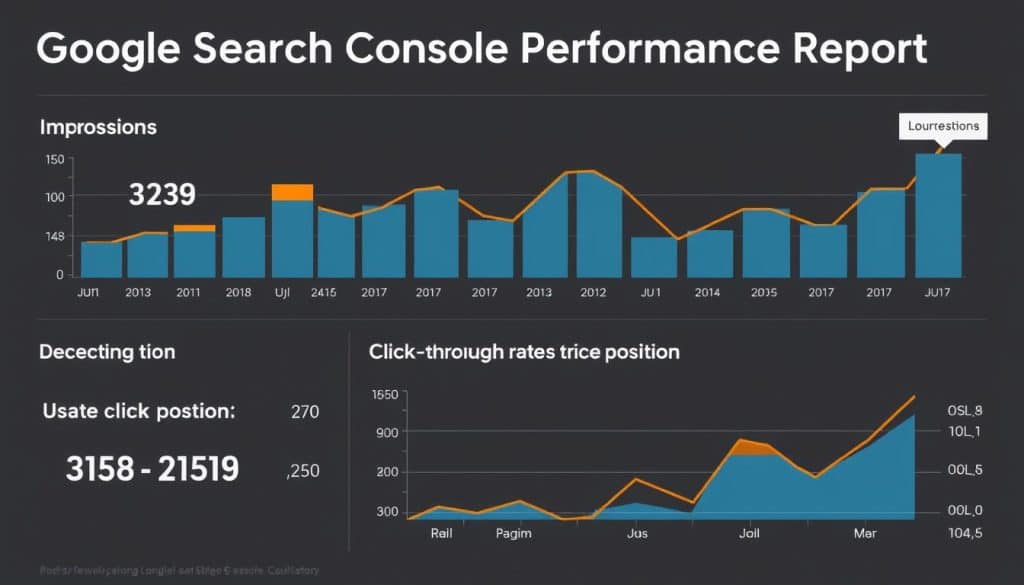
Google Search Console’s Performance Report offers a comprehensive overview of your website’s search performance, enabling data-driven decisions. This report is crucial for understanding how your site appears in search results and identifying areas for improvement.
Analyzing Clicks, Impressions, CTR, and Position
The Performance Report allows you to analyze four critical metrics: clicks, impressions, CTR (click-through rate), and average position. Understanding the relationship between these metrics helps identify opportunities where improving CTR could significantly increase traffic to your Qatar-based website.
By examining these metrics, you can gain insights into your website’s search visibility and make informed decisions to enhance your SEO strategy.
Filtering Data by Query, Page, Country, and Device
The report’s powerful filtering capabilities allow you to segment data by specific queries, pages, countries, and devices for more targeted analysis. This feature enables you to identify high-potential keywords that are generating impressions but not enough clicks, representing immediate optimization opportunities.
With the extended 16-month data history, you can track seasonal trends and measure the impact of your SEO efforts over a meaningful timeframe. By comparing performance across different segments, you can develop targeted strategies for improving visibility in specific markets or for particular content types.
Improving Your CTR with Performance Report Insights
The Performance Report in Google Search Console is a powerful tool for improving CTR. By analyzing the data provided in this report, we can identify areas of improvement and implement strategies to enhance our website’s click-through rate. Improving your CTR is one of the most effective ways to increase organic traffic without changing your ranking positions.

Identifying Low-Performing Pages and Keywords
To start, we need to identify pages that are underperforming in terms of CTR. We focus on pages ranking #5 or lower and having a bad CTR. According to Advanced Web Ranking, a page ranking #5 should have a CTR of around 4.35%. By filtering out pages that are beating this expected CTR, we can focus on those that are underperforming.
To do this effectively, we analyze the Performance Report data to pinpoint pages with CTRs below the expected benchmarks for their current position in search results. This involves filtering for pages ranking in positions 5-10 with CTRs below industry averages, revealing immediate optimization opportunities.
| Page Position | Expected CTR | Actual CTR | Optimization Opportunity |
|---|---|---|---|
| 5 | 4.35% | 3.5% | Yes |
| 6 | 3.8% | 3.2% | Yes |
| 7 | 3.2% | 2.9% | Yes |
Optimizing Titles and Meta Descriptions for Better CTR
Strategic title tag optimization using power words like “today,” “fast,” and “step-by-step” can dramatically improve CTR from search results. Additionally, meta descriptions serve as your organic ad copy, and crafting compelling descriptions that increase clicks while accurately representing your content is crucial.
For instance, using action-oriented language and including relevant keywords in your title tags and meta descriptions can make your search result listings more appealing to potential visitors. Monitoring CTR improvements over time provides clear evidence of your optimization success and helps refine your approach for future content.
Index Coverage Report: Ensuring Your Pages Are Indexed
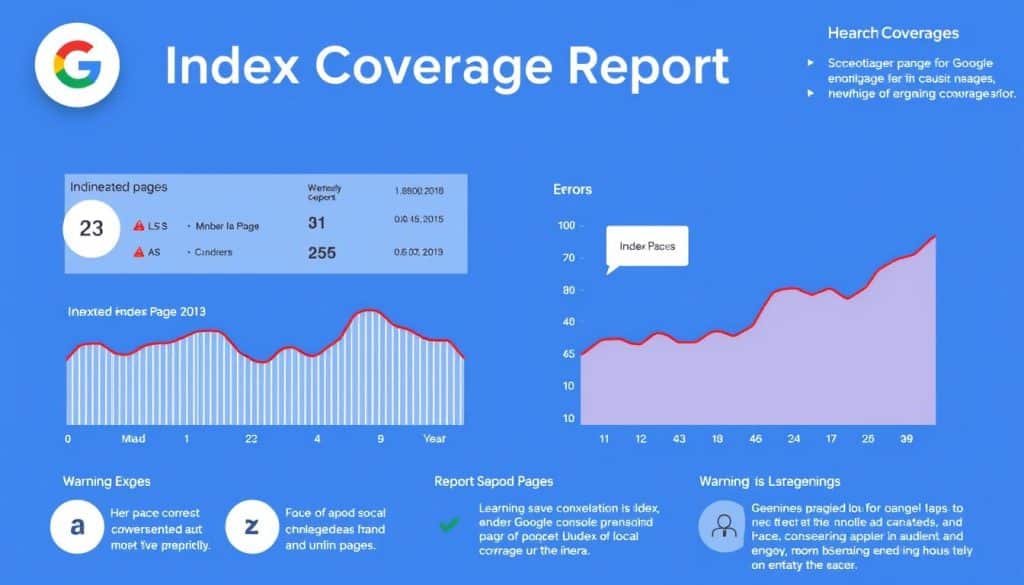
The Index Coverage report is an essential component of Google Search Console, providing critical information on how Google processes and indexes your website’s pages. This report is crucial for identifying technical issues that may prevent your pages from being indexed.
The Index Coverage report categorizes your website’s pages into four main categories: Error, Valid with warnings, Valid, and Excluded. Understanding these categories is vital for taking the necessary actions to ensure your pages are correctly indexed.
Understanding Error Types and Their Solutions
Common indexing errors include soft 404s, redirect issues, and crawl anomalies. Soft 404 errors occur when a page returns a 200 OK status code but displays a “not found” message. To fix this, ensure the page returns the correct HTTP status code. For redirect issues, verify that redirects are correctly implemented and not causing crawl errors.
Fixing Crawl Issues and Submitting Pages for Indexing
To fix crawl issues, identify and resolve problems using the URL Inspection tool. After resolving indexing issues, you can submit pages for reindexing using the same tool. Regular monitoring of the Index Coverage report is particularly important for e-commerce sites, especially those in Qatar with frequently changing inventory and product pages. For more information on improving your website’s SEO, check out our expert guide on checking if your website has good.
Proactively addressing indexing issues prevents the loss of valuable search visibility and ensures your content investment delivers maximum returns. By understanding and utilizing the Index Coverage report effectively, you can improve your website’s overall indexability and search engine ranking.
Submitting and Optimizing Your Sitemap
A crucial step in ensuring your site is properly indexed by Google is creating and submitting a sitemap. For larger websites, especially ecommerce sites with thousands of pages, a sitemap is key to helping search engines discover and index all your important pages efficiently.
Creating an Effective XML Sitemap
If you’re using WordPress with the Yoast plugin, you likely already have a sitemap. To create or verify your sitemap, navigate to Yoast’s settings and ensure the XML sitemaps feature is enabled. A well-structured XML sitemap serves as a roadmap for Google, helping it understand your site’s structure and content.
Submitting and Monitoring Your Sitemap in Search Console
To submit your sitemap, access your Google Search Console account, navigate to the “Sitemaps” section, and enter your sitemap URL. After submission, monitor your sitemap’s status to gain insights into how effectively Google is processing your content. This step is crucial for identifying and addressing any issues that might affect your site’s indexing.
By following these steps and maintaining an up-to-date sitemap, you can improve your website’s visibility and ensure that your content is properly indexed by search engines.
URL Inspection Tool: Troubleshooting Individual Pages
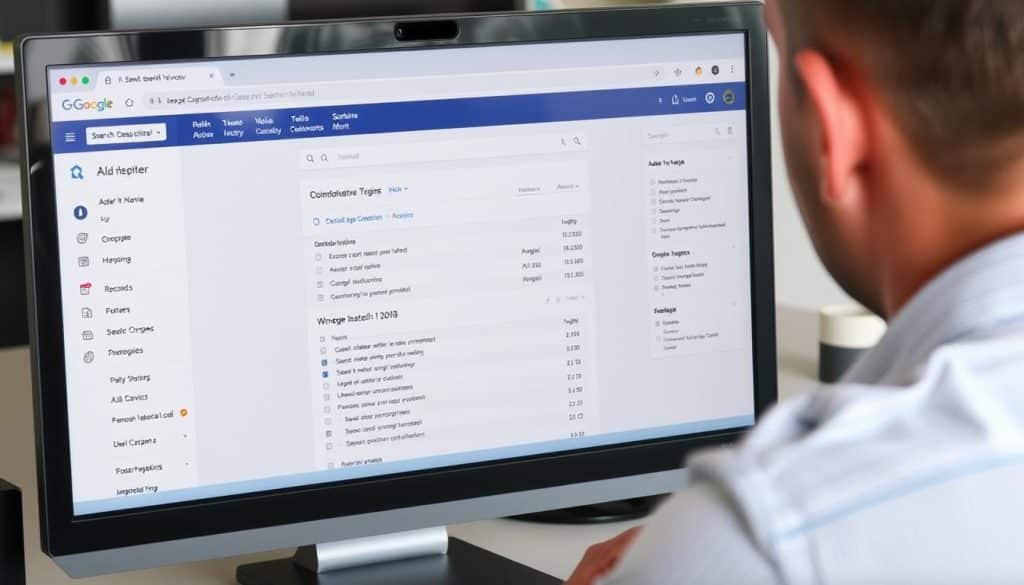
The URL Inspection Tool in Google Search Console is a powerful diagnostic feature that allows you to analyze how Google interacts with individual pages on your website. This tool is invaluable for troubleshooting issues that might be affecting your page’s visibility in search results.
Testing Live URLs and Requesting Indexing
One of the key features of the URL Inspection Tool is the ability to test live URLs and request indexing for updated or new content. By using the “Test Live URL” function, you can see exactly how Googlebot renders your page, helping identify potential issues with content accessibility or rendering.
Diagnosing Page-Level Issues
The tool also provides detailed technical information about page-level issues, including mobile usability, structured data, and JavaScript rendering. This information is crucial for diagnosing and fixing problems that could be impacting your page’s performance in search results.
Key benefits of using the URL Inspection Tool include:
- The ability to see your page as Googlebot sees it, revealing potential rendering or content accessibility problems.
- Requesting immediate indexing for pages with recent updates, rather than waiting for Google’s regular crawl.
- Understanding the difference between the indexed version and live version of your page to identify when Google hasn’t yet processed your latest changes.
- Detailed technical information to help diagnose and fix page-level issues.
Mobile Usability Report: Optimizing for Mobile Users
The Mobile Usability Report is a crucial tool for businesses, especially in regions like Qatar where mobile internet penetration is exceptionally high. With mobile searches dominating global search traffic, ensuring your site meets Google’s expectations is vital.
Common issues that affect mobile usability include text that’s too small to read, clickable elements that are too close together, and content that’s wider than the screen. These problems can frustrate mobile users and negatively impact both user experience and search rankings.
Common Mobile Usability Issues
Some of the most common mobile usability issues arise from poor design choices that hinder the user experience on mobile devices. For instance, if your site’s content is not responsive, it can lead to a poor user experience. You can check your site’s usability by reviewing the various reports that describe your users’ experience, such as loading time and behavior, which can be found in Google Search Console. For a comprehensive SEO report, you can also visit https://oldy2.cres.vip/we-help-you-check-seo-report-for-website-effectively/.
| Issue | Description | Impact |
|---|---|---|
| Text too small | Font size is not adjustable | Poor readability |
| Clickable elements too close | Buttons or links are too near | Increased error rate |
| Content wider than screen | Horizontal scrolling required | Frustrates users |
Fixing Mobile Usability Problems
To fix these issues, ensure that your website is responsive and that all content is easily accessible on mobile devices. Regularly reviewing the Mobile Usability Report will help you identify and address problems promptly. By doing so, you’ll improve the user experience and potentially boost your search rankings.
By prioritizing mobile usability, you’re not only enhancing the user experience but also aligning with Google’s mobile-first indexing, which directly impacts your site’s ranking in search results.
Core Web Vitals: Improving Page Experience

Google’s Core Web Vitals initiative focuses on quantifying user experience through measurable performance metrics. These metrics are crucial for understanding how users interact with your site, including loading time and behavior, which can significantly impact your site’s ranking.
Core Web Vitals represent Google’s effort to standardize the evaluation of user experience across the web. The three key metrics are Largest Contentful Paint (LCP), First Input Delay (FID), and Cumulative Layout Shift (CLS). Understanding these metrics is vital for identifying and addressing issues that may be causing poor page experience, such as slow loading visual elements, delayed interactivity, or unstable layouts.
Understanding LCP, FID, and CLS Metrics
The three Core Web Vitals metrics provide insights into different aspects of user experience. LCP measures the time it takes for the largest content element to become visible, FID assesses the delay between a user’s first interaction and the site’s response, and CLS evaluates the stability of the layout as elements load. For businesses operating in Qatar, optimizing these metrics is particularly important due to the region’s varying connection speeds.
Addressing Core Web Vitals Issues
The Core Web Vitals report in Google Search Console provides a comprehensive overview of your site’s performance, highlighting groups of pages with similar issues. By analyzing this report, you can identify patterns of problems across your site and implement systematic improvements. For instance, optimizing image delivery, minimizing JavaScript execution, and reserving space for dynamic content can significantly enhance your site’s performance. To dive deeper into Core Web Vitals and their impact on your site, visit Google’s Core Web Vitals documentation.
Improving Core Web Vitals not only boosts your search rankings but also enhances user engagement metrics like time on site and conversion rates. By focusing on these critical metrics, you can create a more seamless and engaging user experience, driving revenue growth and digital excellence.
Security Issues Report: Keeping Your Site Safe
Google Search Console’s Security Issues Report is an essential resource for identifying and addressing security vulnerabilities on your site. Ensuring your website’s security is crucial not only for protecting your users but also for maintaining your site’s visibility in search results. A security breach can lead to severe consequences, including removal from search results and loss of user trust.
The Security Issues Report serves as an early warning system for potential threats that could damage both your site’s reputation and its search visibility. This report is particularly important for businesses in Qatar, where there is an increasing focus on cybersecurity regulations. By monitoring this report, you can identify issues such as malware, deceptive pages, and hacked content that could harm your visitors.
Types of Security Issues Google Detects
Google’s Security Issues Report detects various security threats, including malware and deceptive content. Malware refers to malicious software that can harm your users’ devices or steal sensitive information. Deceptive content, on the other hand, involves tactics like phishing, where attackers trick users into revealing personal data. Understanding these threats is the first step in protecting your site and users.
Resolving Security Problems
To resolve security issues, you need to follow a systematic approach. First, identify the vulnerability and assess the extent of the damage. Then, clean infected files and fix any security weaknesses. After resolving the issues, request a security review through Google Search Console to restore your site’s standing in search results as quickly as possible. Prompt action is crucial to minimize the impact on your site’s visibility and user trust.
By leveraging the Security Issues Report and taking proactive measures, you can protect your site from security breaches and maintain a safe and trustworthy online presence.
Manual Actions: Addressing Google Penalties

Manual actions applied by Google can significantly affect your website’s presence in search results, making it essential to understand how to address these issues. Google Search Console’s Manual Actions report is a critical tool for identifying and resolving these problems.
Types of Manual Actions
Manual actions represent direct penalties applied by Google’s human reviewers when they determine your site violates Google’s quality guidelines. These can range from issues like thin content and unnatural links to more complex problems such as cloaking and structured data issues.
Submitting a Reconsideration Request
Unlike algorithmic adjustments, manual actions require specific remediation and a formal reconsideration request before penalties can be lifted. To successfully submit a reconsideration request, you must thoroughly document the steps taken to resolve the issues and prevent their recurrence.
By understanding the different types of manual actions and following a systematic approach to addressing each issue, you can restore your site’s search visibility and maintain compliance with Google’s guidelines.
International Targeting: Optimizing for Qatar and Global Markets
For companies operating in Qatar with global or regional ambitions, mastering international targeting in Google Search Console is essential. Google uses various signals to determine a website’s geographic relevance, including the country-code top-level domain (ccTLD), server location, and content language. However, providing explicit targeting signals can enhance your site’s visibility in target markets.
Setting Your Target Country and Language
To set your target country in Google Search Console, navigate to the “International Targeting” report. Here, you can specify your target country, which helps Google understand your site’s primary audience. For businesses in Qatar, setting the target country to Qatar can improve local search visibility. Additionally, ensure that your site’s content is tailored to the local language and cultural nuances.
Hreflang Tags and International SEO Best Practices
For websites targeting multiple regions or languages, proper implementation of hreflang tags is crucial. Hreflang tags help Google understand the relationship between different language or regional versions of your content, ensuring that users are directed to the most relevant page. For businesses in Qatar serving the broader Middle East, using hreflang tags can help target users across different Arabic-speaking countries effectively.
By combining international targeting with best practices in hreflang implementation and content localization, businesses can maximize their online visibility and reach their target audiences more effectively.
Linking Google Search Console with Google Analytics
By connecting Google Search Console to Google Analytics, you can unlock a wealth of data that helps refine your SEO strategies and improve your site’s overall performance. This integration is particularly valuable for businesses in Qatar looking to enhance their online presence.
Benefits of Connecting Your Accounts
Linking Google Search Console with Google Analytics creates a powerful synergy that provides deeper insights into your search performance. This integration recovers valuable keyword data lost due to Google’s switch to secure search. It allows you to correlate search performance metrics with user behavior metrics, offering a more comprehensive understanding of your website’s effectiveness.
Step-by-Step Integration Process
To link your accounts, start by opening Google Analytics and navigating to the “Admin” section. From there, go to “Property Settings,” scroll down to “Adjust Search Console,” and click “Add.” Select your site, check the box, and hit “Save.” This straightforward process requires administrative access to both platforms, providing valuable information and data for your analytics.
Advanced Google Search Console Strategies
To take your Google Search Console (GSC) usage to the next level, consider implementing advanced strategies that transform your approach from reactive to proactive. By leveraging sophisticated features within GSC, you can gain deeper insights into your website’s performance and make data-driven decisions to enhance your SEO efforts.
Using Regular Expression Filters for Better Data Analysis
One powerful feature that can significantly enhance your data analysis is the use of regular expression (regex) filters. Regex allows you to identify complex patterns across queries, pages, and other dimensions, revealing opportunities that might be invisible to basic analysis. For instance, you can use regex to filter out irrelevant queries, identify specific keyword patterns, or analyze performance across different sections of your website.
Example Use Cases:
- Filtering out branded queries to analyze non-branded search performance
- Identifying long-tail keyword patterns that drive significant traffic
- Analyzing performance of specific page categories
Setting Up Custom Alerts for Critical Issues
Custom alerts represent another underutilized feature in Google Search Console that can help you stay on top of critical issues. By setting up strategic alerts for sudden ranking drops, indexing issues, or security problems, you can receive immediate notifications and take prompt action to mitigate any negative impacts on your site’s performance.
“Setting up custom alerts is like having a personal watchdog for your website’s search performance, ensuring you’re always informed and ready to respond to changes.”
By implementing these advanced strategies, you can transform Google Search Console from a basic reporting tool into a powerful competitive advantage for your digital presence, driving more informed decision-making and proactive optimization.
Conclusion
As we conclude our comprehensive guide on Google Search Console, it’s clear that this tool is indispensable for businesses aiming to optimize their online presence. By implementing the strategies outlined in this guide, you’ll be well-equipped to identify and resolve technical issues, improve content visibility, and drive more qualified traffic.
Mastering Search Console provides a competitive advantage, especially for businesses in Qatar looking to expand their local and international reach. Regular monitoring through Search Console ensures you stay ahead of issues and opportunities, making data-driven decisions based on real user behavior.
We encourage you to start implementing these techniques today to begin seeing measurable improvements in your search performance. With Google Search Console, you’ll have the insights needed to drive revenue growth through digital excellence.
FAQ
What is the purpose of verifying my website in Search Console?
Verifying your website in Search Console confirms that you own the site and allows you to access data and insights about its performance in search results.
How do I analyze the performance of my website using the Performance Report?
The Performance Report provides data on clicks, impressions, CTR, and position, allowing you to analyze your website’s performance and identify areas for improvement.
What are the benefits of submitting a sitemap in Search Console?
Submitting a sitemap helps Search Console understand your website’s structure and content, ensuring that all pages are crawled and indexed correctly.
How can I identify and fix crawl errors on my website?
The Index Coverage Report provides information on crawl errors, allowing you to identify and fix issues that may be preventing your pages from being indexed.
What is the importance of optimizing my website for mobile users?
With most users accessing websites through mobile devices, optimizing your site for mobile is crucial for providing a good user experience and improving search engine rankings.
How do I diagnose page-level issues using the URL Inspection Tool?
The URL Inspection Tool allows you to test live URLs, request indexing, and diagnose page-level issues, helping you identify and fix problems that may be affecting your website’s performance.
What are Core Web Vitals, and why are they important?
Core Web Vitals are metrics that measure the user experience of your website, including loading speed, interactivity, and visual stability, and are important for improving page experience and search engine rankings.
How can I address security issues on my website?
The Security Issues Report provides information on security issues detected by Search Console, allowing you to address problems such as malware and phishing attacks.
What is the process for submitting a reconsideration request after receiving a manual action?
After addressing the issues that led to a manual action, you can submit a reconsideration request to inform Search Console that your website is now compliant with their guidelines.







