
In today’s fast-paced digital landscape, a slow website can be a significant liability, resulting in lost conversions, reduced user engagement, and lower search engine rankings. With over 4,000 agencies and marketers trusting tools like PageSpeed Insights to evaluate web page performance, it’s clear that data-driven decisions are crucial for digital success.
By leveraging PageSpeed Insights reporting tools, businesses can gain comprehensive insights into their website’s performance across different devices and network conditions. This information is vital for identifying performance bottlenecks and implementing targeted optimizations that enhance user experience and drive business outcomes.
Key Takeaways
- Understand the importance of website speed for digital growth and user engagement.
- Learn how to gather and interpret actionable website speed insights.
- Discover essential performance metrics that impact user experience and business outcomes.
- Identify strategies to transform insights into tangible improvements.
- Make data-driven decisions to enhance your website’s performance.
Understanding Website Speed Insights and Why They Matter
To drive digital growth, it’s essential to grasp the importance of website speed insights. Website speed is a critical factor in determining user experience and business success. We will explore the significance of website speed insights and their impact on your online presence.
What Are Website Speed Insights?
Website speed insights refer to the data and metrics that help you understand how quickly your website loads and responds to user interactions. Core Web Vitals are a set of performance signals critical to all web experiences, including metrics like INP, LCP, and CLS. These metrics provide valuable information on your website’s performance, helping you identify areas for improvement.
The Impact of Site Speed on User Experience and Business Metrics
Site speed significantly affects user experience and business metrics. A slow-loading website can lead to high bounce rates, negatively impacting your business. By analyzing website speed insights, you can optimize your site to improve user engagement and conversion rates. For a comprehensive analysis, you can use tools like Google PageSpeed Insights to assess your website’s performance.
Key Performance Metrics You Should Track
To optimize your website’s performance, it’s crucial to track key metrics. These include:
- Largest Contentful Paint (LCP)
- Cumulative Layout Shift (CLS)
- Interaction to Next Paint (INP)
- First Contentful Paint (FCP)
- Time to First Byte (TTFB)
- Speed Index
| Metric | Description | Good Performance Threshold |
|---|---|---|
| LCP | Measures loading performance | 2.5 seconds or faster |
| CLS | Quantifies visual stability | 0.1 or less |
| INP | Evaluates interactivity | 200ms or faster |
By monitoring these metrics, you can gain valuable insights into your website’s performance and make data-driven decisions to improve user experience and drive business growth.
Essential Website Speed Metrics Explained
Website speed metrics play a vital role in determining the overall user experience and, consequently, the success of your online presence. To optimize your website’s performance, it’s crucial to understand the various metrics that influence its speed.
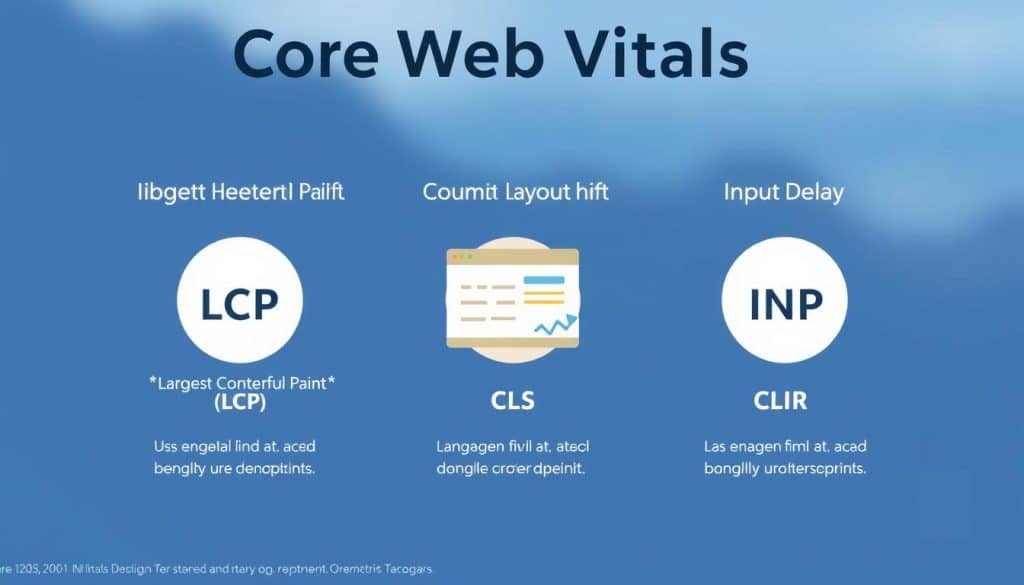
Core Web Vitals: LCP, CLS, and INP
Core Web Vitals are a set of metrics that Google considers crucial for a healthy, engaging user experience. These include:
Largest Contentful Paint (LCP): Measures the time it takes for the largest content element to become visible within the viewport, reflecting the loading performance of your page.
Cumulative Layout Shift (CLS): Quantifies the visual stability of your page by measuring the sum of all unexpected layout shifts that occur during the loading process.
Interaction to Next Paint (INP): Assesses the responsiveness of your page by measuring the time it takes for the page to respond to user interactions.
Additional Important Metrics: FCP, TTFB, and Speed Index
Beyond Core Web Vitals, other key metrics provide valuable insights into your website’s performance:
First Contentful Paint (FCP): Measures the time it takes for the browser to render the first content element, indicating the start of the page loading process.
Time to First Byte (TTFB): Reflects the time it takes for the server to respond to a user’s request, serving as an indicator of server performance. For more information on TTFB and its implications, visit Google’s PageSpeed Insights documentation.
Speed Index: Calculates the average time it takes for the content above the fold to be displayed, providing insight into the perceived loading speed.
Understanding Good vs. Poor Performance Thresholds
Performance thresholds are categorized into three distinct levels: Good, Needs Improvement, and Poor. These thresholds are based on extensive research correlating performance metrics with user behavior and business outcomes across millions of websites. The 75th percentile is typically used as the reporting standard, meaning that 75% of your users experience performance at or better than the reported value.
Understanding these thresholds helps prioritize optimization efforts by focusing on metrics that fall into the “Poor” or “Needs Improvement” categories. By doing so, you can significantly enhance the user experience and, consequently, drive digital growth.
How to Gather Website Speed Insights
Website speed insights are vital for digital growth, and knowing how to collect them is key. To optimize your site’s performance, you need to understand the tools and methodologies available for gathering these insights.
Using Google PageSpeed Insights for Comprehensive Analysis
Google PageSpeed Insights is a powerful tool for analyzing your website’s performance. It provides a comprehensive analysis based on Core Web Vitals, including metrics like Largest Contentful Paint (LCP), Cumulative Layout Shift (CLS), and Interaction to Next Paint (INP). To use Google PageSpeed Insights, simply enter your website’s URL into the tool, and it will generate a report highlighting areas of improvement.

Field Data vs. Lab Data: Understanding the Difference
When gathering website speed insights, it’s essential to understand the difference between field data and lab data. Field data is collected from real users interacting with your site, providing a realistic view of your website’s performance under various conditions. Lab data, on the other hand, is collected in a controlled environment, simulating a specific device and network conditions. Both types of data are valuable, and using them together gives you a comprehensive understanding of your website’s performance.
Alternative Tools for Measuring Website Performance
Beyond Google PageSpeed Insights, several alternative tools offer unique approaches to measuring and analyzing website performance. These include Lighthouse, WebPageTest, GTmetrix, Vercel Speed Insights, New Relic, and Datadog. Each tool has its strengths, and using multiple tools can provide a more comprehensive understanding of your website’s performance profile.
- Lighthouse provides detailed audits for performance, accessibility, and SEO.
- WebPageTest offers advanced testing capabilities, including multi-step transactions and video capture.
- GTmetrix combines data from Lighthouse and WebPageTest for comprehensive performance reports.
- Vercel Speed Insights provides detailed performance metrics based on Core Web Vitals for websites deployed on the Vercel platform.
Interpreting Your Website Speed Insights
Website speed insights offer a wealth of information that, when interpreted correctly, can significantly enhance your site’s performance. When analyzing your website’s speed, tools like Google PageSpeed Insights provide scores for various categories, determined by running Lighthouse to analyze diagnostic information about the page.
Reading and Understanding PageSpeed Insights Reports
At the top of the PageSpeed Insights report, you’ll find scores for each category. A score of 90 or above is considered good, 50 to 89 needs improvement, and below 50 is considered poor. The Performance category includes metrics such as First Contentful Paint, Largest Contentful Paint, Speed Index, Cumulative Layout Shift, Time to Interactive, and Total Blocking Time.
Identifying Critical Performance Issues
To identify critical performance issues, focus on the metrics that impact user experience the most. Core Web Vitals, including Largest Contentful Paint, Cumulative Layout Shift, and Interaction to Next Paint, are crucial for both search ranking and user experience. By addressing these issues first, you can significantly improve your website’s overall speed and performance.
Prioritizing Improvements Based on Impact
When prioritizing improvements, consider the estimated impact provided in PageSpeed Insights reports. Focus on issues that offer the largest potential time savings. For instance, optimizing PageSpeed Insights recommendations can help you address critical issues efficiently. Prioritize mobile optimization, as it typically faces greater constraints and has a larger impact on overall user experience metrics.
By balancing quick wins with structural improvements and considering your audience’s typical devices and connection speeds, you can create a more efficient and data-driven optimization strategy for your website or page.
Turning Insights into Action: Optimization Strategies
To maximize your website’s potential, it’s crucial to turn website speed insights into actionable optimization strategies. By leveraging tools like Vercel Speed Insights, you can gain a detailed view of your website’s performance metrics based on Core Web Vitals, enabling data-driven decisions for optimization.
Effective optimization involves several key strategies. Implementing image optimization techniques such as proper sizing, compression, and lazy loading can significantly reduce page weight and improve loading times. Additionally, minimizing render-blocking resources by deferring non-critical JavaScript and inlining critical CSS can improve First Contentful Paint and Largest Contentful Paint metrics.
Other crucial strategies include implementing effective caching strategies with appropriate cache headers and service workers, reducing server response time by optimizing database queries and utilizing CDNs, and minimizing third-party impact by auditing and removing unnecessary scripts. For a comprehensive guide on optimizing website speed and performance, refer to our detailed resource on optimizing website speed and performance.
To ensure ongoing performance monitoring, establish a routine using tools like Speed Insights to track metrics over time and set performance budgets for new features. By developing a performance culture within your organization and educating stakeholders about the business impact of speed, you can maintain focus on this critical aspect of user experience.
FAQ
What are Core Web Vitals, and why are they important for my digital presence?
Core Web Vitals are a set of specific metrics that measure the user experience of a page, including Largest Contentful Paint (LCP), Cumulative Layout Shift (CLS), and Interaction to Next Paint (INP). They are crucial because they directly impact how users perceive and interact with your site, influencing engagement, conversion rates, and ultimately, revenue.
How does page loading time affect my business metrics?
Page loading time significantly affects business metrics, as slower loading times can lead to higher bounce rates, reduced user engagement, and lower conversion rates. For instance, a delay in page loading can result in a significant loss in potential revenue, emphasizing the need for optimization.
What is the difference between Field Data and Lab Data in performance analysis?
Field Data is collected from real users and reflects actual user experiences, providing insights into how your site performs under various conditions. Lab Data, on the other hand, is collected in a controlled environment, simulating a specific set of conditions. Both are valuable, but they serve different purposes in understanding and optimizing your site’s performance.
How can I use Google PageSpeed Insights to improve my site’s performance?
Google PageSpeed Insights offers a comprehensive analysis of your site’s performance, providing scores for both mobile and desktop versions. It highlights areas for improvement, such as optimizing images, leveraging browser caching, and minimizing CSS/JS files, helping you prioritize optimizations based on their impact.
What are some common optimization strategies to improve Core Web Vitals?
Strategies to improve Core Web Vitals include optimizing images and videos, minimizing and compressing CSS and JavaScript files, leveraging browser caching, and ensuring that the initial server response time is low. Additionally, techniques like code splitting and lazy loading can significantly enhance performance.
How often should I check my site’s performance metrics?
Regularly monitoring your site’s performance is crucial, as it allows you to identify and address issues promptly. We recommend checking your site’s performance metrics at least monthly, or more frequently if you’ve made significant changes or are experiencing performance issues.
Can improving my site’s performance really drive revenue growth?
Yes, improving your site’s performance can directly contribute to revenue growth. By enhancing user experience, reducing bounce rates, and improving conversion rates, a faster, more responsive site can lead to increased engagement and, ultimately, higher revenue.







