

Are you wondering what it takes to create a functional and visually appealing website in today’s digital landscape? Understanding web development is crucial for businesses and individuals alike to establish a strong online presence.
We will break down the complexity of web development into manageable parts, covering essential roles, processes, and languages involved. This guide is designed to provide you with the knowledge and skills needed to navigate the web development landscape confidently.
By the end of this article, you’ll have a clear understanding of what’s involved in creating a website, from concept to launch, and be better equipped to make informed decisions about your online presence.
Key Takeaways
- Understanding the fundamentals of web development
- Essential roles and processes involved in web development
- Key languages and technologies used in web development
- How to navigate the web development landscape with confidence
- Foundational knowledge for businesses and aspiring developers
Understanding Web Development
In today’s digital landscape, web development stands as a cornerstone for businesses aiming to establish a robust online presence. We understand web development as a multifaceted process that involves not just the creation but also the maintenance of websites and web applications. It’s an art that combines programming, problem-solving, and creativity to provide seamless online experiences.
What is Web Development?
Web development refers to the process of building and maintaining websites or web applications. At its core, it involves development teams working on both the front-end (client-side) and back-end (server-side) of a website. The front-end focuses on user interface and user experience, using technologies like HTML, CSS, and JavaScript. The back-end involves server-side programming, database integration, and API connectivity, ensuring that the website or application functions as intended.
The collaboration between developers and designers is crucial in web development. Designers focus on the visual and interactive aspects, while developers bring these designs to life through code, ensuring that the final product is both aesthetically pleasing and functional.
Why is Web Development Important?
The importance of web development cannot be overstated in our digital economy. It’s the primary channel through which businesses connect with customers, share information, and conduct transactions. With over 5.52 billion people connected to the internet globally, having a professional and functional website is crucial for businesses to remain competitive. For more insights into the terminology used in web development and digital growth, understanding the basics is key.
Moreover, web development allows for content to be presented in engaging and interactive ways, enhancing user experience and fostering a stronger connection between businesses and their audience. As technology advances, the role of web development in driving business growth and digital transformation continues to expand.
The Fundamentals of How Websites Work
The web development process begins with a thorough understanding of how websites function and interact with users. To grasp the basics of website operation, we need to delve into the core components that make up the web ecosystem.
What is a Website?
A website is essentially a collection of files stored on specialized computers called servers. These servers are connected to the internet, making the websites accessible through web browsers like Google Chrome or Safari. The computers used to access these websites are known as “clients.” This client-server model is the foundation of how information is disseminated on the web.
IP Addresses and Domain Names
To access a website, you need to know its Internet Protocol (IP) address, a unique string of numbers that distinguishes it from billions of other websites and devices connected via the internet. For instance, an IP address might look like 104.16.118.116. To make websites more accessible, domain names were created. Domain names, such as hubspot.com, are easier to remember than numeric IP addresses and are connected to IP addresses through the Domain Name System (DNS).
HTTP and HTTPS Explained
HyperText Transfer Protocol (HTTP) is the protocol that connects our website request to the remote server that houses all website data. It’s a set of rules that defines how messages should be sent over the internet. HTTPS is the secure version of HTTP, using encryption to protect sensitive data during transmission. This is particularly crucial for websites handling personal or financial information, making HTTPS a critical feature for secure web development.
Understanding these fundamental concepts provides the necessary context for grasping how web development works at a technical level. By comprehending the roles of IP addresses, domain names, HTTP, and HTTPS, we can better appreciate the intricacies involved in creating and maintaining websites.
Front-End vs. Back-End Development
As we delve into web development, it becomes apparent that front-end and back-end development are two distinct yet complementary fields. The distinction between these two areas represents the two fundamental sides of web development, each requiring different skill sets and programming languages.
What is Front-End Development?
Front-end development focuses on everything users see and interact with directly—the visual elements, layouts, navigation, and interactive features that create the user experience. Front-end developers work primarily with HTML (structure), CSS (styling), and JavaScript (functionality) to create responsive, visually appealing interfaces that work across different devices and browsers. When website information is transferred from a server to a browser, front-end coding languages allow the website to function without having to continually “communicate” with the internet.
- Front-end development focuses on client-side development.
- It involves creating the user interface and user experience.
- Front-end developers use HTML, CSS, and JavaScript.
What is Back-End Development?
Back-end development handles everything that happens behind the scenes—server configuration, database management, application logic, and security implementations. Back-end developers use languages like Python, PHP, Ruby, and Java to build the server-side infrastructure that powers the front-end experience. The back-end is the digital infrastructure that is not visible to the end-user but is crucial for the functioning of the website.
- Back-end development focuses on server-side development.
- It involves database management and application logic.
- Back-end developers use a variety of programming languages.
For a more detailed understanding of the differences between front-end and back-end development, you can visit this resource. The seamless integration between front-end and back-end components is essential for creating websites that are both visually impressive and functionally robust.
Essential Front-End Technologies
Creating an engaging and interactive web experience requires a solid understanding of essential front-end technologies. These technologies form the foundation upon which user interfaces are built, ensuring that websites are not only visually appealing but also highly functional.
The Structure: HTML
HTML, or HyperText Markup Language, serves as the backbone of any web page, providing the structural framework that organizes content into elements like headings, paragraphs, images, and links. Think of HTML as the skeleton of a website—it defines what content appears and in what order, but doesn’t control how that content looks or behaves. Web developers use HTML to give content a proper layout before customizing it with other technologies.
The Style: CSS
CSS, or Cascading Style Sheets, transforms the basic HTML structure into a visually appealing experience by controlling colors, typography, spacing, layouts, and responsive design elements. With CSS, developers can create consistent visual identities across websites and ensure proper display across different devices and screen sizes—a critical component in today’s mobile-first world.
The Functionality: JavaScript
JavaScript is a dynamic programming language that adds interactive elements to web pages, such as dropdown menus, sliders, forms, and animations. It is widely used for client-side scripting, enhancing the user experience by making websites more dynamic and engaging. JavaScript generally enables the creation of complex and interactive web applications that can respond to user inputs in real-time.
These three technologies—HTML, CSS, and JavaScript—work together as the core building blocks of front-end development. HTML provides the structure, CSS adds style, and JavaScript enables interactivity, together creating a seamless and engaging user experience.
| Technology | Role | Key Features |
|---|---|---|
| HTML | Structure | Defines content layout and elements |
| CSS | Style | Controls visual appearance and responsiveness |
| JavaScript | Functionality | Adds interactivity and dynamic elements |
As we continue to explore the world of web development, understanding these essential front-end technologies is crucial. They form the basis upon which more advanced concepts and technologies are built, enabling developers to craft sophisticated and user-friendly web applications.
Key Back-End Technologies
Understanding key back-end technologies is essential for modern web development. Back-end development forms the backbone of any web application, enabling it to function, interact with data, and provide a seamless user experience.
We will explore the critical components that make up back-end development, including server-side programming languages, databases, and APIs.
Server-Side Programming Languages
Server-side programming languages are the foundation of back-end development. Languages such as Python, Java, Ruby, PHP, and Node.js are used to write server-side code, executing on the server rather than in the browser. This allows for secure processing of sensitive operations like user authentication and data validation.
Each language offers unique advantages for different types of web applications. For instance, Python is known for its simplicity and is often used in data-intensive applications, while Java is renowned for its robustness and scalability.
Databases and Data Management
Database management systems are crucial for storing, organizing, and retrieving data that powers dynamic websites. Relational databases like MySQL and PostgreSQL offer structured data storage, while NoSQL databases like MongoDB provide flexible schema designs.
| Database Type | Examples | Use Cases |
|---|---|---|
| Relational Databases | MySQL, PostgreSQL | Structured data, complex transactions |
| NoSQL Databases | MongoDB, Redis | Flexible schema, big data, real-time web |
APIs and Web Services
APIs (Application Programming Interfaces) serve as bridges between different software systems, allowing websites to integrate with external services like payment processors or social media platforms. Web services enable communication between different applications over the internet, facilitating features like real-time data synchronization and third-party integrations.
For example, a web application might use an API to fetch data from a third-party service, enhancing its functionality without having to develop everything from scratch.
By leveraging these key back-end technologies, developers can build robust, scalable, and interactive web applications that meet the demands of modern users.
The Basics of Web Development

At the heart of web development lies a set of fundamental concepts that are crucial for building robust and efficient websites. We will explore these basics, focusing on coding fundamentals and the development environments and tools that are essential for any web developer.
Coding Fundamentals
Coding is the backbone of web development, involving the use of programming languages to create websites and applications. These languages have their own vocabulary, grammatical rules, and syntax, which are used to communicate with computers. Understanding coding fundamentals such as variables, data types, functions, loops, and conditional statements is vital. These concepts are common across most programming languages and enable developers to solve problems logically and write efficient code.
- Variables and data types form the basis of storing and manipulating data.
- Functions allow for reusable code, making development more efficient.
- Loops and conditional statements enable dynamic and interactive web pages.
Development Environments and Tools
Having a grasp of coding fundamentals is just the beginning. The right development environments and tools can significantly streamline the web development process. Code editors like Visual Studio Code, Sublime Text, and Atom offer features that enhance productivity, such as syntax highlighting and auto-completion.
| Tool | Description | Key Features |
|---|---|---|
| Visual Studio Code | A popular code editor | Syntax highlighting, auto-completion, debugging |
| Git | A version control system | Change tracking, collaboration, code integrity |
| Browser Developer Tools | Tools for inspecting and debugging websites | Real-time inspection, performance optimization |
Mastering these tools and concepts creates a solid foundation for web developers to expand their skills into more specialized areas. By understanding the basics of web development, developers can build a robust and efficient web presence.
Web Development Frameworks and Libraries
Web development frameworks and libraries have become indispensable tools for developers, enabling them to build web applications more efficiently and effectively. These frameworks provide pre-written code, standardized structures, and best practices that simplify the development process.
Front-End Frameworks
Front-end frameworks like React, Angular, and Vue.js have gained popularity among developers due to their ability to create interactive and responsive user interfaces quickly. These frameworks offer component-based architectures that make it easier to build and maintain complex user interfaces with reusable elements.
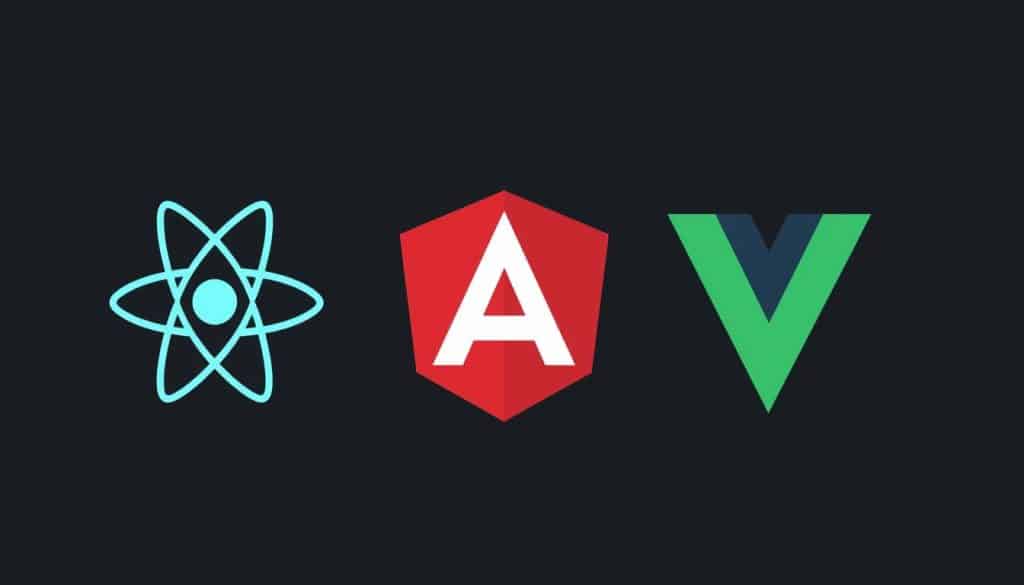
Some of the key benefits of using front-end frameworks include:
- Pre-built components and libraries that accelerate development
- Component-based architectures for easier maintenance and updates
- Best practices for performance optimization and responsive design
Back-End Frameworks
Back-end frameworks such as Django (Python), Ruby on Rails, Express.js (Node.js), and Laravel (PHP) provide structured approaches to server-side development. These frameworks come with built-in solutions for routing, authentication, and database interactions, making it easier to develop robust and scalable back-end systems.
Some of the key advantages of using back-end frameworks include:
- Structured approaches to server-side development
- Built-in solutions for common back-end tasks
- Consistent coding standards and architectural patterns
For more information on web development frameworks, you can visit Global Media Insight’s blog on web development, which provides a comprehensive overview of the topic.
Content Management Systems (CMS)
In the realm of web development, Content Management Systems (CMS) play a pivotal role in simplifying content management tasks. A CMS is a web application or a series of programs used to create and manage web content, making it an indispensable tool for developers and non-technical users alike.
What is a CMS?
A Content Management System (CMS) is designed to simplify the process of creating, editing, and managing digital content on a website. It provides an intuitive interface that allows users to manage content without needing to understand the intricacies of web development, such as HTML, CSS, or JavaScript.
Popular CMS Platforms
Several CMS platforms have gained popularity due to their flexibility, scalability, and ease of use. WordPress, for instance, powers millions of websites worldwide, from simple blogs to complex e-commerce sites. Other notable CMS platforms include Drupal and Joomla, each offering unique features and customization options.
When selecting a CMS, it’s crucial to consider factors such as content complexity, required functionality, technical resources, and scalability needs. Modern headless CMS solutions offer the flexibility to separate content management from presentation, allowing developers to build front-ends using their preferred technologies.
The Web Development Process
The web development process is a multi-stage journey that transforms concepts into reality. It involves several stages, each of which is essential to ensure a successful website or web application.
Planning and Strategy
The first stage of the web development process is planning and strategy. During this phase, we outline business goals, identify the target audience, determine the budget, and choose the right technology stack for the project. This critical foundation guides all subsequent development activities.
Design and Prototyping
The next stage is design and prototyping, where wireframes, mockups, and prototypes are created to visually map out the look and functionality of the site or app. This phase establishes the information architecture and user flows before any code is written.
Development and Testing
The development phase brings designs to life through coding. Front-end developers create the user interface, while back-end developers build server-side functionality and database structures. The website or app then undergoes rigorous testing to catch bugs, performance issues, and security vulnerabilities.
Deployment and Maintenance
Once everything is ready, the site or app goes live and becomes available to the public. Post-launch, the team monitors for issues, makes updates, and provides ongoing support to ensure the website continues to meet business needs and user expectations.
The web development process follows a structured methodology that transforms initial concepts into fully functional websites through distinct, sequential phases. By following this systematic approach, we can minimize risks, manage expectations, and deliver websites that effectively meet both user needs and business objectives. For more information on how to create a professional online presence, visit our page on personal website code expert solutions.
- Planning and strategy form the critical foundation of the web development process.
- Design and prototyping visualize the user interface and establish information architecture.
- Rigorous testing ensures functionality, performance, accessibility, and security.
- Ongoing maintenance is crucial for addressing bugs, implementing updates, and evolving the site as business needs change.
Full Stack Development
In the realm of web development, full stack development stands out as a holistic approach that integrates front-end and back-end technologies. This comprehensive methodology enables developers to handle all aspects of web application development, from designing user interfaces to managing databases and server-side logic.
What Does a Full Stack Developer Do?
A full stack developer is responsible for both the client-side and server-side development of a web application. They design the user interface, build the functionality, manage databases, and handle deployment. This involves having expertise in front-end development technologies like HTML, CSS, JavaScript, and various frameworks such as React, Angular, and Vue.js, as well as back-end development skills in programming languages like Python, Ruby, PHP, or Node.js.
Full stack developers also work with databases like MySQL, PostgreSQL, MongoDB, and Redis, and have experience deploying web applications to various environments. Their versatility allows them to understand how different components of a web application interact, facilitating better architectural decisions and more efficient problem-solving.
Skills Required for Full Stack Development
The core skills required for full stack development include proficiency in HTML, CSS, and JavaScript for front-end work, expertise in at least one server-side language, and a solid understanding of database technologies. Additionally, full stack developers should have competencies in version control, deployment processes, security best practices, and performance optimization. With the demand for full stack developers continuing to grow, particularly among startups and small businesses, having these skills is crucial for success in the field.
Web Development Tools and Resources
To build, test, and deploy web applications efficiently, developers rely on various web development tools. These tools streamline the development process by providing specialized functionality for coding, debugging, testing, and deploying websites and web applications.
Essential Development Tools
Code editors and Integrated Development Environments (IDEs) like Visual Studio Code, Sublime Text, and WebStorm offer features such as syntax highlighting, code completion, and integrated terminal access that significantly enhance developer productivity. Version control systems, particularly Git and platforms like GitHub and GitLab, are indispensable for tracking code changes, collaborating with team members, and maintaining project history.
Browser developer tools built into Chrome, Firefox, and other browsers provide powerful capabilities for inspecting, debugging, and optimizing websites directly in the browser environment. These tools are crucial for front-end development, allowing developers to test and refine their web applications in real-time.
Learning Resources for Beginners
For beginners entering the web development field, a wealth of learning resources exists, including interactive platforms like Codecademy, freeCodeCamp, and MDN Web Docs. Structured online courses, video tutorials, coding bootcamps, and community forums offer different learning approaches to accommodate various learning styles and pace preferences.
Practical experience through personal projects and code challenges remains one of the most effective ways to solidify web development knowledge and build a portfolio that demonstrates real-world skills. By leveraging these resources, new developers can quickly get up to speed and start contributing to the field.
Web Security Basics
Web security is a critical aspect of web development that protects websites, users, and data from increasingly sophisticated cyber threats in today’s interconnected digital landscape. As developers, we must prioritize security to safeguard web applications and user information.
Common Security Threats
Several common security vulnerabilities can compromise data integrity and user privacy, including SQL injection attacks, cross-site scripting (XSS), cross-site request forgery (CSRF), and insecure direct object references. These threats can have devastating consequences, including financial losses, regulatory penalties, and damage to brand reputation and customer trust. For instance, data breaches can expose sensitive information, leading to identity theft and other malicious activities.
Best Practices for Secure Web Development
To mitigate these risks, we recommend implementing security best practices, such as using HTTPS with proper SSL/TLS certificates to secure data transmission between users and web servers. Additionally, secure coding practices, including input validation, output encoding, and parameterized queries, form the foundation of vulnerability prevention during the development process. Regular security testing, including penetration testing and vulnerability scanning, should be integrated into the development lifecycle to identify and address potential security issues before they can be exploited.
Getting Started with Your First Web Project
Embarking on your first web project can be a thrilling experience, filled with opportunities to apply your newfound skills. As we guide you through this process, you’ll learn how to transform your ideas into a tangible online presence.
Setting Up Your Development Environment
Before diving into coding, setting up a proper development environment is crucial. This involves installing a code editor like Visual Studio Code, configuring version control with Git, and potentially setting up local server environments. These tools are foundational for efficient web development.
For instance, Visual Studio Code offers a robust platform for coding, with features like syntax highlighting, code completion, and debugging tools. Meanwhile, Git enables version control, allowing you to track changes and collaborate with others seamlessly.
Building a Simple Website: Step-by-Step
Once your environment is set, you can start building a simple website. Begin with creating the HTML structure, defining the content and layout of your page. HTML is the backbone of your site, providing the framework upon which CSS and JavaScript are layered.
For a straightforward project, consider creating a personal portfolio or a single-page site. This approach allows you to gain practical experience with fundamental concepts without being overwhelmed. As you progress, you can add styling with CSS and interactivity with JavaScript, mirroring the natural progression of web development skills.
To facilitate experimentation, online platforms like CodePen or JSFiddle are invaluable. They enable you to test ideas and learn from examples without the need for complex setup.
| Step | Description | Tools/Resources |
|---|---|---|
| 1 | Set up development environment | Visual Studio Code, Git |
| 2 | Create HTML structure | HTML |
| 3 | Add styling | CSS |
| 4 | Add interactivity | JavaScript |
By following these steps and leveraging the right tools, you’ll not only complete your first web project but also gain a solid foundation in web development. This hands-on experience is invaluable, providing a tangible portfolio piece that demonstrates your capabilities to potential employers or clients.
Conclusion
As we conclude our exploration of web development, it’s clear that this field is both complex and rewarding. Web development encompasses a broad spectrum of skills, tools, and techniques, from understanding the basics of HTML, CSS, and JavaScript to mastering the process of planning, designing, building, and maintaining a website.
The journey to becoming proficient in web development requires dedication, practice, and a willingness to adapt to new technologies and methodologies. With the right resources and a commitment to learning, anyone can acquire the necessary skills to succeed in this field.
By leveraging the knowledge gained from this guide, you’ll be empowered to make informed decisions about your digital presence and embark on your web development journey with confidence.
FAQ
What skills are required to become a full stack developer?
To become a full stack developer, one needs to possess a combination of skills in both front-end and back-end development, including proficiency in programming languages like JavaScript, HTML/CSS, and knowledge of frameworks and libraries, as well as experience with database management and web services.
What is the difference between front-end and back-end development?
Front-end development focuses on creating the user interface and user experience of a website or web application using HTML, CSS, and JavaScript, while back-end development involves server-side programming, database management, and API integration to power the front-end.
What is the role of HTML, CSS, and JavaScript in web development?
HTML provides the structure of a website, CSS is used for styling and layout, and JavaScript adds interactivity and dynamic functionality to web pages, making them more engaging and responsive.
How do I get started with web development?
To get started with web development, start by learning the basics of HTML, CSS, and JavaScript, and then move on to more advanced topics like front-end frameworks, back-end programming, and database management, using online resources and tutorials to guide you.
What are some essential tools for web development?
Essential tools for web development include code editors like Visual Studio Code, version control systems like Git, and debugging tools like Chrome DevTools, as well as frameworks and libraries that simplify the development process.
What is a Content Management System (CMS), and how is it used?
A CMS is a software application that allows users to create, edit, and manage digital content on a website without needing to know how to code, with popular CMS platforms like WordPress, Drupal, and Joomla offering a range of features and customization options.
How do I ensure the security of my web application?
To ensure the security of your web application, follow best practices like validating user input, using secure protocols like HTTPS, and keeping software up to date, as well as being aware of common security threats like SQL injection and cross-site scripting.
What is full stack development, and what are its benefits?
Full stack development involves working on both front-end and back-end development, allowing developers to handle all layers of a web application, from user interface to database management, making them more versatile and valuable in the job market.







