

In today’s digital landscape, over 4.4 billion people worldwide are connected to the internet, with most accessing it through websites and web applications. As businesses in Qatar and beyond strive for digital growth, understanding the language of web development is crucial.
We recognize that navigating the complex world of website development and applications can be daunting. However, having a solid grasp of the terminology used by developers is essential for making informed decisions and driving business forward.
By mastering this software development vocabulary, business professionals can effectively communicate with developers, evaluate digital solutions, and ultimately enhance the user experience, streamlining the development process and leveraging data for growth.
Key Takeaways
- Understanding web application terminology is vital for businesses seeking digital growth.
- A comprehensive glossary of essential terms empowers business professionals to communicate effectively with developers.
- Mastering this terminology enables informed decision-making and drives business success.
- Effective communication with developers enhances the development process and user experience.
- Leveraging data and digital solutions fosters business growth and digital excellence.
Understanding Web Application Terminology for Business Success
The language of web applications is complex, but understanding it is essential for businesses to make informed decisions. As we navigate the digital landscape, it’s crucial to grasp the fundamental terminology related to web applications.
Why Terminology Matters in Digital Growth
Understanding web application terminology is vital for businesses to communicate effectively with web designers and developers. This knowledge enables companies to make better decisions, leading to cost savings and improved digital strategies. By understanding the terminology, businesses can evaluate vendor proposals more effectively, ensuring they receive the solutions they need.
For instance, knowing the difference between frontend and backend development can help businesses identify their specific needs and allocate resources accordingly.
| Term | Definition | Importance |
|---|---|---|
| Web Development | The process of building and maintaining websites and web applications | Crucial for creating a strong online presence |
| Website | A collection of related web pages, including text, images, and other content | Essential for businesses to establish their online identity |
| Application | A software program that runs on a web server, providing specific functionality | Enables businesses to provide interactive services to users |
How This Glossary Will Help Your Business
This comprehensive glossary serves as a practical reference tool, helping businesses navigate the complex world of web application terminology. By organizing terms by category, we enable companies to quickly find definitions relevant to their specific challenges.
Our glossary will help businesses evaluate vendor proposals more effectively, ensure they’re getting the solutions they need, and position themselves as informed participants in discussions about their company’s web presence and digital strategy.
Web Fundamentals: Basic Terms Every Business Should Know
Understanding web fundamentals is crucial for businesses to establish a strong online presence. As we navigate the digital landscape, it’s essential to grasp the basic terminology that underpins the web.
Domain Names and URLs
A domain name is the address of your website on the internet. It’s how users will find and access your site. A URL (Uniform Resource Locator) is a specific web address used to locate a particular page or resource on your website. Choosing a memorable and relevant domain name is vital for your online identity.
Web Browsers and Their Functions
Web browsers are software applications that allow users to access and view websites on the internet. Popular browsers include Google Chrome, Mozilla Firefox, and Safari. They interpret HTML, CSS, and JavaScript to render web pages, providing users with the content and functionality they expect.
HTTP vs. HTTPS: Security Basics
The HyperText Transfer Protocol (HTTP) governs how data is transmitted between web browsers and servers. However, HTTPS (HTTP Secure) adds a critical security layer through encryption, protecting sensitive data exchanged between users and your website. To ensure a safe connection, you’ll need to obtain an HTTPS certificate, also known as an SSL/TLS certificate.
| Protocol | Security | SEO Impact |
|---|---|---|
| HTTP | Low | Negative |
| HTTPS | High | Positive |
Switching to HTTPS is not just a security best practice; it’s also a ranking factor for search engines like Google. By understanding and implementing HTTPS, you enhance your website’s security, build user trust, and comply with data protection regulations.
Website Architecture Terminology
As we delve into the world of web development, it’s essential to grasp the fundamental terms that define website architecture. A clear understanding of these concepts is vital for building a robust and scalable web application.
Frontend vs. Backend
The terms “frontend” and “backend” refer to the two primary layers of a web application. The frontend is the client-side of the application, focusing on user experience and interface, typically built using HTML, CSS, and JavaScript. In contrast, the backend is the server-side, handling data storage, processing, and server-side logic, often using programming languages like Python, Ruby, or PHP. Understanding the distinction between these two layers is crucial for effective web development.
Client-Side vs. Server-Side
The terms “client-side” and “server-side” refer to where the code is executed. Client-side code runs on the user’s browser, while server-side code is executed on the web server. Examples of client-side languages include JavaScript, while server-side languages include Python and PHP. The key differences between these approaches lie in their advantages and limitations.
- Client-side processing enhances user experience by reducing server load.
- Server-side processing provides more control over data security.
Understanding these differences is essential for making informed decisions about your web application’s architecture.
Core Programming Languages and Technologies

To build robust web applications, developers rely on core programming languages and technologies. These fundamental elements enable the creation of dynamic, interactive, and user-friendly websites. In this section, we’ll explore the key technologies that drive web development.
HTML: The Structure
HTML (Hypertext Markup Language) is the backbone of any website, providing the structural foundation upon which other technologies are built. It defines the different elements on a page, such as headings, paragraphs, and links, allowing browsers to interpret and display content correctly. With its latest version, HTML5, developers can create more semantic and interactive web pages.
CSS: The Style
CSS (Cascading Style Sheets) is used to control the visual styling and layout of web pages. It enables developers to apply consistent design elements across a website, enhancing user experience. CSS allows for the separation of presentation from structure, making it easier to maintain and update the visual aspects of a site without altering its underlying code.
JavaScript: The Functionality
JavaScript is a client-side programming language that adds interactivity and dynamic functionality to web applications. Its source code is processed by the client’s web browser, enabling real-time updates, form validation, and animations without requiring server requests. For instance, JavaScript can validate form fields and display error messages without submitting the form to the server, enhancing user experience.
- JavaScript transforms static sites into responsive applications by adding interactivity and dynamic functionality.
- It enables real-time updates, form validation, animations, and other interactive elements, enhancing user engagement.
- Understanding JavaScript capabilities helps developers envision more engaging user experiences for their web applications.
- Popular JavaScript frameworks and libraries accelerate development and enhance functionality.
- This knowledge helps developers make informed decisions about the level of interactivity their web applications require.
Web Hosting and Server Terminology
As we dive into the world of web hosting and servers, it’s essential to grasp the key terms that drive your website’s performance. Web hosting and server technology form the backbone of your online presence, influencing how your site is accessed and experienced by users.
Web Servers Explained
A web server is a computer system or software that serves content to clients over the internet. It hosts, manages, and delivers web pages, making them accessible via a browser. Web servers can range from simple, single-page sites to complex, dynamic applications serving millions of users.
Hosting Types and Options
There are various hosting types, including shared, dedicated, VPS, and cloud hosting. Each offers different levels of control, scalability, and security, catering to diverse website needs. Choosing the right hosting option depends on factors like expected traffic, required storage, and technical expertise.
DNS and IP Addresses
DNS (Domain Name System) translates human-friendly domain names into machine-readable IP addresses. An IP address is a unique numerical label assigned to each device connected to the internet. Understanding DNS and IP addresses is crucial for managing domain settings, troubleshooting website access issues, and ensuring your website is always available.
| Term | Description |
|---|---|
| Web Server | A computer system or software serving content to clients over the internet. |
| DNS | Translates domain names into IP addresses. |
| IP Address | A unique numerical label for devices connected to the internet. |
User Experience (UX) and User Interface (UI) Terms
Creating a successful web application hinges on a deep understanding of UX and UI principles. As we explore these critical components, we’ll delve into the terminology that shapes the way users interact with your website.
Understanding UX Design Concepts
UX design focuses on creating a seamless and intuitive experience for users as they navigate your web application. It encompasses a broad range of factors, including usability, accessibility, and overall user satisfaction. Effective UX design is crucial for driving engagement and ensuring that your website meets the needs of its target audience.
The key to successful UX design lies in understanding your users’ behaviors, needs, and motivations. By doing so, you can craft an experience that is both user-centric and aligned with your business objectives.
| UX Principle | Description |
|---|---|
| Usability | How easily users can navigate and use your website |
| Accessibility | Ensuring your website is usable by people of all abilities |
| User Satisfaction | Measuring how happy users are with their experience on your website |
UI Elements and Terminology
User Interface (UI) refers to the visual elements that users interact with when using your web application, such as navigation menus, buttons, forms, and modal dialogs. Understanding UI terminology is essential for communicating design requirements to your development team effectively.
Common UI components include navigation bars, call-to-action buttons, and input forms. By mastering UI terminology, you can ensure that your web application’s interface is both intuitive and visually appealing, enhancing the overall user experience.
Mobile Web Application Terms
As we dive into the world of mobile web applications, it’s crucial to understand the terminology that drives user experience and device compatibility. Mobile web applications incorporate specialized features that leverage device capabilities like touch gestures and sensors, enhancing the user experience.
Responsive vs. Adaptive Design
Responsive design ensures that web applications adjust smoothly to different screen sizes, while adaptive design involves creating multiple versions of a site for various devices. Understanding the difference is crucial for a seamless user experience across devices.
Mobile-First Development
Mobile-first development prioritizes the design and development for mobile devices before scaling up to larger screens. This approach ensures that the core functionality and content are optimized for the majority of users who access web applications on their mobile devices.
App-Specific Mobile Terms
Terms like 3D Touch and Airplane Mode are specific to mobile devices. 3D Touch allows for different actions based on the pressure applied to the screen, while Airplane Mode disables cellular, wireless, and Bluetooth activities. Understanding these terms can help in creating more intuitive and user-friendly web applications.
| Term | Description |
|---|---|
| 3D Touch | A feature that allows different actions based on screen pressure. |
| Airplane Mode | A mode that disables cellular, wireless, and Bluetooth activities. |
| Responsive Design | An approach that ensures web applications adjust to different screen sizes. |
Web Development Methodologies
In the fast-paced world of web development, adopting the right methodology can make all the difference in project success. We will explore key methodologies that have transformed the software development process, enabling developers to deliver high-quality products efficiently.
Agile Development Explained
Agile development is an iterative and flexible approach to managing the development process. It emphasizes collaboration within the team and continuous improvement. By breaking down the project into smaller, manageable chunks, Agile enables faster adaptation to change and more efficient use of time.
Scrum, Sprints, and Stand-ups
Scrum is a specific Agile framework that organizes work into time-boxed iterations called sprints. A Scrum team works together to achieve a common goal through daily communication. Key Scrum ceremonies include sprint planning, daily stand-ups, sprint reviews, and retrospectives. Daily stand-ups are brief meetings where team members discuss their progress, plans, and any obstacles. For example, team members might share what they did yesterday, what they’re working on today, and any blockers, all within a limit of 1-2 minutes.
E-commerce Web Terminology
Understanding e-commerce web terminology is key to navigating the digital marketplace effectively. As businesses expand their online presence, familiarity with specific terms related to e-commerce operations becomes crucial.
Shopping Cart and Checkout Terms
E-commerce websites rely on shopping carts and checkout processes to facilitate transactions. Key terms include “abandoned cart,” referring to when a customer leaves items in their cart without completing the purchase, and “checkout flow,” which describes the steps a customer takes to complete a transaction.
Payment Gateway Terminology
Payment gateways are essential for processing transactions on e-commerce websites. Important terms in this category include “payment processor,” which handles the transaction; “merchant account,” a type of bank account required to accept online payments; and “PCI compliance,” referring to adherence to security standards for handling credit card information.
By understanding these terms, businesses can optimize their website for better web presence, enhance data security, and improve the overall customer experience during the payment process, ultimately boosting e-commerce success and ensuring security for online transactions on their website using the web.
Web Security Terminology
As we navigate the digital landscape, understanding web security terminology becomes crucial for safeguarding our online presence. Web security is a multifaceted field that involves protecting websites and web applications from various threats.
Authentication and Authorization
At the heart of web security are authentication and authorization. Authentication verifies the identity of users, while authorization determines their access levels. Together, they ensure that sensitive data is only accessible to those who are permitted.
Common Security Threats
Security threats come in many forms, including SQL injection, cross-site scripting (XSS), and cross-site request forgery (CSRF). Understanding these threats is crucial for developers to write secure code.
Security Best Practices
Implementing security best practices is vital. This includes regular updates, secure coding standards, and comprehensive testing. As emphasized by security experts, “A proactive approach to security is more effective than a reactive one.” We must prioritize web and website security to protect user data.
Web Analytics and Tracking Terms
In the digital landscape, web analytics and tracking terms are essential for informed decision-making. As businesses strive to optimize their online presence, understanding these concepts becomes crucial.
Cookies and Tracking Pixels
Cookies and tracking pixels are fundamental tools in web analytics. A website cookie is a small text file stored on a visitor’s computer, enabling websites to recognize users and track preferences. For instance, cookies can save items in a shopping cart for later purchase. Tracking pixels, on the other hand, are 1×1 graphics loaded when a user visits a website or opens an email, used by marketing teams to track user activities. Popular tools like Facebook and Google Analytics utilize pixel tracking for campaign analytics.
Key Performance Indicators (KPIs)
Key Performance Indicators (KPIs) are quantifiable measures used to evaluate the success of a website or web application. Common KPIs include conversion rates, bounce rates, and average session duration. By monitoring these metrics, businesses can assess their web performance and make data-driven decisions to improve user engagement and overall website effectiveness.
User Behavior Metrics
User behavior metrics provide valuable insights into how visitors interact with a web application. Key metrics include page views, unique visitors, session duration, and click-through rates. Understanding these metrics helps identify usability issues and optimization opportunities. Tools like heat maps and session recordings visualize user interactions, enabling more user-centered design decisions that improve engagement and conversion rates for the website and its content.
Content Management Systems (CMS) Terminology
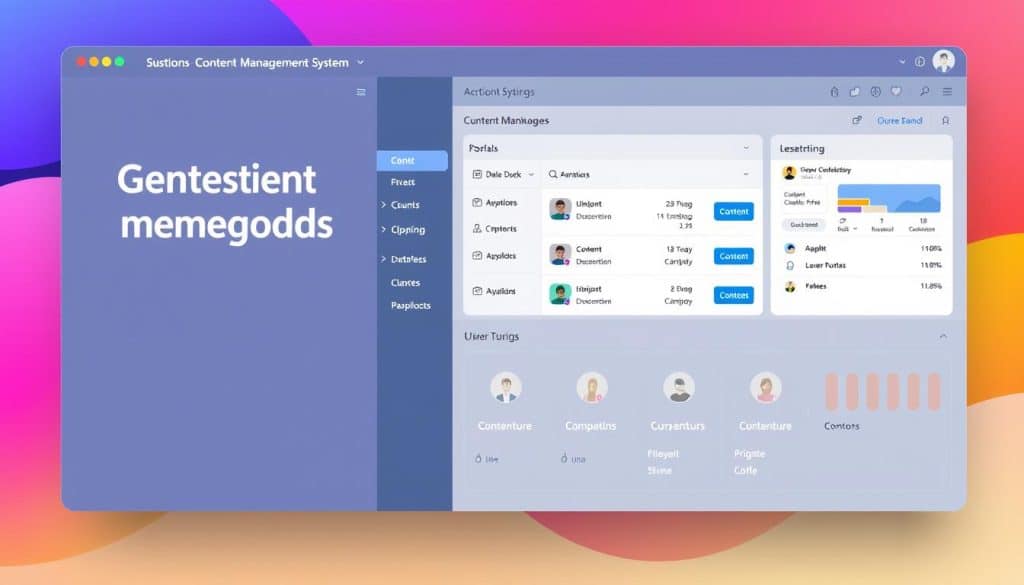
Content Management Systems (CMS) have revolutionized how businesses create, manage, and modify digital content. Unlike WYSIWYG builders, CMS’s use backend interfaces to push changes to live websites, making them indispensable for managing complex web presences.
CMS Components and Features
A typical CMS comprises several key components and features that facilitate efficient content management. These include content creation tools, version control, and user management capabilities. Such features enable developers and content creators to collaborate effectively, ensuring that the website remains updated and relevant.
The CMS landscape is diverse, with platforms offering various strengths and catering to different needs. Understanding these differences is crucial for selecting the most appropriate CMS for your business requirements.
Popular CMS Platforms
The market offers a range of CMS platforms, each with its unique features and user base. Popular options include WordPress, known for its ease of use and extensive plugin ecosystem; Drupal, favored for its security and scalability; and Joomla, which balances functionality with user-friendliness. Additionally, headless CMS options like Contentful are gaining traction for their flexibility in content delivery across different channels.
When evaluating CMS platforms, considerations such as scalability, security, and customization capabilities are paramount. By understanding these factors, businesses can make informed decisions that align with their long-term digital strategies, ultimately enhancing their web presence and content management capabilities.
API and Integration Terminology
The world of web applications relies heavily on APIs and integrations, making it vital to understand the associated terminology. APIs, or Application Programming Interfaces, enable different software systems to communicate with each other, facilitating the exchange of data and services.
API Types and Functions
APIs can be categorized into different types based on their functionality and accessibility. Understanding these types is crucial for web development and integrating various services. For instance, JSON Web Tokens (JWT) are used for securely transferring information between parties.
Integration Methods and Terms
Various integration methods exist, including webhooks, middleware, and direct API connections. These methods enable businesses to connect their web applications with external services and data sources, creating more cohesive digital ecosystems. Understanding terms like authentication tokens, data mapping, and synchronization is key to successful integrations.
For more detailed information on API terminology, visit our API Glossary.
Web Application Testing Terms
To deliver a seamless user experience, it’s essential to grasp the concepts and terms associated with web application testing. Testing is a critical component of the web development process that ensures the delivery of a high-quality web application.
Quality Assurance (QA) plays a vital role in this process, encompassing various techniques and processes to ensure that web applications meet the required quality standards. This includes different types of testing such as functional, regression, load, and cross-browser testing.
A/B Testing Explained
A/B testing, also known as split testing, is a method of comparing two versions of a web page to determine which one performs better. This technique helps in making data-driven decisions to improve the user experience and conversion rates.
User Testing Terminology
User testing involves evaluating a web application by having real users interact with it. This process helps identify usability issues and areas for improvement. Key terms include user feedback, usability testing, and user journey mapping.
Quality Assurance Terms
QA involves several key terms and concepts, including test cases, test plans, and bug tracking systems. Understanding these terms is crucial for establishing effective testing protocols and ensuring the delivery of reliable web applications.
| Testing Type | Description | Objective |
|---|---|---|
| Functional Testing | Verifies that the web application functions as expected. | Ensure that the application works correctly. |
| Regression Testing | Tests the application after changes to ensure new bugs aren’t introduced. | Prevent new issues after updates. |
| Load Testing | Evaluates the application’s performance under heavy traffic. | Ensure scalability and reliability. |
Emerging Web Technologies and Terms
As we continue to navigate the ever-evolving digital landscape, it’s crucial to stay informed about emerging web technologies. These advancements are not only enhancing user experience but also revolutionizing how web applications are developed and interacted with.
Artificial Intelligence in Web Applications
Artificial Intelligence (AI) is increasingly being integrated into web applications to provide more personalized and intuitive user experiences. AI can help in predicting user behavior, automating tasks, and enhancing overall interaction.
Progressive Web Apps (PWAs)
Progressive Web Apps (PWAs) offer a seamless, app-like experience to users directly through web browsers. They combine the best of web and mobile apps, providing features like offline functionality and push notifications.
Voice and Multimodal Interfaces
Voice and multimodal interfaces are changing how users interact with web applications. A multimodal interface allows users to interact through various means such as speech, text, and visuals, enhancing user experience and accessibility.
| Technology | Description | Benefits |
|---|---|---|
| Artificial Intelligence (AI) | Integration of AI into web applications. | Enhanced user experience. |
| Progressive Web Apps (PWAs) | Web apps providing a native app-like experience. | Offline functionality, push notifications. |
| Voice and Multimodal Interfaces | Interfaces for multiple interaction modes. | Improved accessibility. |
Conclusion: Leveraging Web Application Terminology for Digital Growth
With a solid grasp of web application terminology, businesses in Qatar can now navigate the digital landscape with confidence. Mastering these essential terms empowers you to make more informed decisions about your digital presence and website development.
We’ve covered a wide range of terms across various aspects of web applications, from fundamental concepts to emerging technologies. Understanding this terminology enables more effective communication with technical teams and service providers, allowing you to evaluate proposals, set realistic expectations, and prioritize digital investments for business growth.
By applying this knowledge, you’ll be better equipped to drive web development strategies that align with your business goals, ultimately leading to stronger digital growth. We encourage you to revisit this glossary whenever you encounter unfamiliar terms in your digital journey, ensuring you stay competitive in the ever-evolving digital landscape.
FAQ
What is the difference between frontend and backend development?
Frontend development focuses on creating the user interface and user experience using programming languages like HTML, CSS, and JavaScript, while backend development involves server-side logic, database integration, and API connectivity.
How does a search engine optimize results for a website?
A search engine optimizes results by crawling and indexing content on the website, analyzing user behavior, and using algorithms to rank relevant pages, making it more visible to users searching for specific information.
What is the role of source code in web development?
Source code is the foundation of any web development project, providing the instructions that a computer follows to render a website or web application, and is written in various programming languages.
How do web browsers interpret code?
Web browsers interpret code by reading the HTML, CSS, and JavaScript files, rendering the layout, styling, and functionality of a website or web application, and displaying it to the user.
What is the significance of responsive design in mobile web applications?
Responsive design ensures that a web application adapts to different screen sizes, devices, and orientations, providing an optimal user experience across various platforms, including mobile devices.
How do APIs facilitate integration between different services?
APIs enable different services to communicate with each other, exchange data, and leverage each other’s functionality, promoting seamless integration and enhancing the overall user experience.
What are key performance indicators (KPIs) in web analytics?
KPIs are measurable values that indicate the performance of a website or web application, such as conversion rates, bounce rates, and average session duration, helping businesses evaluate their digital success.
How does user testing contribute to a better user experience?
User testing involves observing real users interacting with a website or web application, identifying usability issues, and informing design improvements to create a more intuitive and user-friendly experience.
What is the difference between HTTP and HTTPS?
HTTP is a protocol used for transferring data over the internet, while HTTPS is a secure version of HTTP, encrypting data in transit and protecting against eavesdropping and tampering.
How do content management systems (CMS) simplify content creation?
CMS platforms provide a user-friendly interface for creating, editing, and managing content on a website, streamlining the process and reducing the need for technical expertise.







