
In today’s multi-device digital landscape, a staggering 85% of users access websites through mobile devices, making responsive web design crucial for businesses aiming to expand their online presence.
With the rise of mobile-first consumers, having a seamless user experience across various devices is no longer a luxury, but a necessity. Professional web design services can help businesses achieve this goal. We will explore how Flutter can be leveraged to create responsive web applications that drive significant business growth.
Our comprehensive guide will walk you through the fundamentals of responsive design principles and their application in Flutter web development, ensuring you can create web apps that adapt flawlessly across devices.
Key Takeaways
- Understand the importance of responsive web design for business growth
- Learn how Flutter can be used to create responsive web applications
- Discover the benefits of using Flutter for web development
- Gain insights into the development process for responsive web apps
- Understand how responsive web design impacts user engagement and conversion rates
Understanding Responsive Web Design in Flutter
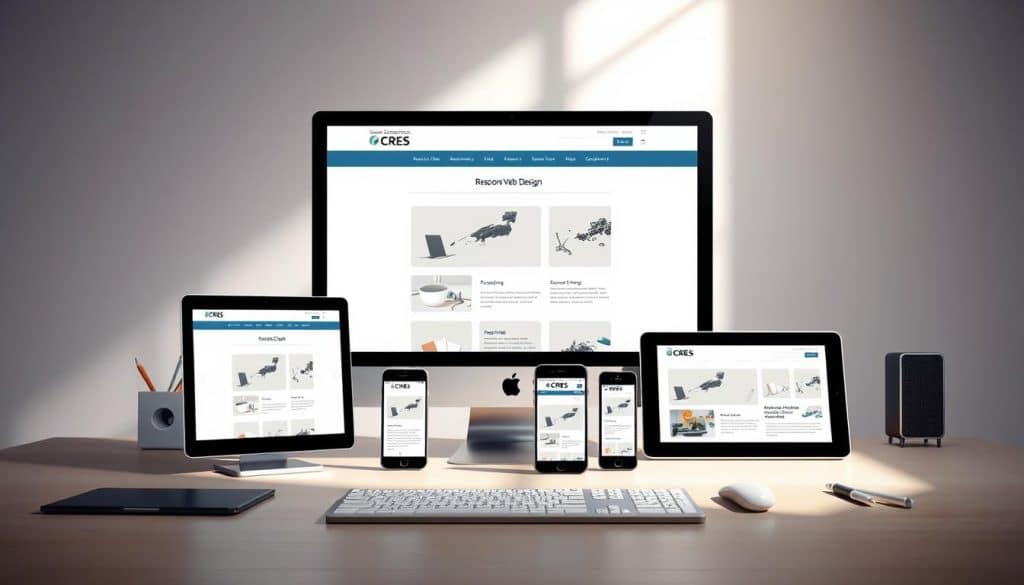
As we dive into the world of Flutter, understanding the importance of responsive web design becomes essential for delivering seamless user experiences. Responsive web design (RWD) is an approach that enables web applications to adapt to different screen sizes and device types, ensuring an optimal user experience regardless of how users access your content.
What is Responsive Design?
Responsive design refers to the ability of a website or web application to adjust its layout, visual elements, and overall user interface according to the screen size and device type of the user’s device. This means that whether a user is accessing your website on a desktop, tablet, or mobile phone, the website will automatically adjust to fit the screen size, ensuring a consistent and engaging user experience.
Why Responsive Design Matters for Business Growth
In today’s digital landscape, having a responsive web design is crucial for business growth. With the majority of internet users accessing websites through mobile devices, a responsive design ensures that your website is accessible and user-friendly across various devices. This, in turn, can lead to improved key business metrics, including lower bounce rates, longer time on site, higher conversion rates, and better search engine rankings. By adopting a responsive design, businesses can stay competitive and cater to diverse user needs, ultimately driving revenue growth. For more information on how responsive web design can boost your business, visit our page on SEO website design solutions.
Flutter's Approach to Responsive Design
Flutter’s widget-based architecture provides a unique approach to implementing responsive design principles. By using Flutter’s widgets, developers can create layouts that automatically adjust to various screen dimensions, ensuring a consistent and engaging user experience across different devices. Flutter’s cross-platform capabilities also provide advantages over traditional responsive web development frameworks, allowing businesses to target multiple platforms with a single codebase.
- Flutter’s widget system provides the building blocks for creating truly responsive interfaces that maintain visual consistency across devices.
- By leveraging Flutter’s responsive design capabilities, businesses can ensure that their web applications are accessible and user-friendly across various devices and screen sizes.
Benefits of Flutter Responsive Web Apps for Businesses
The benefits of using Flutter for responsive web app development are multifaceted, impacting businesses in several key areas. As we explore these advantages, it becomes clear that Flutter offers a comprehensive solution for businesses aiming to enhance their digital presence.
Cross-Platform Compatibility
Flutter’s cross-platform compatibility is a significant advantage for businesses. With Flutter, you can build a single web application that runs seamlessly on various devices and screen sizes. This capability extends to native apps for iOS and Android, using the same codebase. By maintaining a single codebase across web, mobile, and desktop platforms, businesses can significantly reduce development time and resources.
Improved User Experience Across Devices
Flutter responsive web apps deliver a consistent user experience across all devices, eliminating the frustration of poorly adapted interfaces. This consistency is crucial for businesses as it directly impacts user engagement and conversion rates. By ensuring that your web application performs well across different devices, you can cater to a broader audience.
Better SEO Performance
Responsive Flutter web applications can improve your SEO performance, as Google now prioritizes mobile-friendly websites in its ranking algorithms. With Flutter, businesses can develop web apps that are not only visually appealing but also optimized for search engines, thereby enhancing their online visibility.
Cost-Effective Development
Flutter’s hot reload feature and declarative UI model enable faster development and iteration cycles, making the development process more cost-effective. By reducing the time and resources required for development, businesses can allocate more budget to other critical areas, such as marketing and customer acquisition.
By leveraging Flutter for responsive web app development, businesses can enjoy these benefits while maintaining a competitive edge in the digital market. As we continue to explore the capabilities of Flutter, it’s evident that its impact on business growth can be substantial.
Setting Up Your Flutter Responsive Web App Project
The first step in developing a Flutter web application is configuring your project for success. To achieve this, you need to set up your development environment correctly.
Installing Flutter and Enabling Web Support
To start developing with Flutter, you need to install the Flutter SDK on your system. This involves downloading the SDK from the official Flutter website and extracting it to your desired installation location. Ensure you have the necessary disk space (1.64 GB) and tools like Git installed. After installation, add Flutter to your system’s PATH by updating your environment variables. You’ll also need to install an IDE like Visual Studio Code or Android Studio, along with the Flutter and Dart plugins.
Creating Your First Flutter Web Project
Once Flutter is installed, enabling web support is crucial. You can do this by running the command to enable web support in your Flutter installation. Then, create your first Flutter web project using the Flutter CLI. This step involves navigating to your project directory and running the appropriate command to create a new Flutter web project.
Understanding the Flutter Web Architecture
Flutter compiles Dart code to JavaScript for web deployment. Understanding this architecture is vital for optimizing your web application’s performance. You’ll need to configure your project for different deployment environments, ensuring a smooth transition from development to production. Testing your application across various browsers, including Chrome, is also essential.
Essential Flutter Responsive Web App Techniques
When building responsive web applications with Flutter, several key techniques can help ensure a seamless user experience across various devices and screen sizes. These techniques are crucial for businesses looking to expand their digital presence and cater to a diverse audience.
Using MediaQuery for Screen Dimensions
MediaQuery is a powerful tool in Flutter that provides information about the device’s screen size, orientation, and other properties. By using MediaQuery.of(context).size, developers can access the screen dimensions and make informed decisions about the layout. For instance, you can determine whether the device is in portrait or landscape mode and adjust your UI accordingly.
Here’s an example of how to use MediaQuery to get the screen size:
Size size = MediaQuery.of(context).size;
Implementing LayoutBuilder for Adaptive Layouts
LayoutBuilder is another essential widget in Flutter that allows developers to build a widget tree based on the parent widget’s constraints. This enables the creation of dynamic layouts that adapt to different screen sizes. By using LayoutBuilder, you can define different layouts based on the available space.
For example:
LayoutBuilder( builder: (context, constraints) { if (constraints.maxWidth > 600) { return _buildWidgetContainer(); } else { return _buildNormalContainer(); } },); Working with Flexible and Expanded Widgets
Flutter’s Flexible and Expanded widgets are crucial for creating fluid layouts that automatically distribute space among child elements. These widgets allow developers to create responsive UI components that adapt to different screen sizes.
For more information on building responsive web apps with Flutter, you can refer to this article on Medium.
Leveraging AspectRatio and FractionallySizedBox
AspectRatio and FractionallySizedBox are two widgets that help maintain visual consistency across different screen sizes. AspectRatio maintains a specified aspect ratio for its child widget, while FractionallySizedBox sizes its child to a fraction of the total available space.
Here’s an example of using FractionallySizedBox:
FractionallySizedBox( widthFactor: 0.5, heightFactor: 0.3, child: Container(color: Colors.red),)
By combining these techniques, developers can create truly responsive Flutter web applications that work seamlessly across mobile, tablet, and desktop screen sizes. The key is to understand how to use these widgets and techniques effectively to ensure a consistent user experience.
| Technique | Description | Use Case |
|---|---|---|
| MediaQuery | Provides information about the device’s screen size and orientation | Determining screen dimensions and orientation |
| LayoutBuilder | Builds a widget tree based on the parent widget’s constraints | Creating dynamic layouts that adapt to different screen sizes |
| Flexible and Expanded | Creates fluid layouts that distribute space among child elements | Building responsive UI components |
| AspectRatio and FractionallySizedBox | Maintains visual consistency across different screen sizes | Preserving proportions and sizing child widgets |
Building Responsive UI Components in Flutter
To ensure optimal user engagement, it’s essential to build responsive UI components in Flutter that can adjust to various device types and orientations. This involves creating adaptable layouts, images, and media that can scale according to the screen size and device capabilities.
Creating a Responsive Navigation Bar
We guide you through building a responsive navigation bar that adapts between a hamburger menu and full navigation options based on available screen space. This is achieved by using Flutter’s LayoutBuilder widget to determine the screen size and adjust the navigation bar accordingly. For instance, on larger screens, you can display a full navigation menu, while on smaller screens, a hamburger menu is more suitable.
Designing Flexible Content Layouts
You’ll learn techniques for creating flexible content layouts that reorganize themselves based on screen size, ensuring optimal readability and user experience across devices. Using Flexible and Expanded widgets, you can create layouts that adapt to different screen dimensions. For example, a grid layout can be used on larger screens, while a list view can be used on smaller screens.
Implementing Responsive Images and Media
We’ll demonstrate how to implement responsive images and media that load appropriate resolutions based on device capabilities, improving performance without sacrificing quality. By using Flutter’s responsive design techniques, you can ensure that images and media are optimized for different devices.
Handling Different Screen Orientations
You’ll master strategies for handling different screen orientations, ensuring your application provides a seamless experience whether users hold their device in portrait or landscape mode. By using Flutter’s OrientationBuilder widget, you can create layouts that adapt to different orientations, providing an optimal user experience in both modes.
Some key strategies for building responsive UI components in Flutter include:
- Using MediaQuery to determine screen dimensions and adjust layouts accordingly.
- Implementing LayoutBuilder to create adaptive layouts based on available space.
- Leveraging Flexible and Expanded widgets to create flexible content layouts.
- Using AspectRatio and FractionallySizedBox to handle different screen sizes and orientations.
By applying these strategies, you can create responsive UI components that provide a superior user experience across various devices and screen sizes.
Advanced Responsive Strategies for Business Applications
In today’s multi-device world, employing sophisticated responsive techniques in your Flutter app is not just beneficial, it’s necessary. As businesses expand their digital presence, ensuring a seamless user experience across various screen sizes and devices becomes paramount.
Setting Breakpoints for Different Device Categories
Defining specific screen width ranges for different layouts is crucial. For instance, you might set breakpoints for mobile devices, tablets, and desktops. This allows your application to deliver optimized experiences for various device categories.
| Device Category | Screen Width Range |
|---|---|
| Mobile | 0-600px |
| Tablet | 601px-1024px |
| Desktop | 1025px and above |
Creating Custom Responsive Widgets
Creating custom widgets that adjust their sizes and positions proportionally to the screen size enhances user experience. For example, you can adjust text size based on screen dimensions using Text('Responsive Text', style: TextStyle(fontSize: MediaQuery.of(context).size.width * 0.05)). For more insights on building responsive Flutter apps, check out this LinkedIn article on Flutter responsive design.
Optimizing Performance Across Devices
Optimizing performance involves leveraging techniques like responsive data loading and animation scaling. For instance, using the BoxFit property to fit images within their containers ensures efficient rendering across devices. An example is Image.network('https://example.com/image.jpg', fit: BoxFit.cover).
Conclusion
As we conclude our exploration of Flutter responsive web app development, it’s clear that this technology offers businesses a powerful tool for growth. We’ve demonstrated how Flutter responsive web app development provides a comprehensive solution for creating seamless cross-device experiences that drive business success.
You now have a thorough understanding of the techniques and strategies required to build truly responsive web apps using Flutter’s powerful framework. The combination of Flutter’s widget-based architecture and responsive design principles creates web applications that adapt beautifully to any screen size.
- Leverage these techniques to create responsive web experiences that engage users and improve conversion rates.
- Apply the practical, implementable code examples and strategies to your own Flutter web development projects.
- Ensure your applications remain future-proof as new devices and screen sizes emerge in the market.
By following this guide, you’re now equipped to create responsive Flutter web apps that provide consistent, high-quality user experiences across all devices. We encourage you to start implementing these responsive strategies in your next Flutter web app development project to see the tangible business benefits they can deliver.
Remember, responsive design is not just a technical requirement but a business imperative in today’s multi-device world, directly impacting user satisfaction and conversion rates.
FAQ
How do I ensure my Flutter application looks great on different screen sizes?
To ensure your application looks great on various screen sizes, we use techniques like MediaQuery to get the current screen dimensions and LayoutBuilder to create adaptive layouts. This allows us to design UI components that adjust according to the device’s screen size.
What is the best way to handle different screen orientations in a Flutter web application?
Handling different screen orientations can be achieved by using Flutter’s built-in widgets like OrientationBuilder, which rebuilds the widget tree when the device orientation changes. We also use Flexible and Expanded widgets to create layouts that adapt to different orientations.
Can I use Flutter to develop a web application that is compatible with multiple platforms, including desktop and mobile devices?
Yes, Flutter allows you to develop cross-platform applications that run seamlessly on multiple platforms, including desktop and mobile devices, using a single codebase. This is achieved through Flutter’s compilation to native code for each platform.
How does Flutter’s responsive design approach impact the user experience across various devices?
By using Flutter’s responsive design capabilities, we can create a consistent user experience across different devices. This is achieved by designing UI components that adapt to the device’s screen size, ensuring that the application is usable and visually appealing on various devices.
What are some best practices for optimizing the performance of a Flutter web application across different devices?
To optimize performance, we use techniques like code splitting, lazy loading, and optimizing widget rebuilds. We also test the application on various devices to identify performance bottlenecks and optimize accordingly.
How do I implement a responsive navigation bar in my Flutter web application?
Implementing a responsive navigation bar can be achieved by using Flutter’s LayoutBuilder widget to determine the screen size and adjust the navigation bar’s layout accordingly. We can also use Flutter’s built-in navigation widgets, like NavigationRail, to create responsive navigation bars.







