

Did you know that cached versions of websites can significantly impact your digital strategy? With the recent changes in how search engines display cached content, understanding the role of caching has become more crucial than ever.
We explore how professionals can leverage cached internet pages for troubleshooting, research, and competitive analysis. The discontinuation of Google’s cache feature has raised concerns among SEO professionals and webmasters, but alternative methods can still provide access to cached content.
By understanding the historical context and evolution of web caching technologies, you’ll gain insights into why these tools remain relevant. Our comprehensive guide will walk you through actionable strategies for incorporating cached page analysis into your digital workflow.
Key Takeaways
- Understand the critical role of cached internet pages in digital strategy.
- Learn alternative methods for accessing cached content.
- Discover how to leverage cached versions for troubleshooting and research.
- Gain insights into the evolution of web caching technologies.
- Develop strategies for incorporating cached page analysis into your workflow.
Understanding Cached Internet Pages

Cached internet pages are a fundamental aspect of how search engines operate, providing users with access to stored versions of web content. At its core, a cached page is a snapshot of a web page stored by search engines and archiving services at a specific point in time.
What Are Cached Pages and How Do They Work
Cached pages are created through the process of crawling and indexing. Search engines like Google use automated programs called crawlers or spiders to continuously scan and update their databases with fresh content from the web. When a crawler visits a webpage, it stores a copy of the page, which becomes the cached version. This cached version can then be served to users when they search for the page, providing a backup in case the live site is unavailable or has been altered.
The technical process behind cached pages involves complex algorithms that determine how frequently a page is crawled and how it is indexed. The frequency of crawling depends on factors like the page’s popularity, update frequency, and relevance. By understanding how cached pages work, users and webmasters can better appreciate the importance of search engine optimization (SEO) strategies, such as those discussed in our article on improving website ranking on Google.
The Historical Importance of Google’s Cache Feature
Introduced in 2001, Google’s cached pages feature allowed users to view stored versions of websites directly through search results. This feature was particularly valuable when a live site was down, had been recently updated, or when a page was removed. Google’s cache served as a digital time capsule, preserving web content that might otherwise be lost. The historical significance of Google’s cache feature lies in its role as an essential tool for webmasters, researchers, and everyday users, providing insights into how search engines viewed and indexed web content over time.
Why Cached Internet Pages Matter for Digital Success

In the digital landscape, cached internet pages are essential for maintaining continuity when websites experience disruptions. Cached pages serve as a backup, ensuring that critical information remains accessible.
Accessing Content When Websites Are Down
Cached pages provide uninterrupted access to critical information when the original source is unavailable. This is particularly valuable for businesses and individuals relying on specific websites for information or services. For instance, during a site’s downtime, users can still access the last cached version through Google’s cache or other caching tools.
Verifying Website Changes and Updates
Using cached versions, webmasters can verify that their website changes have been properly indexed by search engines. This is crucial after significant updates to ensure that the latest version of a page is being crawled and indexed correctly. It’s an essential option for maintaining a site’s visibility and accuracy in search results.
Research and Content Preservation Benefits
Cached pages offer significant research benefits, allowing academics, journalists, and investigators to access information that may have been altered or removed. This service preserves digital history and provides a record of the web’s evolution. Moreover, it helps in tracking the evolution of content strategies over time, offering insights into successful digital campaigns.
The importance of cached pages extends to legal contexts, where they can serve as timestamped documentation of online content. This can be critical in disputes over digital content. By leveraging cached pages, digital marketers and researchers can gain valuable insights into website changes, competitor strategies, and the historical context of online content.
- Cached pages ensure access to critical information during website downtime.
- They help verify that website updates are correctly indexed by search engines.
- Cached versions provide insights into competitor content strategies and changes.
- They serve as a tool for preserving digital history and tracking content evolution.
The End of Google’s Cached Pages Feature

The recent discontinuation of Google’s cached pages feature marks a significant shift in how we access and analyze web content. Google’s cached pages were once an indispensable tool for SEO professionals, webmasters, and researchers, providing a snapshot of web pages as indexed by Google.
Google’s Recent Discontinuation Announcement
Google’s decision to discontinue the cached pages feature was announced by Danny Sullivan, Google’s Search Liaison, on X (formerly Twitter). Sullivan explained that the feature was “no longer as essential” due to improvements in web reliability. The Google cache feature, which allowed users to view cached versions of web pages, was a valuable resource for troubleshooting and content verification. With its removal, users will no longer be able to rely on this feature for accessing cached pages or using the Google cache search operator.
Impact on SEO Professionals and Webmasters
The discontinuation of Google’s cached pages feature has significant implications for SEO professionals and webmasters. Without access to cached versions of web pages, these professionals will face challenges in verifying indexing status and content changes. The loss of this feature may also impact digital marketing strategies that relied on cached page analysis for competitive research and content verification. As a result, webmasters and SEO professionals will need to adapt their workflows to accommodate this change, potentially turning to alternative methods such as Bing’s cache feature or the Internet Archive’s Wayback Machine to achieve similar insights.
Alternative Methods to Access Cached Internet Pages
With Google’s cached pages feature discontinued, users must now rely on alternative methods to access archived web content. This shift has led to an increased focus on other caching services that can provide similar functionality.
Using Bing’s Cache Feature
Bing’s cache feature remains fully operational and offers a viable alternative to Google’s now-discontinued service. To access Bing’s cached pages, users can follow a simple process: when searching for a website, look for a down-facing arrow next to the URL in the search results. Clicking this arrow will reveal an option to view a cached copy of the site.
This feature is particularly useful when a website is temporarily down or unavailable, allowing users to still access the content they need.
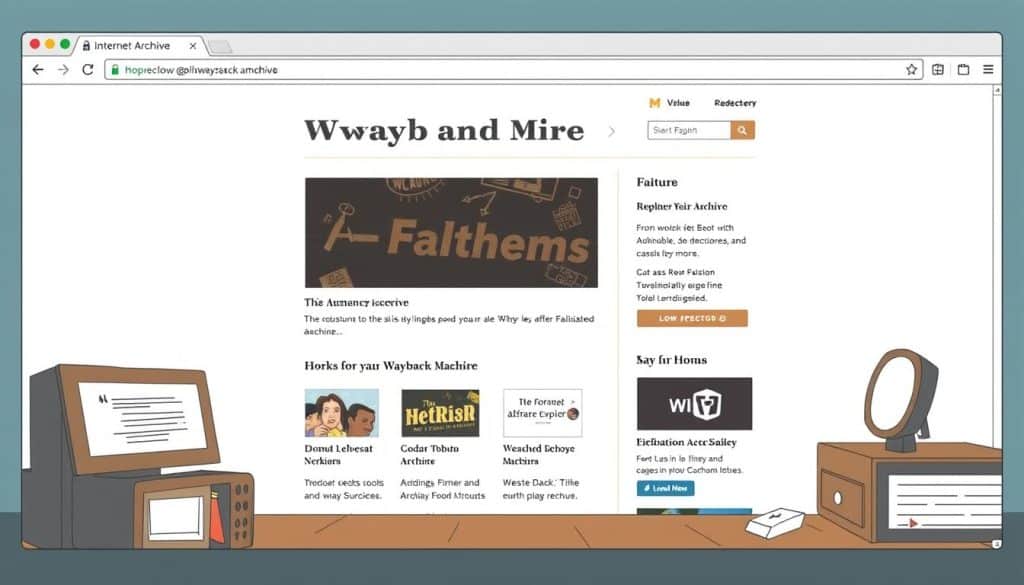
Leveraging the Internet Archive’s Wayback Machine
The Internet Archive’s Wayback Machine is a non-profit service that has preserved billions of web pages dating back to the 1990s. By visiting Archive.org and entering the desired URL into the Wayback Machine search box, users can access a vast array of cached content, often with multiple versions of websites spanning many years.
This extensive historical archive is a valuable resource for researchers, historians, and anyone looking to track changes in web content over time.

Other Third-Party Cache Tools and Services
Beyond Bing and the Wayback Machine, several third-party caching tools and services are available. These include Archive.today, WebCite, and Cache.page, which offer alternative methods to access and preserve web content. Additionally, browser extensions have been developed to simplify access to cached versions across multiple platforms and services.
Each of these tools has its strengths and limitations, and choosing the right one depends on specific use cases and requirements.
Step-by-Step Guide to Viewing Cached Pages
Discover how to easily access cached versions of web pages using our comprehensive guide. With the discontinuation of Google’s cached pages feature, alternative methods have become essential for accessing historical web content.
Creating a Browser Bookmarklet for Quick Cache Access
One effective way to access cached pages is by creating a browser bookmarklet. This involves adding a simple JavaScript code to your browser’s bookmark bar, allowing you to quickly retrieve cached versions of web pages.
The JavaScript Code You Need
To create the bookmarklet, you’ll need to use the following JavaScript code: javascript:(function(){if(location.href.indexOf(‘http’)!=0){input=prompt(‘URL:’,’http://’);if(input!=null){location.href=’http://web.archive.org/web/*/’+input}}else{location.href=’http://web.archive.org/web/*/’+location.href;}})();
Installation Instructions for Different Browsers
To install the bookmarklet, right-click on your browser’s bookmark bar, select “Add a new bookmark,” and paste the JavaScript code into the URL field. For detailed instructions tailored to your browser (Chrome, Firefox, Safari, or Edge), follow the steps outlined in our guide.
Installing Browser Extensions for Cache Viewing
Another convenient method is to use browser extensions specifically designed for cache viewing. For instance, the Web Archives extension for Chrome and Edge browsers provides easy access to cached versions of web pages from various sources, including Bing and the Wayback Machine.

Mobile Options for Accessing Cached Pages
For mobile users, accessing cached pages can be achieved through dedicated apps and mobile-friendly web interfaces. The Firefox Android app, for example, supports the use of extensions like Web Archives, allowing for on-the-go access to cached content.
Conclusion: Adapting to Changes in Web Archiving
As we navigate the evolving digital landscape, the importance of cached internet pages remains unwavering. In this article, we’ve explored the significance of cached pages, the impact of Google’s discontinuation of its cache feature, and alternative methods for accessing cached content. The web archiving landscape is shifting, with emerging technologies and services like the Internet Archive’s Wayback Machine and Bing’s cache feature becoming increasingly vital.
To stay ahead, digital professionals must adapt proactively by integrating these alternative caching tools into their workflows. This not only ensures uninterrupted access to valuable resources but also provides a competitive edge in digital strategy. By understanding the evolving web archiving landscape and leveraging the right tools, we can continue to access and utilize cached pages effectively.
Ultimately, mastering alternative methods for viewing cached pages will remain crucial for digital success. We encourage professionals to contribute to web preservation efforts and support organizations maintaining our collective digital history.







