
In today’s digital landscape, having a professional online presence is crucial for web developers to showcase their skills and projects. Did you know that a well-crafted website can increase credibility by up to 75%?
We understand the importance of creating a website that effectively represents your brand and expertise. By combining the right HTML structure and CSS styling, you can establish a strong foundation for your online presence.
Our expert guidance will walk you through the process of creating a professional website from the ground up, covering everything from basic setup to advanced optimization techniques.
Key Takeaways
- Understand the fundamentals of website development for a professional online presence.
- Learn how to combine HTML and CSS for an effective website structure.
- Discover expert guidance on creating a professional online presence.
- Explore advanced optimization techniques for improved performance.
- Establish a strong foundation for your online presence with our expert solutions.
Understanding the Basics of Personal Website Development
The foundation of a strong online identity begins with a well-designed personal website. We will explore the basics of personal website development, focusing on why it’s essential and the tools required.
Why Create Your Own Personal Website
Creating your own website gives you complete control over your online narrative. It serves as your digital business card, portfolio, and brand statement all in one. By having your own website, you can showcase your skills and experiences exactly as you envision them.
Essential Tools and Technologies
To build a website from scratch, you need to understand the relationship between HTML (structure) and CSS (presentation). The essential toolkit includes a code editor like VS Code or Sublime Text, browser developer tools, and basic knowledge of web design principles. HTML is the standard markup language for creating websites, and CSS describes the style of an HTML document.
| Tool | Description | Importance Level |
|---|---|---|
| VS Code | A versatile code editor for web development | High |
| Sublime Text | Another popular code editor with extensive plugins | High |
| Browser Dev Tools | Essential for debugging and testing web pages | High |
To create your own website, you can leverage tools like website builders or start from scratch using HTML and CSS. Understanding the basics of web design and using the right tools can help you create a professional online presence.
Planning Your Personal Website Structure
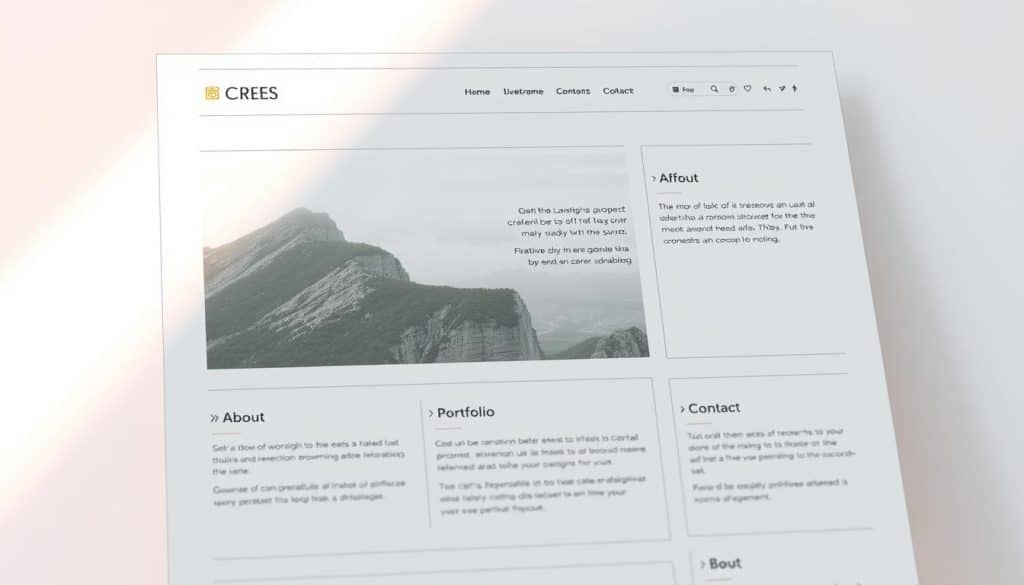
A well-planned website structure is the backbone of a successful online presence, enabling easy navigation and a positive user experience. This foundational step is crucial for creating a site that effectively communicates your message and achieves your online goals.
Creating a Layout Draft
Effective website planning begins with sketching a layout draft that visualizes how different elements will be positioned on your pages. A typical layout includes a header, navigation bar, side content, main content, and footer. We recommend using wireframing tools to visualize your layout before implementation, allowing you to experiment with different arrangements without committing to code.
Organizing Your Website Content
When organizing your content, prioritize information hierarchy to ensure visitors can quickly find what they’re looking for without feeling overwhelmed. Consider user flow patterns when planning your navigation structure, making sure the path from one section to another feels intuitive and purposeful. For more insights on creating engaging content, check out our tips on boosting rankings with SEO content writing.
- A well-structured website typically includes key sections like header, navigation, main content area, sidebar (optional), and footer.
- Creating a comprehensive sitemap before writing any code will save you significant time and prevent structural issues.
Setting Up Your Development Environment
Establishing a solid development environment is crucial for efficiently creating a personal website. This involves organizing your project files in a logical manner and configuring the necessary tools for coding and testing.
Creating the Folder Structure
To start, create a main project folder that will house all your website files. Within this folder, create subfolders for different types of assets. For instance, you can have a “CSS” folder for your stylesheets and an “images” folder for your visual assets. This separation makes it easier to manage and update your website.
Setting Up HTML and CSS Files
Inside your main project folder, create an “index.html” file, which will serve as the entry point for your website. In the “CSS” folder, create a “style.css” file to define the visual styling of your site. Ensure your HTML document includes the proper DOCTYPE declaration, meta tags for character encoding and viewport settings, and a link to your stylesheet. As you progress, consider creating separate CSS files for different aspects of your site to improve maintainability.
| File/Folder | Purpose |
|---|---|
| index.html | Main HTML file for your website |
| CSS/style.css | Primary stylesheet for your website |
| images/ | Folder for storing visual assets |
“A well-structured development environment is key to efficient web development. It not only streamlines the development process but also makes collaboration easier.”
By setting up a proper development environment, you’ll be able to work more efficiently and effectively. This foundation is crucial for building a high-quality personal website that meets your needs and is easy to maintain.
Building the HTML Foundation for Your Personal Website Code
Establishing a strong HTML foundation is crucial for creating a personal website that effectively represents your online presence. The HTML foundation of your website begins with the proper document structure, including the DOCTYPE declaration, html, head, and body elements that establish the framework for all content.
Creating the Basic HTML Structure
The basic structure starts with the <!DOCTYPE html> declaration, defining the document to be HTML5. The <html> element serves as the root element, containing both the <head> and <body> sections. The <head> contains meta information, while the <body> contains the visible page content. For more details on designing a web page in HTML, you can refer to resources like GeeksforGeeks.
Developing the Header and Navigation
When creating your header section, focus on incorporating your personal brand elements like name, logo, and tagline. A header is usually located at the top of the website and often contains a logo or website name. The navigation bar should contain links that help visitors navigate through your website, prioritizing user experience with clearly labeled links that follow logical organization.
Building Content Sections
Content sections should be structured using semantic HTML elements like <section>, <article>, and <aside> to improve both accessibility and search engine optimization. Proper use of heading hierarchy (h1 through h6) creates a clear content structure. We recommend using HTML tags that reflect the purpose of elements rather than their appearance, improving code readability and maintenance.
Styling Your Website with CSS
Styling your website with CSS is an essential step in creating a captivating online presence that reflects your personal brand. CSS, or Cascading Style Sheets, allows you to transform the basic HTML structure into a visually stunning website. By applying CSS styles, you can control the layout, color scheme, typography, and overall aesthetic appeal of your website.
Basic CSS Styling Principles
Effective CSS styling begins with understanding the cascade, specificity, and inheritance principles that govern how styles are applied to HTML elements. We recommend starting with a clear understanding of these principles to ensure consistent styling throughout your website. For more in-depth information on mastering CSS, you can visit Mastering CSS for Design.
Creating a Color Scheme
When creating your color scheme, it’s essential to select a primary, secondary, and accent color that work harmoniously together and reflect your personal brand identity. A well-chosen color scheme can significantly enhance the user experience and make your website more engaging. Consider using color theory principles to guide your color selection.
Typography and Text Formatting
Typography choices significantly impact readability and user experience. Select font families that are both visually appealing and functional across different devices and screen sizes. You can use CSS to control font-family, font-size, and text formatting options to create a consistent and readable typography throughout your website. As
“Good typography is the art of making your text readable and aesthetically pleasing.”
Designing a Responsive Layout
In today’s digital landscape, a responsive layout is no longer a luxury, but a necessity for any personal website. We understand that creating a website that adapts to various devices and screen sizes is crucial for providing an optimal user experience.
Understanding Flexbox for Layout
To handle the layout effectively, we recommend using CSS Flexbox. The display: flex property creates a flex container, allowing for flexible and efficient layout management. Key flexbox properties include flex-direction, justify-content, and align-items, which together give you precise control over how elements are positioned and sized.
Implementing Media Queries
To make your layout responsive, you need to implement media queries. Media queries act as conditional statements that apply different CSS rules based on device characteristics like screen width. For example, you can use @media screen and (max-width:700px) { .row { flex-direction: column; } } to change the layout on smaller screens. We recommend a mobile-first approach, starting with styles for small screens and progressively enhancing the experience for larger devices.
By combining CSS Flexbox with media queries, you can create a responsive layout that looks great on all devices, from desktops to mobile phones. For more information on optimizing your website’s performance, check out our guide on boosting your site with SEO meta tags.
Adding Advanced CSS Features
To take your personal website to the next level, we will delve into the world of advanced CSS, focusing on animations, transitions, and image styling. Advanced CSS features can significantly enhance the user experience, making your website more engaging and interactive.
Creating Animations and Transitions
Advanced CSS features like animations and transitions can elevate your personal website from basic to professional, creating engaging interactive elements that capture visitor attention. CSS transitions provide a simple way to add smooth state changes to elements when properties like color, size, or position are modified through user interactions.
- CSS transitions enhance user experience by providing smooth state changes.
- Animations should be subtle and guide user attention.
Styling Images and Galleries
Image styling techniques like rounded corners, shadows, and hover effects can significantly improve the visual appeal of your portfolio or project showcases. To style images with CSS, you can add properties like height, border-radius, and border. For example: img { height:300px; border-radius:50%; border:12px dotted rgb(255,85,0); }.
| CSS Property | Description | Example |
|---|---|---|
| height | Sets the height of an image | height:300px; |
| border-radius | Adds rounded corners to an image | border-radius:50%; |
| border | Sets the border style, width, and color | border:12px dotted rgb(255,85,0); |
Optimizing Your Personal Website Code
Code optimization plays a vital role in delivering a seamless user experience and boosting search engine performance. By refining your website’s code, you can significantly enhance its overall efficiency.
Best Practices for Clean HTML
Following best practices for HTML includes using semantic elements, maintaining proper indentation, and adding descriptive comments. Validating your code against W3C standards is also crucial for ensuring compatibility and readability. As Steve Krug once said, “Don’t make me think!” – a principle that applies to both user interface and code readability.
CSS Optimization Techniques
To optimize CSS, consider creating classes for elements that share styling properties. Consolidating redundant rules, organizing properties consistently, and using shorthand notations can significantly improve your CSS efficiency. CSS style consistency is key to maintaining a clean and efficient stylesheet.
Improving Page Load Speed
Page load speed can be improved by optimizing image sizes, minifying CSS and HTML files, and leveraging browser caching. Implementing a critical CSS approach can also enhance performance by loading essential styles first. As a result, your website will load faster, providing a better user experience and potentially improving search engine rankings.
Testing Your Website Across Devices
Comprehensive testing across various devices and browsers is necessary to ensure your website delivers a consistent and reliable experience. This step is crucial in today’s digital landscape, where users access websites through a multitude of devices and browser types.
Browser Compatibility Testing
Browser compatibility testing should cover major browsers like Chrome, Firefox, Safari, and Edge, including older versions that may still be in use. Tools like BrowserStack allow you to test your website on different browser-device combinations, ensuring it works as expected under real user conditions.
Mobile Responsiveness Testing
Testing for mobile responsiveness is equally important, verifying that all interactive elements are properly sized for touch inputs and that content remains readable without horizontal scrolling. This ensures a smooth user experience across different devices and display sizes, ultimately enhancing your website’s overall performance and page load speed when using HTML and CSS effectively.
Conclusion
By following the expert solutions outlined in this guide, you can create a personal website that not only looks great but also performs well. We’ve walked you through the complete process of building your online presence, from planning and structuring to advanced styling and optimization.
Creating a personal website with clean, efficient code is an investment in your professional brand. To ensure your website delivers the right user experience, it’s essential to test it on real devices and browsers. For a static website that displays text, images, links, and buttons beautifully, HTML and CSS are more than enough.
With the knowledge and techniques covered in this guide, you now have the tools to create a professional-quality website that stands out. We encourage you to start building your personal website today, applying these expert solutions to establish your distinctive online presence.
FAQ
What is the importance of having a responsive layout in a website?
A responsive layout ensures that your website adapts to different screen sizes and devices, providing a seamless user experience. We use media queries and flexible grids to achieve this.
How do I choose the right color scheme for my website?
When selecting a color scheme, consider your brand identity and the emotions you want to evoke. We recommend choosing 2-3 core colors and using CSS to apply them consistently throughout your website.
What are the best practices for optimizing HTML and CSS files?
To optimize your HTML and CSS files, we suggest minifying and compressing them, as well as using semantic HTML and efficient CSS selectors. This improves page load speed and overall website performance.
How do I ensure browser compatibility for my website?
To ensure browser compatibility, we test your website on various browsers and devices, using tools like BrowserStack. We also follow web development best practices to ensure compatibility.
What is the role of Flexbox in creating a responsive layout?
Flexbox is a powerful CSS layout mode that allows for flexible and efficient layout structures. We use Flexbox to create responsive and adaptable layouts that work well on different devices and screen sizes.
How can I improve the page load speed of my website?
To improve page load speed, we optimize images, minify and compress files, and leverage browser caching. We also use CSS and HTML optimization techniques to reduce file size and improve rendering.







