

Are you leveraging the full potential of your website’s presence in search results in Qatar?
As a business decision-maker, understanding how to optimize your site’s performance is crucial for driving sustainable organic traffic growth. Google Search Console is a powerful, free tool that provides invaluable insights into your website’s search engine performance.
By mastering Google Search Console optimization techniques, you’ll be able to identify technical issues, track performance metrics, and implement data-driven strategies to improve your site’s visibility.
We’ll explore comprehensive optimization techniques that can transform how your Qatar-based business appears in search results, giving you a competitive edge in the digital marketplace.
Key Takeaways
- Unlock the full potential of Google Search Console to boost your website’s search engine performance.
- Identify and resolve technical issues affecting your site’s visibility.
- Track key performance metrics to inform your SEO strategy.
- Implement data-driven strategies to drive sustainable organic traffic growth.
- Gain a competitive edge in Qatar’s digital marketplace.
What Google Search Console Offers Website Owners
Unlocking the full potential of your website on Google is made possible through Google Search Console, a free and authoritative SEO tool. As website owners, understanding the intricacies of how your site performs on Google is crucial for optimizing its visibility and driving more traffic to your site.
Google Search Console provides a wealth of information that is directly from Google, making it an unparalleled resource for website owners. With GSC, you gain access to comprehensive metrics including impressions, clicks, average position, and click-through rates, which are essential for identifying areas of improvement and opportunities for growth.
The Power of Google’s Free SEO Tool
The Google Search Console is not just any tool; it’s a gateway to understanding your website’s presence on Google. It offers real-time data, making it more reliable than paid SEO tools that often rely on scraped data. This real-time information is crucial for making timely adjustments to your SEO strategy.
- Direct insights from Google, offering unparalleled accuracy in search performance data.
- Comprehensive metrics to help identify optimization opportunities.
- Real-time information directly from Google’s index, making it the most authoritative source for search insights.
How GSC Differs from Other SEO Platforms
Unlike other SEO platforms that may provide estimates or rely on third-party data, Google Search Console offers accurate, real-time data directly from Google. This makes GSC an indispensable tool for any website owner serious about improving their site’s search visibility.
Additionally, GSC’s ability to alert owners to technical issues, such as crawling errors, indexing problems, and mobile usability concerns, allows for proactive maintenance and improvement of the site. Its integration with other Google products further enhances its utility, creating a unified ecosystem for managing your site’s digital presence.
By leveraging the features and insights provided by Google Search Console, website owners can make informed decisions to enhance their site’s performance on Google, ultimately driving more traffic and potentially increasing conversions.
Setting Up Google Search Console for Your Website
The process of setting up Google Search Console is straightforward and provides invaluable insights into your website’s search performance. To begin, you’ll need to create a Google Search Console account, decide on the property type that best suits your website, and verify your ownership.
Creating Your Google Search Console Account
Setting up Google Search Console begins with creating a free account. You can use your existing Google credentials or establish a new account specifically for your business. This initial step is crucial as it grants you access to a wealth of data about your website’s performance in Google search results.
- Use your existing Google account or create a new one for your business.
- Navigate to the Google Search Console website and follow the sign-up process.
Domain vs. URL Prefix Property Types
When setting up your Google Search Console account, you’ll need to choose between a domain property and a URL prefix property. Domain properties cover all subdomains and protocols, making them ideal for businesses with multiple site variations. On the other hand, URL prefix properties offer more granular control, allowing you to manage specific versions of your site.
Verification Methods for Qatar-Based Websites
Qatar-based websites have multiple verification options, including HTML file upload, domain name provider verification, HTML tag insertion, and Google Analytics linking. The verification process confirms your ownership rights and unlocks full access to the platform’s comprehensive data and optimization tools.
- HTML file upload to your website’s root directory.
- Domain name provider verification through DNS records.
- HTML tag insertion into your website’s header.
- Google Analytics linking, if you already have an Analytics account set up.
Understanding the nuances of proper setup ensures you’ll capture accurate data from the start, establishing a solid foundation for your optimization efforts. By following these steps, you’ll be well on your way to leveraging Google Search Console to enhance your website’s performance in search results.
Essential First Steps After Setup
After successfully setting up your Google Search Console account, it’s crucial to take several essential steps to maximize its potential for your Qatar-based business. These initial configurations will lay the foundation for effective search optimization and help you derive meaningful insights from the data provided by Google Search Console.
Adding and Verifying Users
One of the first steps is to add and verify users with different permission levels. This ensures that team members can collaborate on optimization efforts without compromising account security. To do this, navigate to the “Users and Permissions” section in your Search Console account and add new users by entering their email addresses. You can assign different permission levels, such as “Full” or “Restricted,” depending on the user’s role and responsibilities.
Connecting Google Analytics
Connecting your Google Analytics with Search Console creates a powerful data ecosystem. This integration combines user behavior metrics with search performance insights, providing a comprehensive view of your website’s performance. To connect the two services, follow the instructions in the Search Console settings, and ensure that you’re using the same Google account for both services.
Setting Up Email Notifications
Setting up customized email notifications for critical issues allows your team to respond quickly to potential problems before they impact your site’s search visibility. Configure these notifications in the “Settings” section of your Search Console account. You can choose to receive notifications for various events, such as security issues, manual actions, or crawl errors.
By implementing these foundational steps, you’ll create an efficient workflow that maximizes the value of Google Search Console for your Qatar-based business. Regularly reviewing Search Console data and adjusting your strategies accordingly will help maintain consistent optimization efforts and identify emerging trends or issues.
Submitting and Optimizing Your Sitemap
To enhance your website’s search engine ranking, submitting and optimizing your sitemap is a vital process. A sitemap acts as a blueprint for search engines, guiding them through your website’s structure and content.
Creating an Effective XML Sitemap Structure
An effective XML sitemap is crucial for efficient crawling and indexing by search engines. A well-structured sitemap should include all important pages while excluding duplicate content, private pages, and non-indexable resources.
- Include all critical URLs that you want search engines to crawl and index.
- Exclude URLs that are not relevant or are duplicate.
- Use a sitemap index file if you have multiple sitemaps.
For businesses in Qatar with multilingual content, specialized sitemap configurations can help Google understand language variations and regional targeting.
Submitting Your Sitemap to Google
Submitting your sitemap through Google Search Console is a straightforward process that signals to Google which pages you consider most valuable, potentially accelerating the indexing process.
- Access your Google Search Console account and navigate to the Sitemaps section.
- Enter the URL of your sitemap and click “Submit.”
- Monitor the status of your sitemap submission.
Monitoring Sitemap Status and Addressing Errors
Regular monitoring of sitemap status reports helps identify crawling issues, excluded URLs, or other technical problems that might prevent proper indexing. Implementing dynamic sitemap generation ensures newly published content is automatically included and submitted to Google without manual intervention.
- Regularly check the Sitemaps section in Google Search Console for errors or warnings.
- Address any issues identified, such as correcting URLs or resubmitting sitemaps.
- Use the URL Inspection tool to test and validate individual URLs.
By following these steps, you can ensure that your sitemap is effective in helping search engines understand your website’s structure and content, ultimately improving your site’s visibility and search engine ranking.
Mastering the Performance Report
The Performance Report serves as a command center for analyzing your website’s search results and user engagement. By leveraging the insights provided by this report, you can refine your SEO strategy and improve your website’s visibility in Google Search results.
Understanding Clicks, Impressions, CTR, and Position Metrics
The Performance Report provides four critical metrics: clicks, impressions, click-through rate (CTR), and average position. Clicks represent the number of times users visited your site from Google Search, while impressions indicate how many times your site appeared in search results. CTR measures the percentage of users who clicked on your site after seeing it in search results, and average position shows where your site typically ranks on the search results page. Understanding these metrics is essential for evaluating your website’s search visibility and user engagement.
Analyzing Search Query Data for Content Opportunities
Analyzing search query data reveals valuable content opportunities by identifying keywords where you’re appearing but not ranking optimally. By examining the queries that drive impressions and clicks, you can identify gaps in your content and create targeted content to improve your rankings. This process involves filtering performance data by page, query, country, and device to gain granular insights that inform your optimization strategies.
Using Date Comparisons to Track SEO Progress
Date comparison features in the Performance Report allow you to measure the impact of your optimization efforts over time and identify seasonal trends relevant to Qatar’s market. By comparing data from different periods, you can assess the effectiveness of your SEO strategies and make data-driven decisions to further improve your website’s performance. For more insights on optimizing your website, visit our guide on SEO Mastery: Elevate Your Online Presence.
Google Search Console Optimization Techniques for Higher Rankings
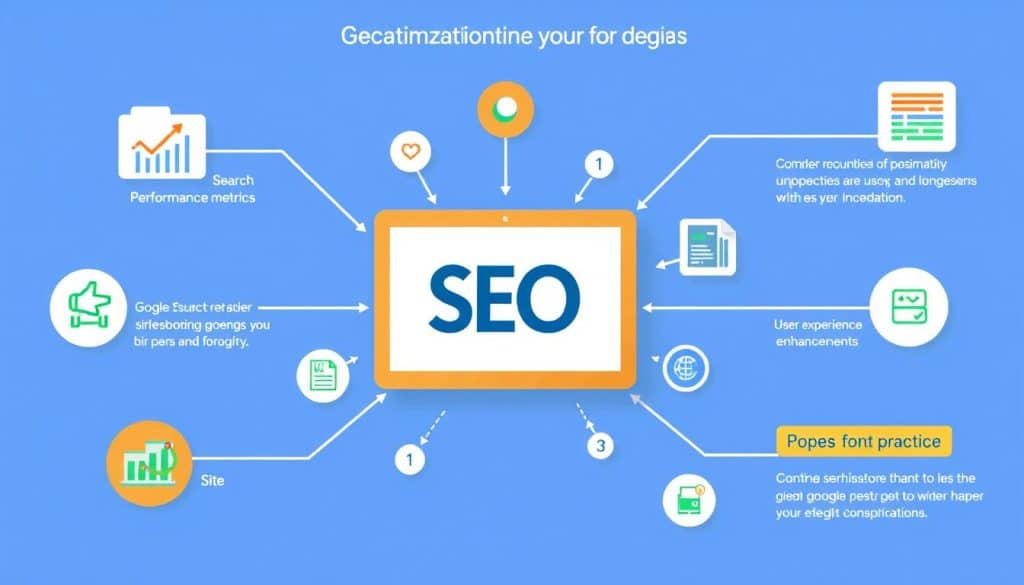
With Google Search Console, you can unlock data-driven optimization techniques that significantly boost your website’s search rankings. By leveraging the insights provided by Search Console, you can refine your SEO strategy to achieve higher rankings and drive more traffic to your site.
Identifying and Targeting High-Potential Keywords
Leveraging Google Search Console data to identify high-potential keywords where you’re ranking on page two or early page three can yield quick wins with targeted optimization. We analyze the Search Console data to pinpoint keywords that have the potential to rank higher with slight adjustments in content and meta tags.
By focusing on these keywords, you can optimize your content to target the right audience and improve your search engine rankings.
Improving Meta Titles and Descriptions Based on CTR Data
We’ll demonstrate how to analyze CTR data to identify underperforming meta titles and descriptions that need refinement to improve click-through rates. By adjusting these elements based on Search Console insights, you can enhance your website’s visibility in search results.
Optimizing meta titles and descriptions is crucial for enticing users to click on your website, thereby increasing traffic and potentially boosting rankings.
Optimizing Content for Featured Snippets
Featured snippet optimization techniques allow you to capture position zero results, dramatically increasing visibility for informational queries. By structuring your content to answer specific questions, you can improve your chances of being featured in these coveted snippets.
Understanding how to optimize for featured snippets is a valuable skill, as it can significantly impact your website’s visibility and credibility.
By implementing these Google Search Console optimization techniques, you can improve your website’s search engine rankings, drive more traffic, and enhance your online presence. Our Qatar-based clients have seen significant improvements in their search rankings by leveraging these strategies.
Monitoring and Fixing Indexing Issues
Proper indexing is key to a successful SEO strategy, and Google Search Console provides the necessary tools to monitor indexing status and address any errors or exclusions. Effective use of these tools can significantly improve your website’s visibility in search results.
Understanding the Index Coverage Report
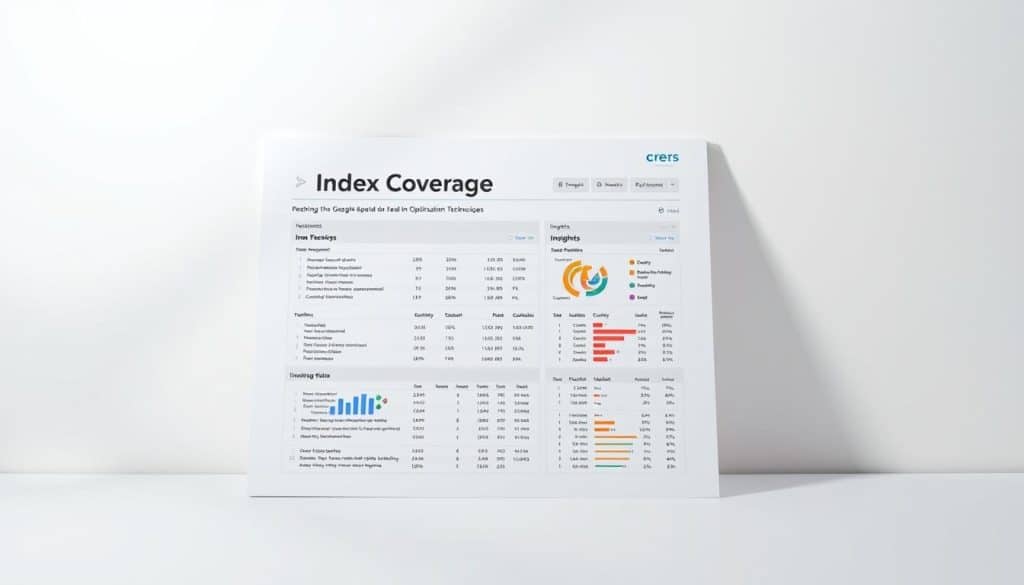
The Index Coverage report in Google Search Console offers critical insights into how Google processes your website’s pages. It highlights successful indexing, errors, and excluded content, providing a comprehensive overview of your site’s indexing status.
- Valid: Pages that are indexed and can appear in search results.
- Valid with warnings: Pages that are indexed but have issues that don’t prevent them from appearing in search results.
- Excluded: Pages that are not indexed and won’t appear in search results.
- Error: Pages that encountered errors during indexing.
Resolving Common Indexing Errors and Exclusions
Common indexing errors include server errors, redirect issues, and robots.txt blockages. These issues can significantly impact your site’s visibility in search results. To resolve these errors, it’s essential to identify their root causes and implement corrective actions.
| Error Type | Cause | Solution |
|---|---|---|
| Server Error | Server overload or misconfiguration | Check server status, optimize server configuration |
| Redirect Issue | Incorrect redirect setup | Review and correct redirect settings |
| Robots.txt Blockage | Incorrect robots.txt configuration | Update robots.txt to allow crawling |
Using URL Inspection for Faster Indexing
The URL Inspection tool in Google Search Console allows you to examine specific pages from Google’s perspective, request indexing, and troubleshoot rendering issues. This tool is invaluable for diagnosing and resolving indexing problems for individual pages.
By using the URL Inspection tool, you can identify issues such as crawl errors, indexing errors, and content issues, and take corrective actions to ensure your pages are properly indexed.
Enhancing Mobile Usability for Qatar’s Mobile-First Market
Qatar’s exceptionally high mobile penetration rates make mobile optimization a critical factor for local businesses seeking to maximize their search visibility. As we navigate the intricacies of Google Search Console, enhancing mobile usability emerges as a pivotal strategy for capturing the Qatar market.
Analyzing Mobile Usability Reports
The Mobile Usability report in Google Search Console is a treasure trove of insights, highlighting specific issues that may be hindering your site’s mobile performance. We analyze these reports to identify problems such as text size, viewport configuration, and touch element spacing issues that can significantly impact user experience.
- Text size: Ensure that your content is readable without zooming.
- Viewport configuration: Properly configure your site’s viewport to fit various mobile screen sizes.
- Touch element spacing: Adequately space touch elements to prevent accidental clicks.
Fixing Common Mobile Issues in Arabic and English Sites
Bilingual websites, especially those catering to both Arabic and English audiences, face unique challenges. We address these by focusing on right-to-left text rendering for Arabic content, selecting appropriate fonts, and ensuring responsive design that adapts to different languages and cultural preferences.
Key considerations include:
- Implementing CSS that supports right-to-left text direction.
- Choosing fonts that are legible in both English and Arabic.
- Ensuring that your responsive design accommodates different text lengths and directions.
Testing Mobile Performance for Qatar’s Network Conditions
Testing your site’s mobile performance under Qatar’s specific network conditions is crucial. We simulate real-world scenarios to ensure your site performs well under various network speeds and conditions, providing a seamless user experience for local users.
By focusing on these aspects, we not only enhance your site’s mobile usability but also align with Google’s mobile-first indexing, thereby maintaining competitive visibility in search results.
Optimizing Core Web Vitals for Better User Experience
To improve user experience and search visibility, understanding and optimizing Core Web Vitals is essential. Core Web Vitals represent Google’s quantifiable metrics for measuring user experience, directly impacting your site’s search rankings and visibility.
Understanding LCP, FID, and CLS Metrics
We’ll demystify the three critical Core Web Vitals metrics—Largest Contentful Paint (LCP), First Input Delay (FID), and Cumulative Layout Shift (CLS)—explaining their significance. LCP measures loading performance, FID assesses interactivity, and CLS evaluates visual stability.
- LCP should occur within 2.5 seconds of page load.
- FID should be less than 100 milliseconds.
- CLS should be less than 0.1.
Identifying Pages with Poor Core Web Vitals
Google Search Console’s dedicated Core Web Vitals report identifies specific pages requiring optimization, allowing you to prioritize improvements based on traffic and importance. Regular monitoring is crucial to ensure that your site maintains optimal Core Web Vitals scores.

Implementing Fixes for Common Performance Issues
Common performance issues affecting Qatar-based websites include unoptimized images, render-blocking resources, and server response delays. We’ll address these with practical solutions, such as optimizing images, leveraging browser caching, and minimizing CSS/JS files. Implementing performance budgets and regular monitoring ensures your site maintains optimal Core Web Vitals scores even as new content is added.
By optimizing Core Web Vitals, you’re not only improving search rankings but also enhancing conversion rates and customer satisfaction metrics. Make sure to regularly check your Google Search Console for updates and issues related to Core Web Vitals.
Leveraging the URL Inspection Tool Effectively
Google Search Console’s URL Inspection tool provides invaluable insights into how Google crawls, renders, and indexes your website’s pages. This feature is crucial for understanding potential discrepancies between your intended content and what’s actually indexed.
Checking How Google Views Your Pages
The URL Inspection tool allows you to see how Googlebot views your pages, including the rendered HTML and loaded resources. This is particularly useful for identifying rendering issues that might affect how your content is indexed. To use this feature effectively, enter the URL you want to inspect and review the results, paying close attention to any discrepancies between the rendered HTML and the original source code.
Troubleshooting Crawling and Rendering Issues
When troubleshooting crawling and rendering issues, the URL Inspection tool can help identify problems such as blocked resources or JavaScript execution errors. By analyzing the loaded resources and JavaScript execution, you can pinpoint issues that might be preventing Google from correctly rendering your pages. This information is critical for ensuring that your content is properly indexed and visible in search results.
| Issue | Description | Solution |
|---|---|---|
| Blocked Resources | Resources blocked by robots.txt or other directives | Review and adjust robots.txt rules |
| JavaScript Errors | Errors during JavaScript execution | Fix JavaScript code or use error handling |
Requesting Indexing for New or Updated Content
For businesses in Qatar launching time-sensitive campaigns, the Request Indexing feature in Google Search Console can accelerate Google’s discovery and processing of new or updated content. To use this feature, simply enter the URL you want Google to index and submit a request. Keep in mind that while this can expedite the indexing process, it’s essential to ensure that the content is of high quality and relevance to avoid potential issues.
By effectively leveraging the URL Inspection tool, you can improve your website’s visibility, troubleshoot potential issues, and ensure that your content is properly indexed by Google. This is particularly valuable for businesses in Qatar looking to enhance their online presence and drive revenue growth through digital excellence.
Analyzing and Improving Your Backlink Profile
Understanding and improving your backlink profile can significantly impact your website’s performance in search engine results. A comprehensive backlink analysis is essential for identifying strengths, weaknesses, and opportunities for growth in your link building strategy.
Understanding External and Internal Links Reports
Google Search Console’s Links report provides valuable insights into both external sources linking to your site and your internal linking structure. By analyzing top linking sites, most linked pages, and anchor text distribution, you can gain a deeper understanding of your backlink profile.
- Identify external backlinks driving traffic and authority to your site
- Analyze internal linking patterns to improve site navigation and page authority distribution
- Monitor anchor text distribution to avoid over-optimization
Identifying Quality Backlink Opportunities in Qatar
Qatar’s unique business landscape presents specialized backlink opportunities through local directories, industry associations, and regional media outlets. To capitalize on these opportunities, focus on building relationships with authoritative sources relevant to your business environment.
| Opportunity Type | Description | Potential Benefit |
|---|---|---|
| Local Directories | Listings in reputable local business directories | Increased local visibility and backlinks |
| Industry Associations | Membership and participation in industry-specific organizations | Authoritative backlinks and industry credibility |
| Regional Media Outlets | Features and mentions in regional news and media platforms | High-quality backlinks and enhanced brand reputation |
Using the Disavow Tool for Harmful Links
The Disavow Tool serves as a critical defense mechanism against potentially harmful links that could trigger manual actions or algorithmic penalties. To effectively use this tool, identify toxic backlinks using tools like backlink analysis software, and submit a disavow file to Google.

By regularly analyzing and refining your backlink profile, you can improve your website’s search engine ranking, drive more traffic, and enhance your online presence in Qatar’s competitive digital landscape.
International Targeting for Qatar-Based Businesses
Qatar-based businesses serving multilingual audiences need precise international targeting to maximize their search visibility. As the digital landscape in Qatar continues to evolve, adopting effective international targeting strategies becomes crucial for businesses aiming to reach diverse audiences across different regions and languages.
One of the key aspects of international targeting is ensuring that your website is configured to serve the correct language or regional version to users. This is where hreflang tags come into play.
Setting Up Proper Hreflang Tags for Arabic and English Content
Implementing hreflang tags correctly is essential for businesses with multilingual content. These tags help search engines understand the relationship between different language versions of your pages, preventing duplicate content issues and ensuring that users are directed to the appropriate version based on their language preferences.
- Use hreflang tags to specify the language and regional targeting of your content.
- Ensure that you include the “x-default” hreflang tag for pages that don’t target a specific language or region.
- Verify that your hreflang tags are correctly implemented and return the correct HTTP status codes.
Targeting the GCC Region vs. Global Audiences
Qatar-based businesses often need to target both the GCC region and global audiences. Understanding the differences between these two targeting strategies is crucial for effective international SEO.
When targeting the GCC region, consider the following:
- Use geotargeting signals such as country-code top-level domains (ccTLDs) or subdomains to target specific regions.
- Optimize your content for region-specific keywords and phrases.
- Consider the cultural and linguistic nuances of the GCC region.
Monitoring Country-Specific Performance
Google Search Console provides valuable insights into your website’s performance in different countries. By analyzing this data, you can identify opportunities in neighboring GCC markets and optimize your regional targeting strategies.
To monitor country-specific performance:
- Use the “Performance” report in Google Search Console to analyze your website’s traffic by country.
- Identify top-performing countries and adjust your content and targeting strategies accordingly.
- Monitor changes in search behavior and adjust your SEO strategies to stay competitive.
By implementing these international targeting techniques, Qatar-based businesses can ensure that their content reaches the right audience, regardless of language preference or geographic location.
Addressing Security Issues and Manual Actions
Security threats are a significant concern for online businesses, and Google Search Console serves as a critical early warning system. By leveraging Search Console’s security features, we can identify and address potential issues before they cause significant harm.
Monitoring for Hacking and Malware Alerts
Google Search Console alerts you to potential hacking attempts, malware infections, or suspicious activity on your site. To effectively monitor these threats, we recommend regularly checking the Security Issues section in Search Console. This section provides detailed information about detected security issues, including the type of issue, affected pages, and the date it was detected. By promptly addressing these issues, you can protect your site and users from potential harm. For more information on maintaining a secure website, you can check our expert guide on checking if your website has good.
Understanding and Responding to Manual Actions
Manual actions are penalties applied by Google’s human reviewers, requiring immediate attention to prevent significant traffic and visibility losses. Understanding the different types of manual actions, such as thin content or unnatural links, helps diagnose root causes and implement appropriate fixes. We will review these actions in detail and provide guidance on how to respond effectively. It’s crucial to address the root cause of the issue and make necessary changes to prevent future manual actions.
Submitting Reconsideration Requests
After addressing the issues that led to manual actions, you can submit a reconsideration request to Google. This process requires thorough documentation of remediation efforts and a compelling case for restoring your site’s standing in search results. We will guide you through the process, ensuring that your request is thorough and effective. A well-crafted reconsideration request can help restore your site’s visibility and traffic.
By following these steps and leveraging Google Search Console’s security features, you can protect your site from security threats and maintain a strong online presence. Proactive security monitoring through Search Console helps Qatar-based businesses maintain trust with both users and search engines in an increasingly threat-conscious digital environment.
Implementing Rich Results with Structured Data

By leveraging structured data, businesses in Qatar can create rich results that drive engagement and increase click-through rates. Rich results dramatically enhance your search listings with visual elements, interactive features, and additional information.
Types of Schema Markup Relevant for Qatar Businesses
For businesses in Qatar, certain types of schema markup are particularly valuable. These include LocalBusiness, Event, Product, and FAQ schemas, which can drive engagement and improve search visibility.
Testing and Validating Your Structured Data
To ensure that your structured data is implemented correctly, it’s essential to test and validate it. Google provides tools to help you validate your implementation before submission, ensuring compliance with their technical requirements.
Monitoring Rich Results Performance
Monitoring the performance of your rich results is crucial to understanding their impact on click-through rates and conversion metrics. Google Search Console’s Rich Results report provides detailed insights into which pages have eligible markup, which are generating rich results, and any errors preventing optimal display.
Strategic implementation of structured data creates competitive advantages in Qatar’s search landscape, particularly for businesses in hospitality, retail, and professional services. By enhancing your website with rich results, you can stay ahead of the competition and drive more traffic to your site.
Creating an Effective GSC Monitoring Routine
A well-structured monitoring routine is essential for capturing actionable insights from Google Search Console while maintaining efficient use of your optimization resources. By regularly checking your Search Console data, you can identify areas for improvement and track the effectiveness of your SEO strategies.
Daily, Weekly, and Monthly Check-up Tasks
To get the most out of Google Search Console, we recommend establishing a routine that includes daily, weekly, and monthly tasks. Daily checks should focus on critical errors and security issues. Weekly reviews can analyze performance trends and indexing status. Monthly deep dives allow for comprehensive analysis and strategy adjustments based on the search data.
- Daily: Check for critical errors and security issues.
- Weekly: Analyze performance trends and indexing status.
- Monthly: Conduct comprehensive analysis and adjust strategies.
Setting Up Custom Alerts for Critical Issues
Setting up custom email alerts for security issues, manual actions, and significant traffic changes provides timely notifications without requiring constant dashboard monitoring. This proactive approach helps you stay on top of potential issues before they become major problems, ensuring your site remains secure and performs well in search results.
Integrating GSC Data into Your SEO Workflow
Integrating Search Console data with other analytics platforms creates a comprehensive view of your site’s performance across the entire user journey. By combining data from different sources, you can gain deeper insights into user behavior and optimize your SEO strategies accordingly. Developing standardized reporting templates helps communicate Search Console insights to stakeholders and demonstrate the ROI of your optimization efforts.
Conclusion
With Google Search Console, Qatar businesses can unlock new opportunities for search visibility and organic traffic. Throughout this article, we’ve explored the comprehensive capabilities of this powerful tool, from technical SEO enhancements to content strategy optimization.
The value of Google Search Console lies in its ability to provide actionable insights that drive continuous improvement. By implementing the optimization techniques we’ve discussed, you can create a virtuous cycle of improvement, where each optimization informs the next through data-driven decision making.
- Maximize your website’s potential by leveraging Google Search Console’s features, enhancing both SEO and user experience.
- Monitor your site’s performance regularly, using the data to inform your SEO strategy and make necessary adjustments.
- Stay ahead of the competition by maintaining an active Search Console monitoring routine, ensuring your site remains aligned with Google’s evolving quality standards.
To further enhance your SEO strategy, consider exploring our comprehensive guide on launching a new website with the best SEO strategy, available at https://oldy2.cres.vip/we-help-you-launch-with-best-seo-strategy-for-new-website/. This resource can provide valuable insights into optimizing your website for search engines and driving organic traffic growth.
By mastering Google Search Console and integrating its insights into your digital marketing strategy, you’ll not only improve your site’s search rankings but also enhance the overall user experience and technical performance. This holistic approach to SEO, facilitated by Google Search Console, is crucial for achieving sustainable online success in Qatar’s competitive digital landscape.
FAQ
What is the primary purpose of using Google Search Console for my website?
The primary purpose is to monitor your site’s presence in search results, understand how crawlers interact with your site, and identify areas for improvement to increase your online visibility.
How do I verify my website in Google Search Console?
To verify your site, you’ll need to add a meta tag to your homepage or upload an HTML file to your site’s root directory, confirming that you’re the site owner.
What is the difference between domain and URL prefix property types in Google Search Console?
A domain property includes all subdomains and protocols (http/https), while a URL prefix property is limited to a specific protocol and subdomain.
How can I use the Performance Report to improve my website’s SEO?
Analyze clicks, impressions, CTR, and position metrics to identify opportunities for growth, and adjust your content strategy accordingly.
What are the benefits of connecting Google Analytics with Google Search Console?
Integrating the two tools provides a more comprehensive understanding of your site’s performance, allowing you to track the impact of SEO efforts on your overall business goals.
How can I identify and fix indexing issues on my website?
Use the Index Coverage Report to detect errors and exclusions, and then address these issues by optimizing your site’s structure, content, and meta tags.
What is the importance of structured data for my website’s search engine rankings?
Structured data helps search engines understand your content, enabling the display of rich results and potentially improving your site’s visibility and click-through rates.
How often should I check my Google Search Console account for updates and issues?
Regularly monitoring your GSC account, ideally on a daily, weekly, and monthly basis, ensures you stay on top of critical issues and opportunities for improvement.







