
Have you ever wondered how websites are built from scratch, bringing together code and creativity to create engaging online experiences? As we dive into the world of web development, you’ll discover the fundamental elements that power modern websites.
We will explore the core technologies that make up the web: HTML for structure, CSS for styling, and JavaScript for interactivity. Understanding these elements is crucial for anyone looking to build a career in web development or simply wanting to create their own website.
By demystifying the process of coding and development, we aim to empower you with the knowledge to start building your own web pages. Whether you’re a beginner or have some experience, this guide will provide valuable insights into the world of web development.
Key Takeaways
- Understanding the core technologies that power modern websites: HTML, CSS, and JavaScript.
- Exploring front-end and back-end development and their roles in website creation.
- Learning about essential concepts like responsive design and accessibility.
- Gaining confidence to start building your own web pages.
- Understanding the web development landscape and its various components.
Understanding Web Development Fundamentals
Understanding the fundamentals of web development is key to building robust and scalable web applications. At its core, web development involves creating applications that run on the web, utilizing various technologies and protocols to deliver a seamless user experience.
What is a Website?
A website is a collection of related web pages, including multimedia content, typically identified with a common domain name and published on at least one web server. Websites can be static or dynamic, with the latter being more common for web applications that require user interaction.
How the Internet Works
The internet is a global network of interconnected computers and servers that communicate using standardized protocols. The HyperText Transfer Protocol (HTTP) is a fundamental protocol that enables data communication between clients (like web browsers) and servers. HTTP is a request-response protocol, allowing users to access and share information over the web.
The Client-Server Model
The client-server model is a distributed application structure that partitions workloads across different locations, typically between clients and servers. In web applications, clients (usually web browsers) send HTTP requests to servers, which then process these requests and return the appropriate responses. This model is crucial for understanding how web interactions occur and how to effectively structure your code for user-centric experiences.
The client-server architecture is fundamental to how the web operates, with clients and servers having distinct roles. Understanding this model and how HTTP requests and responses work is essential for developing efficient web applications.
The Anatomy of Web Pages
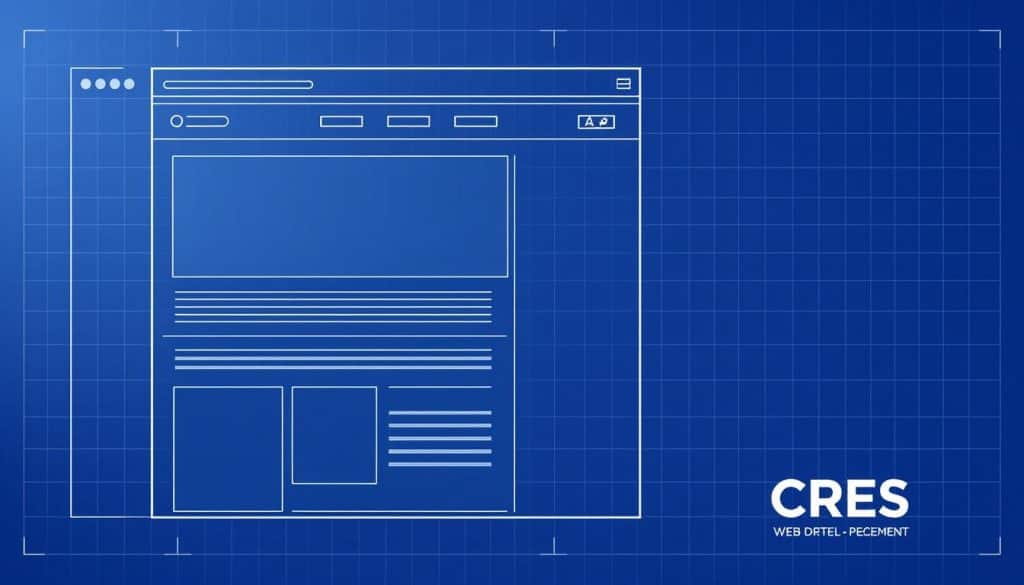
The anatomy of a web page is a complex interplay of various technologies and elements working together seamlessly. To understand how web pages are constructed and function, we need to delve into their structure and components, as well as how browsers interpret them.
Structure and Components
A web page is primarily built using HTML (Hypertext Markup Language), which provides the structure and content of the page. CSS (Cascading Style Sheets) is used to control the layout and visual styling. The combination of HTML and CSS forms the backbone of a web page, allowing browsers to render the content correctly. To view the HTML source code of a web page, one can simply click CTRL + U or right-click and select “View Page Source”. This reveals the underlying code that makes up the page.
Inspecting an HTML element can be done by right-clicking on an element and choosing “Inspect”. This tool allows developers to see the HTML and CSS that make up the elements of a web page, providing valuable insights into how the page is constructed. For those looking to learn more about creating web pages, understanding the basics of HTML is crucial, as explained in our guide on how to create a web page in HTML for.
How Browsers Interpret Web Pages
Browsers play a critical role in rendering web pages by interpreting the HTML, CSS, and JavaScript code. The process involves parsing HTML to build the DOM (Document Object Model), applying CSS styles, and executing JavaScript to add interactivity. Different browsers may interpret the same code slightly differently, which can lead to compatibility issues. Understanding this process is key to writing efficient code and troubleshooting rendering problems.
The critical rendering path is a sequence of steps the browser takes to render a web page. It includes parsing HTML, building the DOM, applying CSS, and executing JavaScript. Progressive rendering is a technique used by browsers to prioritize certain content, improving perceived loading speed. By understanding how browsers interpret web pages, developers can optimize their code for better performance and compatibility across different browsers.
Getting Started with HTML
Embarking on the journey of web development starts with understanding the basics of HTML. HTML, or HyperText Markup Language, is the standard markup language used to create web pages. It’s the backbone of a website, providing the structure that the web browser renders to the user.
HTML Document Structure
An HTML document has a specific structure that includes the <!DOCTYPE html> declaration, <html>, <head>, and <body> tags. The <head> section contains metadata about the document, while the <body> section contains the content.
Essential HTML Tags
HTML tags are used to define the structure and content of web pages. Essential tags include headings (<h1> to <h6>), paragraphs (<p>), links (<a>), images (<img>), and lists (<ul>, <ol>, <li>). Understanding these tags is crucial for creating a well-structured web page.
Creating Your First HTML Page
To create your first HTML page, start by choosing a text editor or IDE. Create a new file, save it with an .html extension, and open it in a web browser. We’ll walk you through a step-by-step example of building a simple web page, including adding a title, headings, paragraphs, links, and images. You’ll also learn how to use browser developer tools to inspect your HTML and troubleshoot issues.
By following these steps, you’ll gain hands-on experience with HTML and be well-prepared to move on to more complex web development tasks. Code validation is also an essential skill, as it ensures your HTML code is error-free and follows the latest web standards.
Styling Web Pages with CSS
The power of CSS lies in its ability to transform basic web pages into visually stunning interfaces. With CSS, you can control the layout, colors, fonts, and overall visual styling of your web pages, making them more engaging and user-friendly.
CSS Syntax and Selectors
CSS syntax is the foundation of styling web pages. It involves selectors, properties, and values that define how elements are displayed. We use selectors to target specific HTML elements and apply styles to them. For instance, the class selector allows us to apply styles to elements with a specific class attribute.
CSS selectors are crucial for applying styles to the right elements. We have type selectors, class selectors, ID selectors, and more complex selectors like attribute selectors and pseudo-classes.
Box Model and Layout
The box model is a fundamental concept in CSS that describes the structure of an HTML element as a rectangular box. It includes margins, borders, padding, and content. Understanding the box model is essential for controlling the layout and spacing of elements on a web page.
By mastering the box model, we can create complex layouts and ensure that our web pages are both visually appealing and easy to navigate. We use CSS properties like width, height, margin, and padding to manipulate the box model.
Responsive Design Principles
With CSS, you can also create responsive web pages that adapt to different screen sizes. Responsive web design is an essential approach for creating websites that function well across all devices and screen sizes.
- We’ll introduce responsive web design as an essential approach for creating websites that function well across all devices and screen sizes.
- This section will explain the concept of mobile-first design and why it has become the industry standard for modern web development.
- We’ll cover fluid layouts using percentage-based widths instead of fixed pixel values to allow content to adapt to different viewport sizes.
- The concept of media queries will be introduced, showing how to apply different styles based on device characteristics like screen width.
- We’ll discuss responsive images and media, explaining techniques for optimizing visual content across devices.
- Implementing these responsive design principles will ensure your web pages provide an optimal viewing experience regardless of the device being used.
Adding Interactivity with JavaScript
JavaScript brings web pages to life by adding interactivity and responding to user actions. As a dynamic programming language, JavaScript is widely used for client-side scripting, enhancing the user experience by making websites more dynamic and engaging.
JavaScript Basics
Understanding the basics of JavaScript is essential for web development. JavaScript code is executed on the client’s browser, allowing for dynamic updates to web pages without requiring server requests. This capability enables the creation of interactive web elements such as dropdown menus, sliders, and forms.
DOM Manipulation
One of the key features of JavaScript is its ability to manipulate the Document Object Model (DOM). By accessing and modifying the DOM, developers can dynamically change the structure, layout, and content of web pages. This is crucial for creating responsive and interactive web applications.
Event Handling
Event handling is a critical aspect of JavaScript that allows developers to respond to user interactions and browser actions. Common event types include click, submit, load, keydown, and mouseover. By attaching event listeners to elements, developers can execute specific functions in response to these events, thereby enhancing the interactivity of web pages.
Effective event handling involves understanding event propagation, including bubbling and capturing, and managing it with methods like stopPropagation and preventDefault. This knowledge enables developers to create web pages that respond appropriately to user actions, improving the overall web experience.
The Basics of Programming Web Pages: Core Concepts
Programming web pages effectively requires a solid grasp of fundamental concepts that drive dynamic web experiences. As we explore the world of web development, it’s crucial to understand the building blocks that make web pages interactive and engaging.
Programming Logic for Web Pages
Programming logic is the backbone of creating dynamic web pages. It involves using logical statements to control the flow of a program, making decisions, and repeating actions. This logic is essential for responding to user interactions, updating content dynamically, and creating a seamless user experience on the web.
To implement programming logic, developers use conditional statements (if/else), loops (for, while), and functions. These elements work together to create a robust and maintainable codebase that can adapt to various user inputs and scenarios.
| Logic Element | Description | Example Use Case |
|---|---|---|
| Conditional Statements | Used for making decisions based on conditions | Validating user input on a web form |
| Loops | Repeat actions or iterate over data | Processing a list of items on a web page |
| Functions | Reusable blocks of code that perform specific tasks | Handling user interactions on a web application |
Variables, Functions, and Objects
Understanding variables, functions, and objects is crucial for creating efficient and organized code for web pages. Variables serve as containers for data, with considerations for scope, hoisting, and naming conventions playing a critical role in their declaration and use.
Functions are reusable blocks of code that can take parameters and return values, making them indispensable for tasks such as event handling and DOM manipulation on the web. Objects, on the other hand, allow developers to organize related data and functionality into a single entity, enhancing code modularity and maintainability.
By mastering these fundamental elements—variables, functions, and objects—developers can write more efficient, modular, and maintainable code for the web, ultimately leading to better web applications.
Understanding Back-End Development

In web development, the back-end refers to the server-side logic, database integration, and API connectivity that powers the front-end. The back-end is responsible for managing data, processing requests, and ensuring the overall functionality of web applications.
Server-Side vs. Client-Side
The distinction between server-side and client-side is fundamental to understanding back-end development. Client-side refers to the code that runs on the user’s browser, typically written in HTML, CSS, and JavaScript. In contrast, server-side code runs on the server, handling requests, processing data, and generating responses. This dichotomy is crucial for building robust and scalable web applications.
The server-side environment can be configured to understand various programming languages, allowing developers to choose the best language for their project’s needs. This flexibility is a key advantage of back-end development.
Common Back-End Languages
Several server-side programming languages are widely used in web development, including PHP, Python, Ruby, Java, and Node.js. Each language has its strengths, weaknesses, and use cases. For instance, PHP is known for its maturity and extensive community support, while Python is prized for its simplicity and versatility.
When choosing a back-end language, developers should consider factors such as syntax, performance characteristics, learning curve, and the availability of frameworks and libraries. Popular frameworks associated with these languages include Laravel (PHP), Django (Python), Ruby on Rails, Spring (Java), and Express (Node.js).
By understanding the differences between these languages and their ecosystems, developers can make informed decisions about which back-end technologies to use for their projects, ultimately building more effective and efficient web solutions.
Web Development Tools and Environments
Web development tools and environments play a crucial role in shaping the digital landscape. As we dive into the world of web development, it’s essential to understand the array of tools available that can streamline the development process, enhance productivity, and improve the overall quality of web applications.
Code Editors and IDEs
Code editors and Integrated Development Environments (IDEs) are fundamental tools for any web developer. They offer a range of functionalities from basic text editing to advanced features like code completion, debugging, and project management. Popular choices include Visual Studio Code, Sublime Text, and Atom, each offering unique features that cater to different development needs.
Browser Developer Tools
Browser developer tools are built into modern web browsers, providing a suite of features to inspect, debug, and optimize web pages. By right-clicking on an element and selecting “Inspect,” developers can view the HTML and CSS, make real-time edits, and diagnose issues. This capability is invaluable for front-end development and testing.
Version Control Basics
Version control systems, particularly Git, are essential for managing changes in codebases over time and collaborating with others. We introduce the basic concepts of version control, including repositories, commits, branches, and merges. Understanding Git commands for initializing repositories, staging changes, and pushing to remote repositories is crucial. Platforms like GitHub, GitLab, and Bitbucket host Git repositories and offer collaboration features, making it easier to work on web projects.
By leveraging these web development tools and environments, developers can significantly enhance their workflow, collaborate more effectively, and produce high-quality web applications. As the web continues to evolve, staying updated with the latest tools and best practices is key to success in the field.
Building Responsive Web Pages
In the era of diverse screen sizes and devices, building responsive web pages is more important than ever. With CSS, we can create web pages that adapt to different screen sizes, ensuring a smooth user experience across various devices.
Mobile-First Design
Adopting a mobile-first design approach involves designing for smaller screens before scaling up to larger ones. This method ensures that the essential content and features are prioritized, providing a better experience for users on all devices. By starting with the constraints of mobile devices, we are forced to focus on the most critical elements of our web page.
Media Queries
Media queries are a crucial tool in creating responsive web design. They allow us to apply different styles based on specific conditions, such as screen size or device type. By using media queries, we can tailor the layout and appearance of our web page to suit different devices, enhancing the user experience.
Flexible Layouts and Images
Creating flexible layouts and using responsive images are key to a successful responsive web design. Techniques such as using fluid grid systems, Flexbox, and Grid simplify the creation of complex layouts that adapt to different screen sizes. Additionally, using the srcset attribute and picture element allows us to serve different image sizes based on device capabilities, optimizing both quality and performance.
| Technique | Description | Benefit |
|---|---|---|
| Fluid Grid Systems | Using percentage widths instead of fixed pixels | Content scales proportionally |
| Flexbox | A modern CSS layout method | Simplifies complex responsive layouts |
| Responsive Images | Using srcset and picture elements | Optimizes image size based on device capabilities |
For more information on creating effective web pages using HTML tags, visit this resource.
Web Accessibility Fundamentals
The importance of web accessibility cannot be overstated, as it directly impacts the usability of online resources. As we strive to create more inclusive web experiences, understanding the principles of web accessibility is crucial.
Why Accessibility Matters
Web accessibility is essential for ensuring that all users, regardless of their abilities, can access and utilize online content. This inclusivity is not only a moral imperative but also expands the reach of web functionalities. By making our web pages accessible, we can provide equal opportunities for everyone to access the information they need.
WCAG Guidelines
The Web Content Accessibility Guidelines (WCAG) provide a comprehensive framework for achieving web accessibility. These guidelines outline the necessary code adjustments and design principles to make web content more accessible. By following WCAG, developers can ensure that their web pages meet internationally recognized accessibility standards.
Implementing Accessible Features
To implement accessible features, we focus on several key areas. We use semantic HTML and ARIA roles to communicate meaning to assistive technologies. Additionally, we ensure that all interactive elements can be operated via keyboard navigation and focus management. Alternative text for images is also crucial, as it conveys visual information to users who rely on assistive technologies. Furthermore, creating accessible forms, tables, and multimedia content with appropriate labels and controls is vital. By incorporating these features, we can significantly enhance the accessibility of our web pages.
| Accessibility Feature | Description | Benefit |
|---|---|---|
| Semantic HTML | Using HTML elements for their intended purpose | Improves assistive technology compatibility |
| ARIA Roles | Providing additional information for complex elements | Enhances dynamic content accessibility |
| Keyboard Navigation | Allowing users to navigate without a mouse | Increases usability for users with mobility impairments |
Web Performance Optimization
Enhancing web performance is vital for providing a responsive and interactive user experience. As we strive to deliver fast and efficient web pages, we must consider several key strategies that impact how our content is loaded and rendered.
Image Optimization
One critical aspect of web performance optimization is image optimization. By compressing images and using appropriate formats, we can significantly reduce the file size without compromising quality. This not only improves page load times but also enhances the overall user experience.
Minification and Compression
Another essential technique is minification and compression of web resources. By minifying CSS, JavaScript, and HTML files, we remove unnecessary characters, reducing file sizes. Additionally, compressing these files using algorithms like Gzip or Brotli further decreases the amount of data transferred, resulting in faster page loads.
Loading Strategies
Effective loading strategies are crucial for optimizing web performance. Techniques such as lazy loading, where non-essential resources are loaded on demand, can significantly improve perceived performance. We also use preloading and prefetching to anticipate user needs and load resources in advance. Furthermore, strategies like code splitting and dynamic imports help prioritize interactive elements, ensuring a smoother user experience.
- Strategic approaches to loading web page resources prioritize user experience and perceived performance.
- Critical CSS techniques inline essential styles to render above-the-fold content quickly.
- JavaScript loading strategies, including defer, async, and dynamic imports, prevent render-blocking.
- Lazy loading defers non-essential content until needed, improving initial load times.
Working with Web APIs
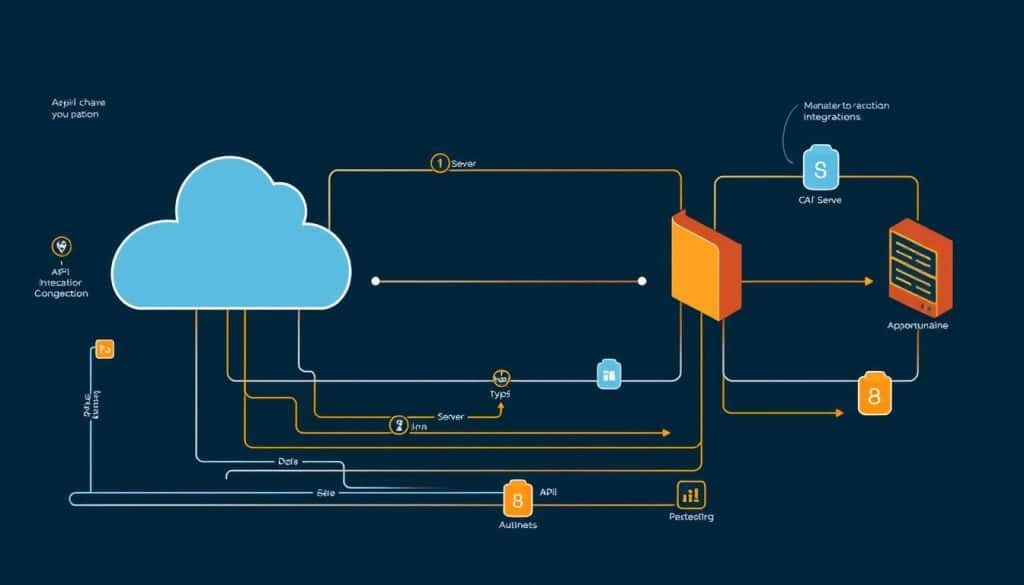
Mastering Web APIs is essential for any web developer looking to create interactive and data-driven web applications. As we explore the world of web development, understanding how to effectively utilize APIs becomes crucial for enhancing the functionality and user experience of web pages.
What Are APIs?
APIs, or Application Programming Interfaces, are sets of defined rules that enable different applications, services, and systems to communicate with each other. They allow web developers to fetch, manipulate, and integrate data from various sources into their web applications, enhancing their functionality and user experience.
RESTful API Basics
RESTful APIs are an architectural style for designing networked applications. They rely on a stateless, client-server, cacheable, and uniform interface. Understanding RESTful APIs is crucial for working with web services, as they provide a straightforward way to interact with data using standard HTTP methods.
Fetching Data from APIs
Fetching data from APIs involves making HTTP requests to retrieve or send data. We use JavaScript’s Fetch API or libraries like Axios to make these requests. Handling responses, dealing with asynchronous operations using Promises or async/await, and understanding CORS policies are key aspects of working with APIs.
Web Security Essentials
Web security is a critical aspect of web development that cannot be overlooked. As we continue to rely on web applications for various aspects of our lives, the importance of securing these platforms against ever-evolving cyber threats becomes paramount.
Common Security Threats
Malicious actors continually seek vulnerabilities in websites to expose private information, steal data, and disrupt services. Common security threats include SQL injection, cross-site scripting (XSS), and cross-site request forgery (CSRF). Understanding these threats is the first step in defending against them.
Input Validation
One of the most effective ways to protect against common security threats is through input validation. By ensuring that user input conforms to expected formats, we can significantly reduce the risk of SQL injection and XSS attacks. Implementing robust input validation mechanisms is crucial for safeguarding web applications.
HTTPS and Data Protection
Implementing HTTPS (HTTP Secure) is no longer optional for professional websites; it protects user data, builds trust, and even improves search engine rankings. HTTPS works through SSL/TLS protocols to encrypt communications and verify server identity. Obtaining and installing SSL certificates, such as those offered by Let’s Encrypt, is a critical step in this process. By transitioning from HTTP to HTTPS, we ensure that data transmitted between users and web servers remains secure.
By prioritizing web security through measures like input validation and HTTPS implementation, we can protect sensitive information and maintain the integrity of our web applications.
The Web Development Process
The journey of building a website is not just about writing code; it’s about following a structured process that ensures quality and functionality.
Planning and Wireframing
The first phase in the web development process is planning and wireframing. This stage involves defining the project’s scope, identifying the target audience, and determining the site’s structure. We create wireframes to visualize the layout and functionality of the website, ensuring that all stakeholders are on the same page. Effective planning and wireframing lay the groundwork for a successful project. For more insights into the basics of website development, you can refer to this comprehensive guide.
Development Workflow
Once the planning phase is complete, we move on to the development workflow. This involves translating the wireframes into actual code using HTML, CSS, and JavaScript. We follow best practices and coding standards to ensure that the website is not only visually appealing but also maintainable and scalable. The development workflow is where the web development team’s expertise shines, bringing the design to life. For a step-by-step tutorial on creating a website using HTML code, visit this tutorial.
Testing and Deployment
The final phases of the web development process involve testing and deployment. We conduct various types of testing, including functional, cross-browser, performance, and accessibility testing, to ensure that the site meets the required standards. After thorough testing, we deploy the site to a production environment, making it available to the public. Post-launch monitoring is crucial to track performance, errors, and user behavior, allowing us to make data-driven decisions for future improvements.
By following this structured process, we can deliver high-quality web applications that meet the needs of our clients and their users.
Web Development Learning Path
Navigating the world of web development begins with identifying the right learning resources and pathways. As you start your journey, you’ll need to understand the fundamentals of web development, including HTML, CSS, and JavaScript, and how they integrate to create dynamic web applications.

Recommended Resources
To get started, we recommend exploring web development courses that cater to beginners. These resources should cover the basics of web development, including HTML, CSS, and JavaScript, and provide hands-on projects to build your skills and portfolio.
Building Your Portfolio
Building a robust portfolio is crucial in showcasing your web development skills to potential employers or clients. We suggest starting with simple projects that demonstrate your understanding of key concepts, such as responsive design and interactive elements. As you progress, include more complex projects that highlight your problem-solving abilities and technical expertise.
By focusing on creating a diverse portfolio and continually enhancing your skills, you’ll be well on your way to establishing a strong presence in the web development field.
Conclusion
As we conclude this comprehensive guide to programming web pages, it’s clear that the journey to mastering web development is both rewarding and ongoing. Throughout this guide, we’ve covered the essential concepts, from the basics of HTML structure to the complexities of interactive web applications.
Our journey has highlighted how these skills build upon each other, creating a robust foundation for web development. We’ve explored the importance of understanding web fundamentals, the anatomy of web pages, and the role of CSS and JavaScript in creating dynamic and responsive web experiences.
The web landscape is constantly evolving, making continuous learning a crucial aspect of a successful web development career. We encourage you to continue exploring beyond this guide, delving deeper into specialized areas that interest you.
To solidify your understanding, we emphasize the importance of applying your knowledge through practical projects. By doing so, you’ll not only reinforce your learning but also build a portfolio that showcases your capabilities.
Whether you’re just starting out or advancing in your web development journey, we provide encouragement and next steps to help you navigate the vast possibilities available. With persistence and dedication, you’ll be well on your way to creating sophisticated web pages that meet the demands of today’s digital landscape.
FAQ
What is the primary markup language used to create web pages?
HTML (Hypertext Markup Language) is the standard markup language used to create web pages, providing the structure and content that browsers render to users.
How do CSS and HTML work together to create visually appealing web pages?
CSS (Cascading Style Sheets) is used to control the layout and visual styling of HTML elements, allowing developers to separate presentation from content and create responsive, visually appealing web pages.
What is the role of JavaScript in web development?
JavaScript is a programming language that adds interactivity to web pages, enabling developers to create dynamic client-side functionality, animate elements, and respond to user interactions.
What are the benefits of using a responsive design approach when building websites?
A responsive design approach ensures that websites adapt to different screen sizes, devices, and orientations, providing an optimal user experience and improving accessibility across various platforms.
How do web development tools and environments support the development process?
Web development tools, such as code editors, IDEs, and browser developer tools, streamline the development process by providing features like syntax highlighting, debugging, and testing, which help developers work more efficiently.
What is the importance of web accessibility in modern web development?
Web accessibility is crucial for ensuring that websites are usable by everyone, including people with disabilities, and is achieved by following guidelines like WCAG and implementing accessible features.
How can web performance be optimized for better user experience?
Web performance optimization involves techniques like image optimization, minification, and compression, as well as loading strategies, to improve page load times and overall user experience.
What are the key considerations for ensuring web security?
Web security involves protecting against common threats, validating user input, and using HTTPS to encrypt data, ensuring that websites and user data are secure.







