
Developing a web application can seem daunting, but with the right tools and guidance, it’s achievable. PHP, a mature server-side scripting language, is widely adopted for web development due to its ease of learning and extensive ecosystem.
PHP powers approximately 79% of all websites, including major platforms like Wikipedia, Etsy, and WordPress, making it an excellent choice for building dynamic and interactive web applications. Our comprehensive guide will walk you through the process, from setting up your environment to testing and deployment, ensuring you gain the knowledge and confidence to build secure web applications.
Key Takeaways
- Understand the basics of PHP and its ecosystem.
- Learn how to set up a development environment for PHP.
- Discover how to build dynamic and interactive web applications.
- Gain insights into testing and deploying PHP applications.
- Explore advanced techniques for enhancing PHP development skills.
Understanding PHP and Its Role in Web Development
As a server-side scripting language, PHP is fundamental to creating interactive web experiences. PHP (Hypertext Preprocessor) is widely used for developing web applications due to its flexibility, scalability, and extensive community support.
What is PHP and Why Use It?
PHP is an open-source scripting language that can be used to write websites and any kind of web-based application and service. It’s a server-side language that is extremely easy to learn and has a large ecosystem of extensions, tools, and frameworks, such as Laminas, which helps accelerate development and improve code quality.
PHP’s widespread adoption is due to its low learning curve, extensive documentation, and massive community support. It’s used by major websites like Wikipedia, Vimeo, Etsy, Mailchimp, Yahoo, WordPress, Flickr, and Magento.
Advantages of PHP for Web Applications
PHP offers several advantages for web applications, including cost-effectiveness, platform independence, and scalability. It’s highly flexible, supporting interoperability with all major data stores, and works seamlessly with MySQL, PostgreSQL, MongoDB, and other popular database systems.
Modern PHP frameworks like Laravel, Symfony, and Laminas provide structured development approaches that enhance productivity, maintainability, and security of web applications. These frameworks, along with PHP’s inherent capabilities, make it an ideal choice for developing robust web applications.
Setting Up Your PHP Development Environment
A well-configured PHP development environment lays the foundation for successful web application development. To start, you need to install a few key components.

Installing a Web Server
To begin, you’ll need a web server to process requests. Popular choices include Apache and Nginx. For beginners, all-in-one packages like XAMPP, WampServer, or MAMP are recommended as they bundle Apache, PHP, and MySQL together.
Installing PHP and Required Extensions
Next, download and install the latest version of PHP from the official PHP website. Configure PHP settings according to your development needs, such as error reporting and time zone settings. Ensure you install necessary extensions like mysqli, PDO, and GD for image processing.
Setting Up a Database Server
Install a database server like MySQL or PostgreSQL to store and retrieve data. Create a database and configure PHP to interact with it. Consider creating secure user accounts and configuring character sets to UTF-8 for international data support.
By following these steps, you’ll have a fully functional PHP development environment ready for web application development.
Essential Tools for PHP Development
The right tools can significantly enhance the PHP development process, from coding to deployment. We will explore the essential tools that can boost your productivity and code quality.

Code Editors and IDEs for PHP
Choosing the right code editor or IDE is vital for efficient PHP development. Popular options include Visual Studio Code, Sublime Text, and PhpStorm, which offer features like syntax highlighting, code completion, and debugging. Installing relevant extensions or plugins can further enhance PHP support.
Version Control Systems (Git)
Version control systems like Git are indispensable for tracking code changes and collaborating with team members. Platforms such as GitHub and Bitbucket facilitate collaborative development by providing issue tracking and CI/CD pipelines. Using Git ensures that your codebase remains organized and maintainable.
Debugging Tools and Extensions
Debugging is a critical aspect of PHP development. Tools like Xdebug enable step-by-step code execution, variable inspection, and stack trace analysis, making it easier to identify and fix issues. Browser developer tools complement server-side debugging by inspecting network requests and analyzing response times.
Planning Your Web Application Using PHP
Effective planning is the foundation upon which successful PHP web applications are built. We emphasize the importance of a thorough planning phase to ensure that your web application meets its objectives and is delivered on time.
Defining Requirements and Features
Defining the requirements and features of your PHP web application is the first step in the planning process. This involves gathering both functional and non-functional requirements, including performance, security, and scalability needs, with measurable acceptance criteria. It’s crucial to document these requirements clearly to guide the development process.
- Identify the application’s purpose, target audience, and core functionality.
- Document functional and non-functional requirements.
- Establish measurable acceptance criteria.
Creating a Project Structure
A well-organized project structure is vital for maintaining a clean and efficient codebase. Consider organizing files by feature or following the MVC (Model-View-Controller) pattern to improve maintainability. A logical structure helps developers navigate the project easily and reduces the likelihood of errors.
Choosing the Right Architecture
Choosing the right architecture for your PHP web application is critical for its scalability and maintainability. Architectural patterns like MVC, MVVM, or hexagonal architecture help separate concerns, making the code more testable and maintainable. Consider the complexity of your application and the team’s expertise when selecting an architectural pattern.
- MVC (Model-View-Controller) for separating concerns.
- Consider scalability and maintainability.
- Choose an architecture that fits the project’s complexity and team expertise.
Building Your First PHP Web Page

Building your first PHP web page is a straightforward process that lays the foundation for more complex web applications. To start, you need to set up your development environment, which includes installing a web server like Apache or Nginx, and PHP. You can simplify this process by using an all-in-one solution like XAMPP.
Creating Basic PHP Scripts
To create a basic PHP script, start by creating a new file with a .php extension, for example, index.php. Inside this file, you can embed PHP code within HTML using the <?php ?> tags. For instance, you can use PHP to echo “Hello, World!” within an HTML page. This hybrid approach allows for dynamic content generation within static markup.
Understanding PHP Syntax and Variables
PHP syntax is fundamental to writing effective PHP scripts. PHP statements are terminated with semicolons, and variables are declared using the $ prefix. PHP is loosely typed, meaning you don’t need to declare variable types explicitly. Understanding data types such as strings, integers, arrays, and booleans is crucial for proper data manipulation. Additionally, PHP’s syntax includes control structures like if/else conditionals and loops, which form the backbone of PHP logic.
Implementing PHP Functions and Control Structures
PHP functions can be either built-in or custom-defined. Built-in functions like date() and array_map() perform common tasks, while custom functions allow you to encapsulate reusable code. Control structures such as if/else statements, switch statements, and loops (for, while, foreach) are essential for controlling the flow of your PHP scripts. Understanding how to use these elements effectively is key to developing robust web applications.
Working with Databases in PHP
In the realm of web development, PHP applications frequently require database interactions to store and retrieve data. We will explore how to effectively work with databases in PHP, covering essential aspects such as establishing connections, performing CRUD operations, and implementing data validation.
Establishing Database Connections
To interact with a database in PHP, we first need to establish a connection. PHP provides various extensions for different databases, such as mysqli and PDO (PHP Data Objects). PDO is generally recommended for new projects due to its support for prepared statements and multiple database drivers. To establish a connection, we use the chosen extension, ensuring proper credential management by storing sensitive information in environment variables or configuration files outside the web root.
Performing CRUD Operations
CRUD operations (Create, Read, Update, Delete) are fundamental to database interactions. We can perform these operations using SQL queries executed through PHP. For instance, to retrieve data, we use a SELECT query, while INSERT, UPDATE, and DELETE queries are used for creating, modifying, and deleting data, respectively. It’s crucial to use prepared statements with parameter binding to prevent SQL injection attacks.
- Use PDO or mysqli for database interactions.
- Employ prepared statements to enhance security.
- Manage data consistency with transaction management.
Implementing Data Validation
Data validation is critical for ensuring data integrity and security. We should validate data on both the client and server sides. In PHP, server-side validation can be achieved using functions like filter_var() and regular expressions. This ensures that even if client-side validation is bypassed, the data remains valid and secure.
| Validation Method | Description | PHP Function |
|---|---|---|
| Server-side Validation | Validates data on the server | filter_var(), Regular Expressions |
| Client-side Validation | Validates data on the client | JavaScript |
Developing a Web Application Using PHP

As we dive into developing a web application using PHP, it’s essential to understand the core features that make PHP a powerful tool for web development. We will explore how to create dynamic content, handle user input, and manage sessions effectively.
Creating Dynamic Content with PHP
Creating truly dynamic web applications requires generating content based on user interactions, database information, and application state. PHP excels at this by processing logic server-side before sending HTML to the browser. For instance, we can use PHP to display different content based on user roles or preferences, enhancing the user experience.
Handling Forms and User Input
Form handling is a cornerstone of interactive web applications. PHP processes form submissions through superglobals like $_POST, $_GET, and $_FILES, allowing us to validate, sanitize, and store user input securely. Proper form security includes protection against cross-site request forgery (CSRF) by implementing tokens that verify form submissions originated from our site.
Session Management and Cookies
Session management allows applications to maintain state across multiple page requests. PHP’s $_SESSION superglobal provides an easy way to store and retrieve user-specific information. Cookies complement sessions by storing information directly on the client side. PHP’s setcookie() function allows setting cookies with specific expiration times, paths, and security flags, enhancing user experience and application security.
| Feature | PHP Implementation | Benefit |
|---|---|---|
| Dynamic Content | Server-side logic processing | Enhanced user experience |
| Form Handling | Superglobals ($_POST, $_GET, $_FILES) | Secure user input processing |
| Session Management | $_SESSION superglobal | Maintains application state |
Implementing User Authentication and Authorization
Securing web applications requires robust user authentication and authorization mechanisms to protect against unauthorized access. User authentication is a critical aspect of web application security, ensuring that only authorized users can access sensitive resources.
Building a Secure Login System
A secure login system is the first line of defense against unauthorized access. We must hash passwords using modern algorithms like bcrypt via PHP’s password_hash() function. As John Doe, a security expert, once said, “Password security is not just about using the right algorithm, it’s about implementing it correctly.”
Session management for authenticated users requires security measures like regenerating session IDs after login and setting appropriate cookie flags (HttpOnly, Secure, SameSite). For more information on developing secure web applications, visit our page on secure web app code solutions.
Managing User Roles and Permissions
Role-Based Access Control (RBAC) allows for granular permission management by assigning users to roles (admin, editor, subscriber) and checking role permissions before allowing access to protected resources. This ensures that users can only access the resources they are authorized to use.
Implementing Two-Factor Authentication
Two-factor authentication adds an additional security layer by requiring something the user knows (password) and something they possess (mobile device). PHP libraries like Google Authenticator or Authy can simplify the implementation of 2FA, enhancing the security of our web application.
By implementing these measures, we can significantly enhance the security of our web application, protecting user data and preventing unauthorized access.
PHP Security Best Practices
To protect PHP applications, it’s essential to implement robust security measures against potential vulnerabilities. Ensuring the security of PHP applications is crucial to protect against various threats and vulnerabilities. We will outline essential security practices for PHP development.
Preventing SQL Injection Attacks
SQL injection attacks can be prevented by employing parameterized queries or prepared statements. This involves using placeholders for user inputs instead of directly embedding them in SQL queries. Consistent use of prepared statements with parameter binding is required for all database queries to prevent SQL injection, regardless of whether the data source seems trusted.
Cross-Site Scripting (XSS) Protection
Cross-site scripting (XSS) attacks can be mitigated by properly escaping output with functions like htmlspecialchars() when displaying user-generated content. Implementing Content Security Policy (CSP) headers also helps restrict the sources from which certain types of content can be loaded, mitigating the risk of XSS attacks.
Secure Password Storage and Management
Store passwords securely by hashing them with strong cryptographic algorithms. PHP provides functions like password_hash and password_verify for this purpose. Secure password handling includes not only proper hashing with algorithms like bcrypt but also implementing password complexity requirements and secure reset procedures.
By following these PHP security best practices, developers can significantly enhance the security of their web applications, protecting user data and preventing common web attacks.
Using PHP Frameworks for Faster Development
Using PHP frameworks can significantly reduce development time and errors. PHP frameworks provide structured architectures, standardized coding practices, and pre-built components that accelerate web application development.
Introduction to Laminas/Zend Framework
Laminas, formerly known as Zend Framework, is a professional-grade PHP framework suitable for large-scale business applications. It offers enterprise support options, making it ideal for projects requiring long-term maintenance. The Laminas community manages and supports the framework, while Zend provides long-term support for corporate solutions.
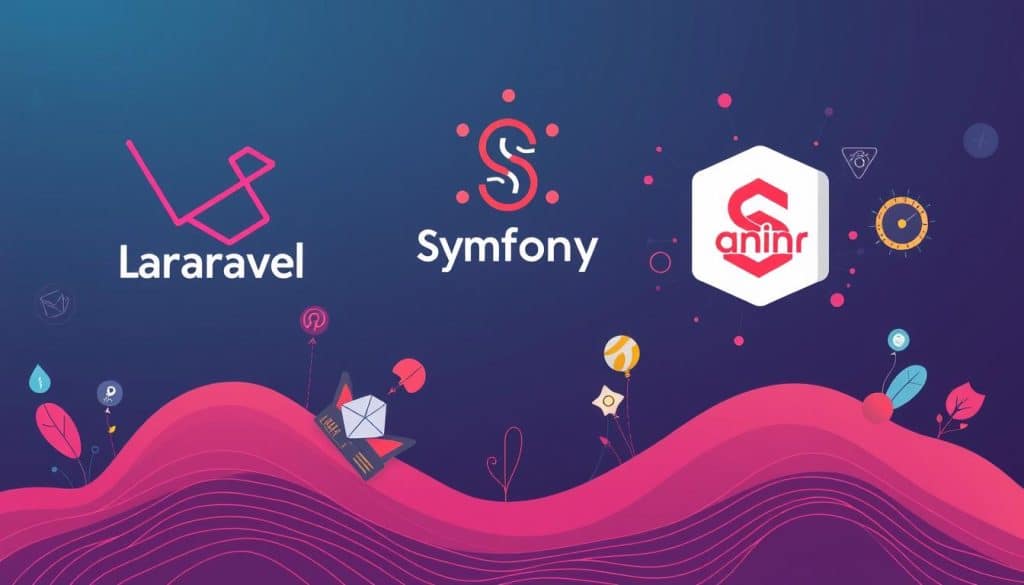
Popular PHP Frameworks (Laravel, Symfony)
Laravel and Symfony are among the most popular PHP frameworks. Laravel is known for its elegant syntax and comprehensive documentation, while Symfony offers enterprise-grade stability and modularity. Both frameworks have robust ecosystems and are widely adopted in the industry.
When to Use a Framework vs. Custom Code
The decision to use a PHP framework or custom code depends on project requirements. Frameworks offer development speed and standardization but may introduce performance overhead. Custom code provides flexibility but requires more development time. For larger projects, frameworks are generally more beneficial due to their ability to incorporate best practices for security and performance optimization.
When choosing between a framework and custom code, consider factors like project size, development time, and performance requirements.
Testing and Debugging PHP Applications
Effective testing and debugging are crucial for the success of PHP web applications. Troubleshooting and debugging in PHP are integral processes for identifying and resolving issues in web applications.
Common PHP Errors and How to Fix Them
Common PHP errors include syntax errors, fatal errors, warnings, and notices. Each type requires a different debugging approach. For instance, syntax errors can be identified using the command-line PHP interpreter before deploying code. We can use tools like Xdebug, a robust PHP extension that integrates with IDEs, to provide features like stack traces and profiling for in-depth analysis.
Unit Testing with PHPUnit
Unit testing with PHPUnit allows developers to verify that individual components function correctly in isolation. By writing tests before code, known as Test-Driven Development, we can lead to better architecture and fewer bugs. This approach is critical for professional PHP development, helping identify bugs early and prevent regressions.
Performance Testing and Optimization
Performance testing identifies bottlenecks in applications using tools like Apache Bench or JMeter to simulate user load. Common optimization techniques include implementing caching, optimizing database queries, and minimizing HTTP requests. For a detailed analysis, let’s examine a comparison of performance optimization techniques in the following table:
| Technique | Description | Impact |
|---|---|---|
| Caching | Stores frequently accessed data in memory | High |
| Database Query Optimization | Improves query efficiency | Medium |
| Minimizing HTTP Requests | Reduces the number of server requests | Medium |
| Enabling Compression | Reduces the size of data transferred | High |
For more comprehensive guidance on PHP testing and debugging techniques, we recommend exploring resources like this detailed guide. By adopting a robust testing strategy, we can significantly improve the quality and reliability of our PHP applications.
Conclusion
As we finalize our discussion on PHP web application development, the importance of adopting best practices becomes evident. Developing web applications with PHP offers a balanced approach between ease of learning and powerful capabilities. We have explored how PHP’s versatility caters to both beginners and experienced developers, enabling the creation of complex, enterprise-level web applications. By understanding core PHP concepts and leveraging modern practices, developers can build secure, scalable, and dynamic web solutions.
Security and testing remain paramount, ensuring the delivery of high-quality web applications. The PHP community provides abundant resources for continued learning, making it possible to stay current with evolving web development practices.
FAQ
What are the benefits of using PHP for web development?
PHP is a mature, widely-used scripting language that offers a range of benefits, including rapid development, flexibility, and a vast community of developers who contribute to its ecosystem. Its extensive libraries and frameworks, such as Laravel and Symfony, make it an ideal choice for building robust web applications.
How do I choose the right PHP framework for my project?
When selecting a PHP framework, consider factors such as the complexity of your project, the level of community support, and the learning curve. Popular frameworks like Laravel and Symfony offer a range of tools and features that can accelerate development, while smaller frameworks like CodeIgniter may be more suitable for simpler projects.
What are some best practices for securing my PHP web application?
To ensure the security of your PHP web application, follow best practices such as validating user input, using prepared statements to prevent SQL injection, and implementing secure password storage. Regularly update your dependencies and monitor your application for potential vulnerabilities.
How do I optimize the performance of my PHP web application?
To optimize performance, focus on efficient database queries, minimize unnecessary computations, and leverage caching mechanisms. Use tools like PHPUnit for unit testing and profiling tools to identify bottlenecks in your code. Additionally, consider using a content delivery network (CDN) to reduce latency.
What are some common PHP errors and how can I debug them?
Common PHP errors include syntax errors, undefined variables, and database connection issues. Use debugging tools like Xdebug and error reporting to identify and resolve these issues. Enable error logging to track issues in production environments and use tools like PHPStorm or Visual Studio Code for debugging.
How do I implement user authentication and authorization in PHP?
Implementing user authentication and authorization in PHP involves creating a secure login system, managing user roles and permissions, and using techniques like two-factor authentication. Use libraries and frameworks that provide authentication and authorization features, such as Laravel’s built-in auth system.
What are the advantages of using a PHP framework versus custom code?
Using a PHP framework can accelerate development, provide a structured approach to coding, and offer a range of built-in features and tools. Custom code, on the other hand, provides flexibility and can be optimized for specific requirements. Weigh the trade-offs between the two approaches based on your project’s needs.







