

Are you struggling to get your Qatar-based business noticed online? With 167 billion searches performed on Google each month, the potential for customer acquisition is vast, but only for those who optimize their online presence effectively.
Optimizing your Google Business Profile is crucial for enhancing your local SEO performance and driving qualified traffic to your business. A well-optimized profile serves as a dynamic snapshot of your business, highlighting your best features and enabling potential customers to quickly find, learn about, and engage with you directly from search results. For more information on how to verify and optimize your business listing, you can visit Google’s official support page.
Key Takeaways
- Understand the importance of Google Business Profile optimization for local SEO.
- Learn how to create and claim your Google Business Profile.
- Discover 13 essential optimization strategies to maximize your profile’s visibility.
- Find out how a properly optimized profile can drive qualified traffic to your business.
- Gain insights into how Google’s local search ranking factors impact your business visibility.
Understanding Google Business Profile and Its Impact on Local SEO
Understanding the significance of Google Business Profile is key to boosting your business’s local SEO. Google Business Profile is a free business listing that appears in Google Search results and Google Maps when users search for your business or businesses like yours in your area.
What is Google Business Profile?
Google Business Profile, formerly known as Google My Business, is a fundamental tool for local businesses. It provides Google with verified information about your business, including your name, address, phone number, and hours of operation. This information is crucial for helping customers find your business and for improving your local search rankings.
Why It Matters for Local Search Rankings
A well-optimized Google Business Profile directly impacts your local search rankings. By providing accurate and up-to-date information, you can improve your chances of appearing in the coveted “Local 3-Pack” that appears at the top of search results. This visibility is critical for attracting new customers and driving business growth.
Key Statistics:
- Businesses with complete Google Business Profiles receive 7 times more actions than those with incomplete listings.
- 70% of mobile searches lead to a visit to a physical store within a day.
Key Benefits for Businesses in Qatar
For businesses in Qatar, a well-optimized Google Business Profile offers several key benefits, including increased visibility in a competitive market. As mobile searches for local businesses continue to grow, having a complete and accurate Google Business Profile is more important than ever.
| Benefits | Description |
|---|---|
| Increased Visibility | Appearing in Google Search results and Google Maps increases your business’s visibility to potential customers. |
| Improved Local SEO | A well-optimized Google Business Profile improves your local search rankings, making it easier for customers to find you. |
| Customer Engagement | Google Business Profile allows customers to leave reviews and interact with your business directly. |
By understanding and leveraging Google Business Profile effectively, businesses in Qatar can enhance their local SEO, attract more customers, and drive growth.
Creating and Claiming Your Google Business Profile
To boost your local SEO, creating and claiming your Google Business Profile is essential. We will guide you through the process of setting up your business profile, claiming an existing listing, and verifying your business information.
Setting Up a New Profile
To create a new Google Business Profile, start by visiting Google.com/business and signing in with your business Google account. It’s crucial to use a Google account associated with your business to ensure you have the necessary permissions. When creating a new profile, you’ll need to provide your business name, address, and category. Ensure that your business information is accurate and consistent with other online directories.
Claiming an Existing Business Listing
Before creating a new profile, search for your business name on Google to determine if a listing already exists. If a listing is found, you’ll need to claim it to manage your business information effectively. Claiming an existing listing involves verifying your business and requesting ownership transfer if necessary. This process helps prevent duplicate profiles that can harm your local SEO efforts.
Verification Process and Options
Verifying your Google Business Profile is a critical step in establishing trust with Google and your customers. Qatar-based businesses can verify their profiles through various methods, including phone, email, postcard, or instant verification via Google Search Console. We recommend choosing the most convenient verification method for your business. Once verified, you’ll be able to manage and optimize your business information, including your business hours, address, and contact details.
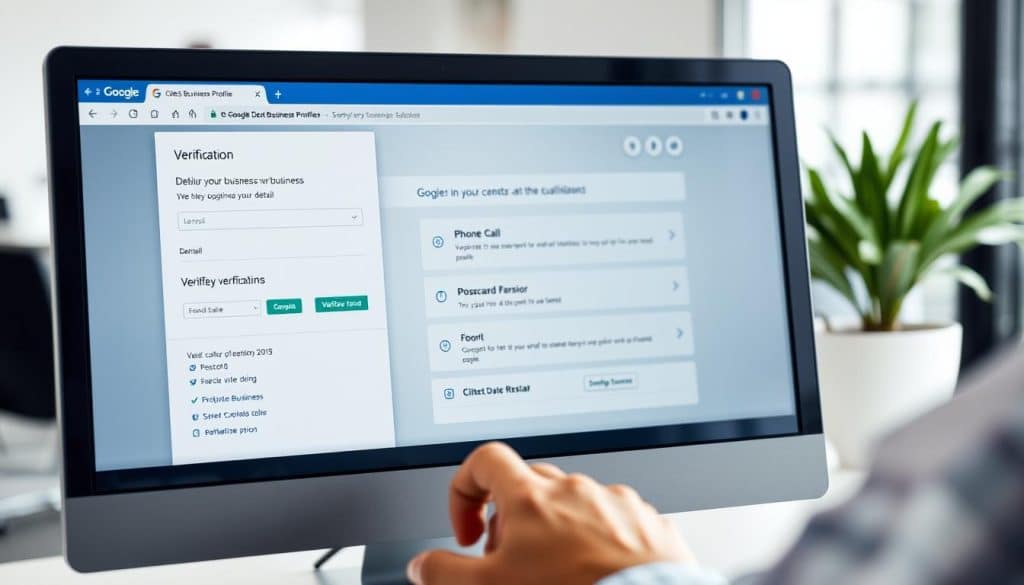
By following these steps, you can ensure that your Google Business Profile is accurate, verified, and optimized to attract more customers.
Optimizing Your NAP Information for Maximum Visibility
Ensuring the accuracy and consistency of your business’s Name, Address, and Phone Number (NAP) is vital for local search visibility. This information is the cornerstone of your Google Business Profile and plays a crucial role in how your business is represented across the web.
Ensuring Name, Address, and Phone Number Accuracy
To start, it’s essential to verify that your NAP information is accurate and consistent across your Google Business Profile. This means ensuring that your business name, address, and phone number match exactly with your real-world signage and official business documentation. Inaccuracies can lead to confusion among potential customers and negatively impact your local search rankings.
Maintaining Consistency Across All Platforms
Consistency is key when it comes to NAP information. Your business’s name, address, and phone number should be identical across your website, social media profiles, and other business directories. This consistency sends a strong signal to Google’s algorithms that your business is legitimate and trustworthy. Use tools or services that can help you monitor and correct your NAP information across the web.
| Platform | NAP Information | Consistency Status |
|---|---|---|
| Google Business Profile | Name: XYZ Inc., Address: 123 Main St, Phone: 123-456-7890 | Consistent |
| Website | Name: XYZ Inc., Address: 123 Main St, Phone: 123-456-7890 | Consistent |
| Social Media | Name: XYZ Inc., Address: 123 Main St, Phone: 123-456-7890 | Consistent |
Adding Your Website and Service Areas
Adding your website URL and defining your service areas in Qatar can significantly enhance your business’s visibility, especially for businesses that serve customers at their location or travel to customers. Ensure that your website is user-friendly and mobile-responsive, as this will also impact your local search rankings.
By focusing on NAP accuracy, consistency, and adding relevant details like your website and service areas, you can improve your business’s local search visibility and attract more customers.
Selecting the Right Business Categories and Attributes
The right business categories and attributes are crucial for a successful Google Business Profile. This selection process is foundational in ensuring your business appears in relevant local search results, thereby increasing your visibility to potential customers.
Categorizing Your Business Strategically
Choosing your primary category is a critical step. With over 3,000 options available, specificity is key. For instance, categorizing your business as an “Egyptian Restaurant” is more effective than simply “Restaurant.” This specificity helps Google understand your business’s unique offerings, making it more likely to appear in searches for those specific services.
When selecting your primary category, consider what makes your business unique and how customers are likely to search for it. 
Adding Relevant Secondary Categories
In addition to your primary category, you can add secondary categories to further describe your business. This is particularly useful if your business offers a range of services. For example, a restaurant might also offer catering services or cooking classes. By adding these secondary categories, you can expand your visibility across more search queries, attracting a broader customer base.
Highlighting Business Attributes That Matter to Customers
Business attributes are special features that potential customers look for when searching for businesses like yours. By highlighting these attributes on your Google Business Profile, you can make your business stand out from competitors and directly address the needs of your target audience. For businesses in Qatar, attributes such as “Wheelchair accessible” or “Family-friendly” can be particularly impactful.
To maximize the effectiveness of your profile, identify the attributes that are most relevant to your business and customers. This not only enhances your profile’s visibility but also improves the customer experience by providing them with the information they need to make informed decisions.
Crafting an Effective Business Description
Crafting an effective business description is crucial for maximizing your Google Business Profile’s impact. A well-written description not only captures the essence of your business but also enhances your visibility in search results.
Writing a Compelling “From the Business” Section
When it comes to your Google Business Profile, there are two types of descriptions: Google’s auto-generated editorial summary and the “from the business” description that you control. The “from the business” section is your opportunity to tell your story, highlighting what makes your business unique. To make the most of this, focus on crafting a compelling narrative within the 750-character limit. Place key information in the first 250 characters to capture attention immediately.
For instance, a company like Qatar National Bank could use this section to highlight its commitment to customer service and innovative banking solutions. By doing so, they not only inform potential customers about their offerings but also build trust and credibility.
Incorporating Keywords Naturally
Incorporating relevant keywords into your business description is essential for improving visibility in search results. However, it’s crucial to do this naturally to avoid keyword stuffing. A balanced approach involves identifying key terms that customers might use when searching for your business or services and seamlessly integrating them into your description.
For example, if you’re a Qatari retail business, you might include terms related to your products or services, such as “fashion,” “electronics,” or “customer service.” By doing so, you enhance your profile’s visibility for relevant searches.
Showcasing Your Unique Value Proposition
Your business description should clearly articulate your unique value proposition (UVP). This involves highlighting what sets your business apart from competitors and why customers should choose you. To effectively communicate your UVP, consider repurposing content from your “About Us” page or mission statement, adapting it to resonate with local customers in Qatar.
“The key to a successful business description is to be authentic and clear about what you offer. It’s not just about listing products or services; it’s about telling a story that resonates with your audience.” –
To further enhance your Google Business Profile, consider exploring additional resources on SEO mastery to elevate your online presence.
Google My Business Optimization Through Visual Content
High-quality photos and videos are essential for an effective Google Business Profile, driving customer interaction and boosting local SEO. Visual content plays a crucial role in how customers perceive your business, making it a key factor in Google My Business optimization.
Uploading High-Quality Photos and Videos
To maximize the impact of your visual content, it’s crucial to upload high-quality photos and videos. Businesses with more than 100 photos receive 520% more calls, 2,717% more direction requests, and 1,065% more website clicks than the average business. Ensure your images are clear, well-lit, and relevant to your business.
The technical specifications for optimal photo uploads include size, format, and resolution requirements. For instance, Google recommends using images with a minimum resolution of 720 pixels on the shortest side. By following these guidelines, you can ensure your images display properly across all devices.
Types of Images That Drive Engagement
Every Qatar business should include a variety of photos to showcase their offerings. Essential types include exterior shots showing your storefront and surroundings, interior images showcasing your space, product photos, team pictures, and images of customers enjoying your services. These visuals help potential customers get a better understanding of your business.
Additionally, leveraging Google’s Street View app to add immersive 360° photos can create a virtual tour, significantly increasing engagement and trust. This feature allows customers to explore your business remotely, providing a more immersive experience.
Managing Customer-Uploaded Photos
Managing customer-uploaded photos is crucial for maintaining the quality and relevance of your visual content. Monitor new additions regularly, and request the removal of any inappropriate content. Encourage satisfied customers to upload high-quality photos by providing excellent service and engaging with your audience.
Establishing a regular schedule for adding new photos (at least one every seven days) keeps your profile fresh and signals to Google that your business is active and up-to-date. This consistent activity can improve your local search rankings and attract more customers.
Leveraging Google Posts to Engage Your Audience
Effective use of Google Posts can be a game-changer for businesses looking to increase their online visibility and customer engagement. Google Posts function as a micro-blogging platform within your Business Profile, allowing you to share timely updates, offers, and events directly with customers searching for your business.
Creating Different Types of Posts
There are four types of Google Posts available: What’s New, Offers, Events, and COVID-19 updates. Each type serves a different purpose and can be used strategically to drive various business objectives. For instance, “What’s New” posts are ideal for sharing news about your business, while “Offers” can be used to promote special deals or discounts.
- Use “What’s New” posts to share business news or updates.
- Utilize “Offers” to promote special deals or discounts.
- Create “Events” posts to announce upcoming events or webinars.
- Leverage “COVID-19 updates” to share relevant information during the pandemic.
Posting Frequency and Best Practices
To maximize the effectiveness of Google Posts, it’s essential to maintain a consistent posting schedule. We recommend posting at least once a week, as certain post types expire after seven days. Consistent posting not only keeps your audience engaged but also signals to Google’s algorithms that your business is active.
For more detailed guidance on creating effective Google Posts, you can refer to expert resources that provide actionable tips and best practices.
Measuring Post Performance
To refine your content strategy, it’s crucial to measure the performance of your Google Posts. The Insights section of your Google Business Profile provides valuable metrics such as views, clicks, and booking actions. By analyzing these metrics, you can understand what resonates with your audience and adjust your posting strategy accordingly.

By leveraging Google Posts effectively, businesses in Qatar can enhance their online presence, engage their audience, and drive more customers to their business. Regularly reviewing post performance and adjusting your strategy will help you achieve the best results.
Managing and Responding to Customer Reviews
Customer reviews are the backbone of a successful Google Business Profile, influencing both consumer decisions and search rankings. In today’s digital landscape, businesses in Qatar must prioritize review management to enhance their local SEO and build trust with potential customers.
Effective Strategies for Generating Positive Reviews
Generating positive reviews requires a strategic approach. We recommend creating a review shortcut link to simplify the process for your customers. Implementing post-purchase email sequences can also encourage satisfied customers to leave feedback. Moreover, training your staff to request reviews appropriately can significantly increase your review volume.
To further enhance your review generation strategy, consider the following:
- Identify the right moment to ask for a review, such as after a successful transaction or service.
- Make sure your review process is customer-friendly and accessible across various devices.
- Showcase your existing reviews on your website and social media to encourage more customers to share their experiences.
Responding to Customer Feedback: Best Practices
Responding to customer reviews, both positive and negative, is crucial. For positive reviews, express gratitude and reinforce the strengths of your business. This not only shows appreciation but also highlights your business’s unique selling points to prospective customers.
When dealing with negative reviews, a strategic response can turn a negative experience into a positive one. Use the following template as a guide:
| Response Component | Example |
|---|---|
| Acknowledgment | “Thank you for sharing your concerns about your recent experience.” |
| Empathy | “We understand how frustrating it can be when our service doesn’t meet expectations.” |
| Resolution | “We’re committed to resolving this issue and improving our service.” |
Leveraging Reviews for Business Improvement
Customer reviews are not just for building credibility; they are also a valuable source of business intelligence. Analyze your reviews to identify patterns and areas for improvement. This can help you refine your services, enhance customer satisfaction, and gain a competitive edge in the Qatar market.
By effectively managing and responding to customer reviews, businesses can not only improve their Google Business Profile but also drive growth and customer loyalty. Remember, the goal is to create a review management strategy that is both proactive and responsive to customer needs.
Optimizing the Q&A Section to Address Customer Concerns
The Q&A section of your Google Business Profile serves as a critical touchpoint for potential customers, making its optimization essential. This public forum allows anyone to ask and answer questions about your business, presenting both opportunities and potential risks for your online reputation.
Proactive Management through Seeding Questions and Answers
We recommend seeding your Q&A section with frequently asked questions and comprehensive answers, a practice explicitly encouraged by Google to provide accurate information to potential customers. To do this effectively, identify common questions your business receives through various channels (phone, email, in-person) and proactively address them in your Q&A section. This approach helps remove barriers to conversion and enhances customer experience.
For instance, if your business is a restaurant in Qatar, you might seed questions like “What are your operating hours during Ramadan?” or “Do you offer vegan options?” By answering these questions, you provide valuable information to potential customers and improve your profile’s visibility.

Monitoring and Responding to User Questions
To ensure the accuracy and helpfulness of the information in your Q&A section, it’s crucial to monitor new questions and respond promptly. Setting up alerts for new questions allows you to address them before others might provide incorrect information. This proactive approach not only enhances customer trust but also protects your business’s online reputation.
When responding to user questions, incorporate relevant keywords naturally to improve your profile’s visibility for those search terms. For example, if a customer asks, “What services do you offer?” you could respond by saying, “We offer a range of services including [service 1], [service 2], and [service 3], catering to the diverse needs of our customers in Qatar.”
Strategic Use of Keywords in Q&A Content
Incorporating relevant keywords into both questions and answers can significantly improve your Google Business Profile’s visibility. However, it’s essential to maintain natural, helpful language to avoid appearing spammy. By strategically using keywords, you can enhance your profile’s search visibility while providing valuable information to potential customers.
For example, a business offering digital marketing services in Qatar could use keywords like “SEO services in Qatar” or “Google Ads management” in their Q&A section to attract relevant searches.
By optimizing your Q&A section, you can create a valuable resource for your customers while enhancing your business’s online presence. As “The key to successful online reputation management lies in proactive engagement and accurate information.”
Showcasing Your Products and Services Effectively
To stand out in Qatar’s competitive market, it’s essential to optimize your Google Business Profile with a comprehensive catalog of your products and services. This not only enhances your local search visibility but also provides potential customers with the information they need to make informed decisions.
Adding Complete Product and Service Listings
When adding products and services to your Google Business Profile, it’s crucial to be thorough and accurate. Start by creating a list of all your offerings, including detailed descriptions and relevant categories. This helps potential customers find you when searching for specific products or services in Qatar.
Including Pricing and Descriptions
For each product or service, include clear and concise descriptions, along with pricing information where applicable. This transparency helps pre-qualify leads and sets customer expectations. For example, a business in Qatar might list their services along with price ranges to attract a wider audience.
Keeping Your Offerings Updated
Regular updates to your product and service listings are vital, especially for seasonal businesses or those that frequently introduce new offerings. This ensures that your Google Business Profile always reflects current availability, keeping your business relevant and top-of-mind for potential customers.
By following these best practices, you can create a robust and engaging Google Business Profile that showcases your products and services effectively, driving more customers to your business in Qatar.
Enabling and Managing Google Messages for Direct Communication
Google Messages is revolutionizing how businesses communicate with their customers, providing a seamless and direct line of communication. By enabling Google Messages on your Google Business Profile, you can facilitate direct text communication between potential customers and your business, creating a frictionless channel for inquiries and bookings.
Setting Up the Messaging Feature
To start using Google Messages, you’ll need to enable the messaging feature on your Google Business Profile. This involves installing the Google Messages app via Google Play or the Apple App Store, depending on your device. Once installed, configure your notification settings to ensure timely responses to customer inquiries.
- Download and install the Google Messages app.
- Link your Google Business Profile to the app.
- Configure notification settings for prompt responses.
Creating Automated Responses and FAQs
Automated responses can significantly enhance customer interaction by providing immediate feedback. Create a welcome message that sets expectations for response times and consider adding FAQs to address common inquiries instantly.
Key elements of effective automated responses include:
- A clear welcome message.
- FAQs that address common customer queries.
- Instructions on how to escalate inquiries if needed.
Best Practices for Customer Interaction
When interacting with customers through Google Messages, it’s crucial to maintain a professional tone and respond promptly. Aim to respond within 24 hours, and utilize the messaging platform for lead qualification, appointment setting, and driving specific customer actions.
By following these best practices and leveraging Google Messages effectively, businesses in Qatar can enhance their customer communication, improve response times, and ultimately drive business growth.
Conclusion: Maintaining Your Google Business Profile for Long-Term Success
As we conclude our comprehensive guide to Google Business Profile optimization, it’s clear that a well-maintained Google Business Profile is crucial for local SEO success in Qatar. We’ve covered 13 key optimization strategies that, when implemented correctly, can significantly enhance your online visibility, drive engagement, and boost conversions for your Qatar-based business.
To maintain long-term success, regular updates and performance monitoring are essential. We recommend reviewing your profile regularly and leveraging Google’s Insights dashboard to track key metrics and guide future optimization efforts. Staying current with Google Business Profile features and policy changes will also give you a competitive edge.
By integrating your optimized Google Business Profile with your broader local SEO and digital marketing strategy, you can create powerful synergies that amplify your online presence and drive business growth. Start by prioritizing the elements that will have the greatest impact on your local search visibility, and systematically implement these strategies to achieve lasting results.
FAQ
What is the importance of having a Google Business Profile for my company?
Having a Google Business Profile is crucial as it helps your business appear in local search results, making it more visible to potential customers. It also allows you to manage your online presence and engage with customers through reviews and posts.
How do I claim my existing Google Business listing?
To claim your existing listing, search for your business on Google Maps or Search, then follow the prompts to claim your listing. You may need to verify your business through a postcard, phone call, or email.
What are the best practices for choosing categories for my Google Business Profile?
Choose categories that accurately describe your business and services. Selecting the right primary category is crucial, and you can also add relevant secondary categories to further define your business.
How often should I post updates on my Google Business Profile?
Posting frequency can vary, but it’s recommended to post at least once a week to keep your audience engaged. You can post updates, offers, or events to attract potential customers.
Can I respond to customer reviews on my Google Business Profile?
Yes, responding to customer reviews is essential. It shows that you value customer feedback and care about their experiences. Respond to both positive and negative reviews in a timely and professional manner.
How do I optimize my Google Business Profile for local SEO?
To optimize your profile, ensure your Name, Address, and Phone Number (NAP) are accurate and consistent across all platforms. Also, choose the right categories, post high-quality content, and engage with customer reviews.
What type of visual content should I upload to my Google Business Profile?
Upload high-quality photos and videos that showcase your business, products, and services. This can include interior and exterior photos, product images, and team photos to give customers a better understanding of your business.
How can I manage customer questions on my Google Business Profile?
You can seed your own questions and answers, monitor user questions, and respond to them in a timely manner. This helps address customer concerns and provides valuable information to potential customers.
Can I add my products and services to my Google Business Profile?
Yes, you can add complete product and service listings, including pricing and descriptions, to your Google Business Profile. This helps customers understand your offerings and can drive sales.
How do I enable Google Messages on my Google Business Profile?
To enable Google Messages, go to your Google Business Profile settings and follow the prompts to set up the messaging feature. You can then create automated responses and FAQs to handle customer inquiries.







